
AI Meeting Assistants: Never Take Notes Again (2026 Comparison)
Compare the best AI meeting assistants: Otter.ai, Fireflies, Granola, and more. Automatic transcription, summaries, and action items.
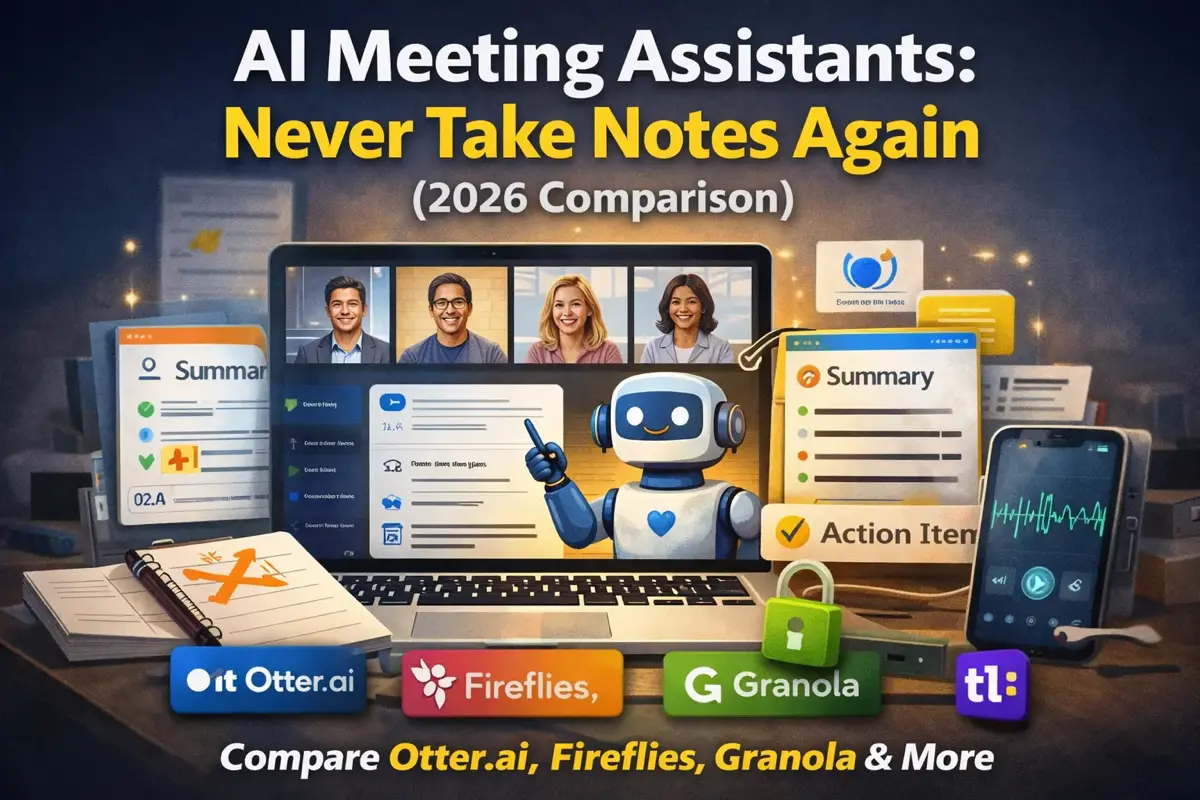
You’re in a meeting, trying to pay attention while frantically typing notes. You miss half of what’s said because you’re too busy writing down the other half.
AI meeting assistants fix this. They join your calls, transcribe everything, and give you summaries with action items — so you can actually focus on the conversation.
After testing every major option, here’s what actually works.
The Quick Comparison
| Tool | Best For | Price | Key Strength |
|---|---|---|---|
| Otter.ai | General use | Free/$16/mo | Best transcription accuracy |
| Fireflies.ai | Sales teams | Free/$18/mo | CRM integrations |
| Granola | Privacy-focused | Free/~$14/mo | No bot, no audio stored |
| Fathom | Free option | Free/~$19/mo | Generous free tier |
| tl;dv | Video clips | Free/~$18/mo | Shareable highlights |
| Tactiq | Google Meet | Free/$12/mo | Chrome extension |
How AI Meeting Assistants Work
- They join your call — As a bot participant or browser extension
- Record and transcribe — Real-time speech-to-text
- Identify speakers — Who said what
- Generate summaries — Key points, decisions, action items
- Make it searchable — Find anything discussed in past meetings
The magic is in the summaries. Instead of scrolling through an hour of transcript, you get a 2-minute summary with the important stuff.
Otter.ai — Best Overall
Price: Free (300 min/mo) / $16.99/mo Pro / $30/mo Business | Website: Otter.ai
Otter is the most polished and accurate meeting assistant available.
What It Does Well
Transcription Accuracy Otter’s transcription is the best in the business — consistently 95%+ accurate, even with accents, technical jargon, and crosstalk.
Real-Time Transcription See the transcript as people speak. Great for:
- Catching something you missed
- Verifying you heard correctly
- Accessibility for deaf/hard-of-hearing participants
Smart Summaries After the meeting, Otter generates:
- Overall summary (2-3 paragraphs)
- Key takeaways (bullet points)
- Action items with owners
- Questions that were raised
OtterPilot Their bot joins Zoom, Teams, or Meet automatically based on your calendar. No manual setup needed.
Limitations
- Bot joining can feel intrusive to participants
- Storage limits on free tier
- Mobile app transcription less accurate than desktop
- No local processing option
Best For
- Knowledge workers in lots of meetings
- Teams that need shared meeting records
- Anyone wanting the most accurate transcription
Pricing Breakdown
| Plan | Price | Minutes | Features |
|---|---|---|---|
| Free | $0 | 300/mo | Basic transcription |
| Pro | $16.99/mo | 1,200/mo | OtterPilot, summaries |
| Business | $30/mo | 6,000/mo | Admin controls, integrations |
Fireflies.ai — Best for Sales Teams
Price: Free (800 min/mo) / $18/mo Pro / $29/mo Business | Website: Fireflies.ai
Fireflies shines when you need to connect meeting insights to your CRM.
What It Does Well
CRM Integration Automatically logs meeting notes to:
- Salesforce
- HubSpot
- Pipedrive
- Zoho CRM
No more manual CRM updates after calls.
Conversation Intelligence Tracks metrics across calls:
- Talk-to-listen ratio
- Longest monologue
- Questions asked
- Sentiment analysis
Great for sales coaching and self-improvement.
Topic Tracking Set up topics (pricing, competitors, objections) and Fireflies highlights when they’re mentioned.
AskFred AI Chat with your meeting history:
- “What concerns did [client] raise about pricing?”
- “What did we promise to deliver by Friday?”
Limitations
- Transcription slightly less accurate than Otter
- Interface can feel cluttered
- Mobile app is basic
- CRM features require Business plan
Best For
- Sales teams
- Customer success managers
- Anyone who needs CRM integration
- Teams wanting conversation analytics
Granola — Best for Privacy
Price: Free (Basic) / ~$14/mo Business / $18/mo Individual / $35/mo Enterprise | Website: Granola.so
Granola is different: no bot joins your call, and audio is never stored.
What It Does Well
No Bot, No Stored Audio Granola captures your system audio and sends it to transcription providers (like Deepgram) in real time. Once transcription is complete, all audio is deleted — nothing is stored on Granola’s servers or by third parties. No bot joins the call, so participants won’t see a recording indicator.
Lightweight No bot joins the call. Granola just listens through your system audio. Participants don’t know it’s there (make sure to inform them anyway for legal/ethical reasons).
Clean Interface Minimalist design. Meeting notes appear in a simple, searchable format.
Offline Note Access You can read and edit existing notes without an internet connection. However, transcription and AI features require internet.
Limitations
- Audio still sent to cloud for transcription (not fully local)
- Windows version available but still in beta
- Less accurate than dedicated cloud-based options
- Limited team features on free tier
- Google account required for Windows sign-in
Best For
- Privacy-conscious users who want no bot and no audio storage
- Users wanting a lightweight, non-intrusive option
- Mac or Windows users
- Solo users or small teams
Fathom — Best Free Option
Price: Free / ~$19/mo Premium / ~$29/mo Team (annual) | Website: Fathom.video
Fathom offers the most generous free tier — unlimited recordings and transcriptions for individuals.
What It Does Well
Truly Free (With Limits) Unlimited recordings, unlimited transcription, no credit card required. The catch? Advanced AI summaries are limited to 5 per month on the free plan (after that, you get basic chronological summaries only). Team features require paid plans.
Quick Highlights Click during a meeting to mark important moments. Fathom creates clips automatically.
Clean Summaries AI-generated summaries are well-organized:
- Summary
- Action items
- Key topics discussed
Fast Performance Summaries appear within minutes of meeting end.
Limitations
- Team features are expensive (~$29-39/user/mo)
- Fewer integrations than competitors
- AI summaries limited to 5/month on free plan
- No CRM connections on free plan
- Limited conversation analytics
Best For
- Individual contributors
- Freelancers and consultants
- Anyone wanting to try AI meeting tools free
- Light users who don’t need team features
tl;dv — Best for Sharing
Price: Free (unlimited recordings, 10 AI notes) / ~$18/mo Pro (annual) | Website: tldv.io
tl;dv excels at creating shareable meeting clips and highlights.
What It Does Well
Video Clips Create short clips from any meeting moment. Perfect for:
- Sharing customer feedback with product team
- Sending key decisions to stakeholders
- Training and onboarding
Timestamped Notes Tag moments during the call. Click a note later to jump to that exact moment in the recording.
Team Collaboration Comment on transcripts, tag teammates, share specific sections.
Multi-Language Support Transcription in 30+ languages. Summaries can be translated.
Limitations
- Free AI notes limited to 10 (then only first 10 min per meeting)
- Free recordings auto-deleted after 3 months
- Video storage uses significant space
- No local processing option
- Mobile app is basic
Best For
- Teams that share meeting highlights
- Product teams collecting user feedback
- Distributed teams across time zones
- Multi-language organizations
Tactiq — Best for Google Meet
Price: Free (10 transcripts/mo) / $12/mo Pro | Website: Tactiq.io
Tactiq is a Chrome extension focused on Google Meet users.
What It Does Well
No Bot Required Runs as a Chrome extension — no bot joining your call. Less intrusive for participants.
Works Offline Transcription happens in your browser, not on Tactiq’s servers (for free tier).
Affordable Pro At $12/month, it’s the cheapest paid option with good features.
Google Workspace Integration
- Save to Google Docs
- Integrates with Google Calendar
- Works with Google Meet natively
Limitations
- Chrome/Edge extension only (Zoom desktop app in beta for Mac)
- Originally Google Meet focused (Zoom/Teams now supported)
- Less accurate than dedicated apps
- Pro plan AI credits limited to 10/month
Best For
- Google Workspace users
- Budget-conscious buyers
- Users who want extension-based (no bot) approach
- Light meeting load
Microsoft Teams Built-In (Copilot)
If your organization uses Microsoft Teams with Copilot, you already have meeting AI built in.
What It Does
- Meeting transcription
- AI-generated summaries
- Action item extraction
- Searchable meeting history
- Catch-up summaries for missed meetings
Limitations
- Requires Microsoft 365 + Copilot (~$30/user/mo add-on, bundled options also available)
- Only works with Teams meetings
- Can’t process external meetings
Best For
- Organizations already paying for Copilot
- Teams-only environments
See our full Microsoft Copilot review for more details.
Comparison Table
| Feature | Otter | Fireflies | Granola | Fathom | tl;dv | Tactiq |
|---|---|---|---|---|---|---|
| Free tier | 300 min | 800 min | Limited | Unlimited* | Unlimited** | 10 trans |
| Paid price | ~$17/mo | ~$18/mo | ~$14/mo | ~$19/mo | ~$18/mo | $12/mo |
| Accuracy | ★★★★★ | ★★★★ | ★★★ | ★★★★ | ★★★★ | ★★★ |
| Zoom | ✅ | ✅ | ✅ | ✅ | ✅ | ✅ |
| Teams | ✅ | ✅ | ✅ | ✅ | ✅ | ✅ |
| Meet | ✅ | ✅ | ✅ | ✅ | ✅ | ✅ |
| No bot required | ❌ | ❌ | ✅ | ❌ | ❌ | ✅ |
| CRM integration | ⚠️ | ✅ | ⚠️ | ⚠️ | ⚠️ | ❌ |
| Video clips | ❌ | ✅ | ❌ | ⚠️ | ✅ | ❌ |
| Mobile app | ✅ | ✅ | ✅ | ✅ | ✅ | ❌ |
✅ = Full support | ⚠️ = Limited | ❌ = Not available
*Fathom: Unlimited recordings, but AI summaries limited to 5/month on free plan. **tl;dv: Unlimited recordings, but 10 AI notes total on free plan; recordings deleted after 3 months.
Which Should You Choose?
Best Overall: Otter.ai
If you want the most accurate transcription and don’t have special requirements, Otter is the safest choice.
Best for Sales: Fireflies.ai
The CRM integration and conversation analytics make it invaluable for sales teams.
Best for Privacy: Granola
When confidentiality matters, Granola stands out — no bot joins the call and audio is never stored. Available on Mac and Windows.
Best Free: Fathom
Unlimited free recordings and transcription for individuals (AI summaries limited to 5/month). Can’t beat that.
Best for Sharing: tl;dv
When you need to share clips and highlights with teammates or stakeholders.
Best Budget Paid: Tactiq
At $12/month with no bot required, it’s the most affordable premium option.
Tips for Using AI Meeting Assistants
1. Inform Participants
Always let attendees know you’re using an AI assistant. Many jurisdictions require consent for recording.
2. Review Before Sharing
AI summaries can miss nuance or misattribute quotes. Always review before forwarding to others.
3. Don’t Over-Rely
AI can miss context, sarcasm, and non-verbal communication. The summary is a starting point, not gospel.
4. Use for Async Updates
Send meeting summaries to stakeholders who couldn’t attend instead of scheduling another meeting.
5. Search Your History
Most tools let you search across all past meetings. Use this to find “what did we decide about X?“
6. Set Up Topic Alerts
Configure the tool to highlight when specific topics (budget, timeline, competitors) are mentioned.
Privacy and Security Considerations
Bot vs. No-Bot Approaches
| Approach | Pros | Cons |
|---|---|---|
| Bot-based (Otter, Fireflies) | Better accuracy, more features | Bot joins call, audio stored on servers |
| No-bot (Granola) | No bot visible, audio not stored | Audio still sent to cloud for transcription |
| Extension-based (Tactiq) | No bot, runs in browser | Accuracy depends on browser audio |
Before Using at Work
- Check company policy — Many organizations have rules about recording
- Verify compliance — SOC 2, GDPR compliance matters for enterprise
- Understand data retention — How long are recordings stored?
- Know who has access — Can vendor employees access your transcripts?
Legal Requirements
- One-party consent states (US): You can record if you’re a participant
- Two-party consent states (US): All participants must consent
- GDPR (EU): Explicit consent required
- Always safer: Inform everyone before recording
The Bottom Line
AI meeting assistants have genuinely changed how I work. I can focus on conversations instead of frantically typing notes. I can catch up on meetings I missed in 2 minutes instead of 30. I can search my meeting history like email.
Start here:
- Try Fathom if you want free
- Try Otter if you want the best quality
- Try Granola if privacy matters most
The technology is mature enough that any of these options will save you time. Pick one, use it for a month, and you’ll wonder how you ever lived without it.
Related Articles
- AI Tools Guide — Complete hub for all AI tools
- Best AI Tools for Office Work — Curated productivity tools
- How to Use AI at Work Safely — Privacy and compliance
- How to Learn AI in 2026 — Your complete AI learning roadmap
- ChatGPT Mastery Guide — Master the most popular AI tool
Related Articles
![Best AI Writing Tools 2026 [Tested]: Grammarly vs Jasper vs Claude](/images/ai-writing-tools-comparison.webp)
Best AI Writing Tools 2026 [Tested]: Grammarly vs Jasper vs Claude
I tested 8 AI writing tools for real work tasks. Grammarly, Jasper, Claude, and Copy.ai compared on quality, speed, and price.
Notion AI vs Obsidian AI: Which Note-Taking App Is Better in 2026?
Comparing Notion AI and Obsidian's AI plugins for note-taking. Features, pricing, privacy, and which fits your workflow better.
Best AI Presentation Makers in 2026: Create Slides in Minutes
Best AI presentation tools compared: Gamma, Beautiful.ai, Canva AI, and more. Which creates the best slides and is it worth paying for?