
Best Monitor Arms 2026: Single & Dual Options Compared
Find the perfect monitor arm for your desk setup. We compare Ergotron, Amazon Basics, and VIVO—from budget to premium, single to dual monitor mounts.
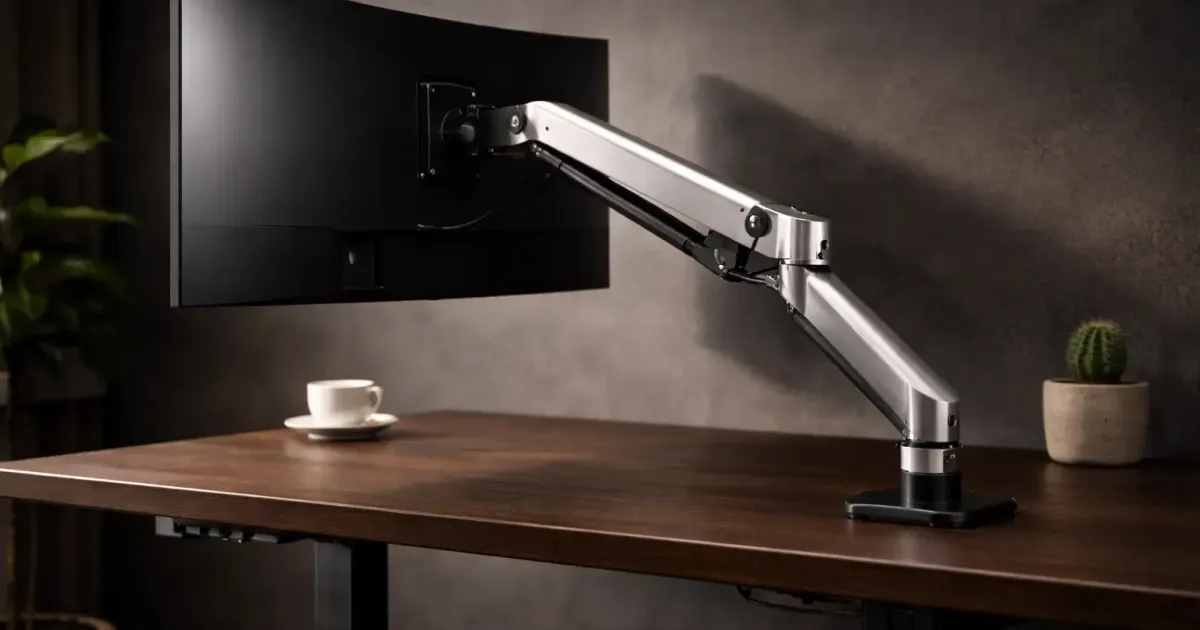
A monitor arm is one of the best desk upgrades you can make. It frees up your entire desk footprint, puts your screen at the perfect height, and makes cable management actually possible.
But prices range from $30 to $300+. What’s actually worth buying?
I’ve compared the most popular options to help you find the right arm for your setup and budget.
Quick Answer: Best Monitor Arms 2026
| Arm | Price | Best For | Our Verdict |
|---|---|---|---|
| Ergotron LX | ~$179 | Premium single | ⭐ Best overall |
| Amazon Basics Premium | ~$110 | Mid-range single | Good value |
| VIVO Premium Aluminum | ~$40 | Budget single | Best budget pick |
| VIVO Dual Mount | ~$45 | Budget dual | Best dual value |
| Ergotron LX Dual | ~$415 | Premium dual | Best dual quality |
Prices fluctuate—check current prices before buying.
What Makes a Good Monitor Arm?
Before diving into specific models, here’s what actually matters.
Must-Have Features
| Feature | Why It Matters | What to Look For |
|---|---|---|
| Weight capacity | Must support your monitor | At least 5 lbs over your monitor’s weight |
| VESA compatibility | Standard mounting pattern | 75x75mm and 100x100mm support |
| Range of motion | Positioning flexibility | Tilt, swivel, rotation, height adjust |
| Stability | No sagging or drifting | Gas spring or mechanical spring |
| Build quality | Longevity | Steel or aluminum construction |
Nice-to-Have Features
- Cable management (clips or channels)
- Quick-release VESA plate
- Both clamp and grommet mounts included
- Tool-free tension adjustment
- Longer warranty (5+ years)
What Doesn’t Matter Much
- RGB lighting
- Fancy packaging
- “Gaming” branding
- USB hubs (often fail first)
The Best Monitor Arms (Detailed Reviews)
1. Ergotron LX — Best Overall
Price: ~$179
The Ergotron LX is the monitor arm that other arms are compared to. It’s been the gold standard for years, and for good reason.
Key Specs:
| Spec | Ergotron LX |
|---|---|
| Weight capacity | 7-25 lbs |
| Screen size | Up to 34” |
| Vertical lift | 13” |
| Extension | Up to 25” |
| VESA | 75x75mm, 100x100mm |
| Warranty | 10 years |
What I Like:
- Buttery smooth movement—stays exactly where you put it
- 10-year warranty actually covers normal use
- Handles ultrawides and heavy monitors with ease
- Both clamp and grommet mounts included
- Tool-free tension adjustment
- Built like a tank
What Could Be Better:
- Price is 4x budget options
- Overkill for lightweight monitors
- Some find the aesthetic industrial
Best for: Anyone who wants a “buy it for life” monitor arm. If you use your monitor daily for work, the Ergotron pays for itself in longevity and ergonomics.
Sources: PCWorld, Tom’s Guide
2. Amazon Basics Premium Monitor Arm — Best Mid-Range
Price: ~$100-130
The Amazon Basics Premium is essentially an Ergotron clone at a lower price. Similar design, similar functionality, shorter warranty.
Key Specs:
| Spec | Amazon Basics Premium |
|---|---|
| Weight capacity | Up to 25 lbs |
| Screen size | Up to 32” |
| Vertical lift | ~13” |
| Extension | Up to 25” |
| VESA | 75x75mm, 100x100mm |
| Warranty | 1 year |
What I Like:
- Very similar to Ergotron at lower price
- Smooth gas spring mechanism
- Solid aluminum construction
- Good range of motion
- Includes both mount types
What Could Be Better:
- Only 1-year warranty (vs Ergotron’s 10)
- Occasionally ships with cosmetic defects
- Long-term durability unproven vs Ergotron
- Tension adjustment less refined
Best for: People who want Ergotron-like quality but don’t want to pay Ergotron prices. Good choice if you upgrade monitors frequently anyway.
3. VIVO Premium Aluminum — Best Budget Single
Price: ~$40
At $40, the VIVO Premium Aluminum is impossible to ignore. It’s not as refined as the Ergotron, but it gets the fundamentals right.
Key Specs:
| Spec | VIVO Premium Aluminum |
|---|---|
| Weight capacity | Up to 22 lbs |
| Screen size | 17-32” |
| Vertical lift | ~15” |
| Extension | ~18” |
| VESA | 75x75mm, 100x100mm |
| Warranty | 3 years |
What I Like:
- Unbeatable price for what you get
- Gas spring provides smooth adjustment
- Handles typical 27” monitors easily
- Solid steel and aluminum build
- 3-year warranty (good for the price)
What Could Be Better:
- Not as smooth as premium arms
- Can sag slightly with heavier monitors
- Cable management is basic
- Tension adjustment requires Allen key
Best for: Anyone on a budget who wants the ergonomic benefits of a monitor arm without spending $150+. Perfect first monitor arm.
4. VIVO Dual Monitor Mount — Best Budget Dual
Price: ~$40-50
If you have two monitors and don’t want to spend $300+, the VIVO Dual is the obvious choice.
Key Specs:
| Spec | VIVO Dual Mount |
|---|---|
| Weight capacity | 22 lbs per arm |
| Screen size | 13-30” each |
| VESA | 75x75mm, 100x100mm |
| Mount type | C-clamp or grommet |
| Warranty | 3 years |
What I Like:
- Two arms for the price of one premium arm
- Mechanical spring height adjustment
- Each arm moves independently
- Integrated cable management
- 4.5/5 stars with 20,000+ reviews
What Could Be Better:
- 30” max per arm (no ultrawides)
- 22 lb limit tight for larger monitors
- Center pole takes up desk space
- Not as smooth as premium options
Best for: Dual monitor setups on a budget. If your monitors are 30” or smaller and under 20 lbs each, this is the best value.
Sources: VIVO, Amazon reviews
5. Ergotron LX Dual Side-by-Side — Best Premium Dual
Price: ~$415-500
For dual monitor setups where quality matters, the Ergotron LX Dual is the gold standard.
Key Specs:
| Spec | Ergotron LX Dual |
|---|---|
| Weight capacity | 7-20 lbs per arm |
| Screen size | Up to 27” each |
| Extension | 25” per arm |
| VESA | 75x75mm, 100x100mm |
| Warranty | 10 years |
What I Like:
- Same build quality as single LX
- Independent arm movement
- Rock-solid stability with two monitors
- 10-year warranty
- Handles heavier monitors easily
What Could Be Better:
- Expensive ($350+)
- Limited to 27” per side
- Heavy and takes space
- Overkill for casual use
Best for: Professionals who use dual monitors daily and want buy-it-for-life quality. Also good if you have heavy monitors.
Sources: Ergotron
Quick Comparison Table
| Feature | Ergotron LX | Amazon Basics | VIVO Single | VIVO Dual | Ergotron Dual |
|---|---|---|---|---|---|
| Price | ~$179 | ~$110 | ~$40 | ~$45 | ~$415 |
| Weight capacity | 25 lbs | 25 lbs | 22 lbs | 22 lbs/arm | 20 lbs/arm |
| Max screen | 34” | 32” | 32” | 30”/arm | 27”/arm |
| Warranty | 10 years | 1 year | 3 years | 3 years | 10 years |
| Best feature | Build quality | Price/quality | Price | Dual value | Dual quality |
How to Choose
Get the Ergotron LX if:
- You want the best and don’t mind paying for it
- You have a heavy or ultrawide monitor
- You want a 10-year warranty
- This is your main work setup
Get the Amazon Basics Premium if:
- You want Ergotron quality at lower price
- You upgrade monitors frequently
- 1-year warranty is acceptable
- You’re okay with occasional quality variance
Get the VIVO Premium Aluminum if:
- Budget is your priority
- Your monitor is 27” or smaller
- You’re new to monitor arms
- You want good value, not perfection
Get the VIVO Dual if:
- You have two monitors under 30”
- Budget matters more than premium feel
- You want dual monitors without dual premium price
- Your monitors weigh under 20 lbs each
Get the Ergotron LX Dual if:
- You’re a professional with dual monitors
- Quality and longevity matter most
- You have heavier monitors
- You want 10-year peace of mind
Monitor Arm Setup Tips
Before You Buy
- Weigh your monitor — Check specs or use a bathroom scale
- Check VESA compatibility — Look for 4 holes in a square pattern on the back
- Measure desk thickness — Most clamps work with 0.5-2.5” thick desks
- Consider cable length — Arm movement requires slack in cables
Installation Tips
| Step | Tip |
|---|---|
| Placement | Position near back of desk for best range |
| Tighten properly | Clamp should be snug, not crushing the desk |
| Adjust tension | Set so monitor stays put without drifting |
| Route cables | Use arm’s cable management before connecting |
Ergonomic Setup
| Setting | Recommendation |
|---|---|
| Monitor height | Top of screen at or slightly below eye level |
| Distance | Arm’s length away (~20-26 inches) |
| Tilt | Slight backward tilt (10-20°) |
| Position | Centered in front of you, not off to the side |
Common Mistakes to Avoid
-
Ignoring weight limits — A sagging arm is worse than the original stand
-
Forgetting desk thickness — Some clamps don’t fit thin IKEA desks
-
No VESA check — Some monitors (older iMacs, budget panels) need adapters
-
Skipping cable slack — Tight cables limit movement and cause damage
-
Over-tightening — Can damage desk edge or strip threads
-
Wrong height — Monitor too high causes neck strain
The Bottom Line
For most people, the VIVO Premium Aluminum at ~$40 is the smart choice. It handles typical monitors well and costs less than a nice lunch.
If you want the best and plan to use it for years, the Ergotron LX at ~$179 is worth the investment—the 10-year warranty alone justifies the price.
For dual monitors on a budget, the VIVO Dual at ~$45 is unbeatable value.
Whatever you choose, even a basic monitor arm dramatically improves your desk setup. Free up that space, get your screen at the right height, and enjoy a cleaner workspace.
Related Guides
- The Ultimate Desk Upgrade Guide — Complete workspace optimization
- Best Standing Desks Under $600 — Pair with your arm
- Best Office Chairs for Long Hours — Complete the setup
- Best Monitors for Working From Home — What to mount on your new arm
- Dual Monitor Setup Guide — Set up two screens the right way
- Cable Management Tips — Hide those wires
Prices and specs verified March 2026. Monitor arm prices are relatively stable, but always check current listings. This guide will be updated as needed.
Last updated: March 2026
Related Articles

7 Best Monitor Light Bars (2026) — I Tested Them All
The best monitor light bars for your home office compared. From the BenQ ScreenBar Halo to budget picks under $40, find the right one for your desk setup.
Best Office Chairs for Long Hours (2026): Tested & Compared
Find the perfect office chair for all-day comfort. Herman Miller, Secretlab, Branch, and budget options compared with real specs and current prices.
Best Standing Desks Under $600 (2026): Tested & Compared
Find the perfect standing desk for your home office. We compare FlexiSpot, Uplift, Autonomous, and Branch—with real specs, honest reviews, and current prices.