
7 Best Monitor Light Bars (2026) — I Tested Them All
The best monitor light bars for your home office compared. From the BenQ ScreenBar Halo to budget picks under $40, find the right one for your desk setup.
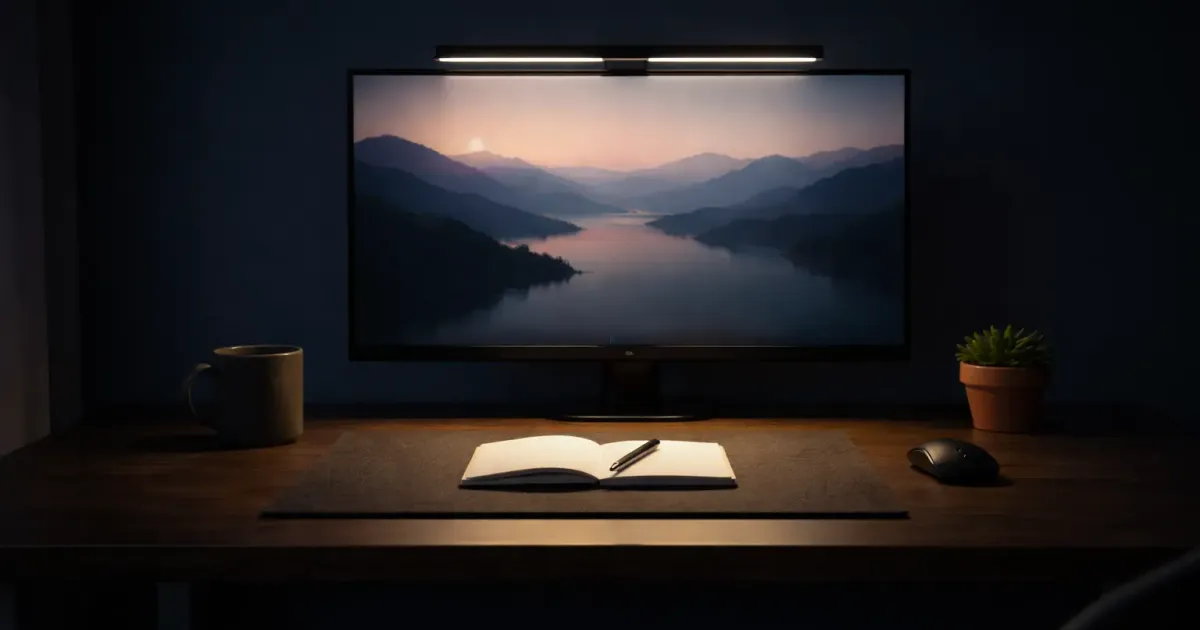
If you spend 8+ hours staring at a screen every day, your lighting setup matters more than you think. Bad overhead lighting creates glare, desk lamps take up space, and working in the dark is a recipe for headaches.
A monitor light bar fixes all of that. It clips onto your monitor, illuminates your desk and keyboard without reflecting off the screen, and takes up zero desk space. It’s one of those upgrades that sounds unnecessary until you try it — then you can’t go back.
I’ve been testing monitor light bars as part of my ongoing desk upgrade journey, and the difference in eye comfort during long work sessions is genuinely noticeable.
Here’s what’s actually worth buying in 2026.
Quick Comparison: Best Monitor Light Bars 2026
| Light Bar | Price | Best For | Color Temp | Key Feature |
|---|---|---|---|---|
| BenQ ScreenBar Halo | ~$179 | Best overall | 2700-6500K | Wireless controller + backlight |
| BenQ ScreenBar | ~$109 | Premium simple | 2700-6500K | Auto-dimming, no-frills |
| BenQ ScreenBar Pro | ~$140 | Auto-dimming pro | 2700-6500K | Motion sensor, 1000+ lux |
| Quntis Pro+ | ~$60 | Best budget | 3000-6500K | Remote control, great value |
| Xiaomi Mi Light Bar | ~$70 | Best value | 2700-6500K | Wireless dial, aluminum build |
| Yeelight Light Bar Pro | ~$140 | Smart home | 2700-6500K | Alexa/Google/SmartThings |
| Baseus i-Wok | ~$38 | Ultra-budget | 3000-6500K | Under $40, gets the job done |
Prices fluctuate — check current listings before buying.
The 7 Best Monitor Light Bars (Detailed Reviews)
1. BenQ ScreenBar Halo — Best Overall
Price: ~$179
The BenQ ScreenBar Halo is the monitor light bar that set the standard, and the updated Halo 2 version makes it even better. What makes it special isn’t just the front light — it’s the rear ambient backlight that illuminates the wall behind your monitor, reducing the contrast between your bright screen and dark surroundings.
The wireless controller is a satisfying puck-shaped dial that sits on your desk. Twist to adjust brightness, press to switch between color temperatures, or let the auto-dimming sensor handle everything. No fumbling with touch controls on the bar itself.
Key Specs:
| Spec | BenQ ScreenBar Halo |
|---|---|
| Length | 50 cm (19.7”) |
| Color temp | 2700-6500K |
| Max brightness | ~1000 lux (center) |
| Coverage area | 65 x 40 cm (25.6” x 15.7”) |
| CRI | >95 |
| Power | USB-C |
| Curved monitor support | Yes (1000R-1800R) |
| Weight | ~800g |
What I Like:
- Rear backlight genuinely reduces eye fatigue in dark rooms
- Wireless controller is intuitive and sits neatly on your desk (rechargeable via USB-C)
- Auto-dimming adjusts to ambient light automatically (500 lux target)
- Fits curved monitors and even iMacs/Studio Displays
- Flicker-free, EU-certified blue light safety
What Could Be Better:
- Most expensive option on this list
- The backlight isn’t RGB — it’s warm white only
- Controller needs occasional recharging
Best for: Anyone working long hours in a home office, especially if you work in dim or dark rooms. The backlight alone is worth the premium if you do evening work sessions. It’s the one I keep coming back to.
2. BenQ ScreenBar — Best Premium Simple Option
Price: ~$109
If you want BenQ quality without the wireless controller or backlight, the standard ScreenBar is the way to go. It’s been around for years, which means BenQ has had time to refine every detail. Touch controls sit on top of the bar — tap to cycle modes, slide to adjust brightness.
The auto-dimming sensor is the standout feature here. It reads ambient light and adjusts the bar to hit 500 lux on your desk surface, which is the recommended office lighting standard. Set it to auto and forget it.
Key Specs:
| Spec | BenQ ScreenBar |
|---|---|
| Length | 45 cm (17.7”) |
| Color temp | 2700-6500K |
| Max brightness | ~930 lux (center, at 45cm) |
| Coverage area | 60 x 30 cm (23.6” x 11.8”) |
| CRI | >95 |
| Power | USB-A |
| Curved monitor support | No (flat monitors only) |
| Weight | ~530g |
What I Like:
- Auto-dimming is genuinely good — set and forget
- Touch controls are responsive and intuitive
- Smaller footprint works well on 24-27” monitors
- Build quality is premium — all metal, no plastic creaking
- Proven reliability over years of updates
What Could Be Better:
- Doesn’t fit curved monitors
- No wireless controller (touch controls only)
- No backlight feature
- Smaller coverage area than the Halo or Pro
Best for: People with flat monitors who want reliable, premium lighting without extras. If you use a standard 24-27” flat display, this is the cleanest option.
3. BenQ ScreenBar Pro — Best Auto-Dimming
Price: ~$140
The ScreenBar Pro is BenQ’s newest model, and it’s designed for the “set it and forget it” crowd. The headline feature is an ultrasonic motion sensor that detects when you sit down and turns the light on automatically. Walk away for 5 minutes, and it shuts off. No buttons, no apps, no thought required.
It’s also the brightest BenQ bar at over 1000 lux center illumination, with the same 85 x 50 cm coverage area as the Halo. The trade-off: no wireless controller and no backlight. You get capacitive touch controls on top of the bar instead.
Key Specs:
| Spec | BenQ ScreenBar Pro |
|---|---|
| Length | 50 cm (19.7”) |
| Color temp | 2700-6500K |
| Max brightness | 1000+ lux (center) |
| Coverage area | 85 x 50 cm (33.5” x 19.7”) |
| CRI | >95 |
| Power | USB-C |
| Curved monitor support | Yes (1000R-1800R) |
| Weight | ~700g |
What I Like:
- Motion sensor auto on/off is surprisingly useful
- Brightest bar in the BenQ lineup (1000+ lux)
- USB-C power (finally)
- Wide coverage area matches the Halo
- 16 brightness levels + 8 color temperature presets
- Fits curved monitors up to 1000R
What Could Be Better:
- No wireless controller — touch controls only
- No backlight for the wall behind your monitor
- Motion sensor sensitivity isn’t adjustable
- Priced awkwardly between the standard ScreenBar and Halo
Best for: Dual-monitor setups and anyone who wants the widest, brightest coverage without a wireless controller. The motion sensor is great if you frequently step away from your desk.
4. Quntis Monitor Light Bar Pro+ — Best Budget
Price: ~$60
The Quntis Pro+ is the light bar I recommend most often because it does 90% of what the BenQ ScreenBar does at roughly half the price. You get a wireless remote control (a rarity at this price), auto-dimming, and a 51 cm aluminum body that covers more desk space than the standard BenQ ScreenBar.
The CRI is 95, color temperature is adjustable from 3000-6500K, and the stepless dimming means you get fine-grained control instead of preset levels. For ~$60, it’s hard to argue with the value.
Key Specs:
| Spec | Quntis Pro+ |
|---|---|
| Length | 51 cm (20”) |
| Color temp | 3000-6500K |
| Max brightness | ~1200 lux |
| CRI | >95 |
| Power | USB-C |
| Curved monitor support | Yes (0.12” to 2.36” thick) |
| Weight | ~660g |
What I Like:
- Wireless remote with stepless dimming — huge value add
- Auto-dimming sensor works reliably
- Wider than the standard BenQ ScreenBar (51 cm vs 45 cm)
- USB-C powered
- 45-degree adjustable rotation for precise light angle
- Anti-blue-light certified (IEC62778)
What Could Be Better:
- Build quality is good but not BenQ-level
- Remote feels plasticky
- No backlight feature
- The clamp is fiddly during initial installation
Best for: Anyone who wants great lighting on a budget. If you can’t justify spending $100+ on a light bar, the Quntis Pro+ is the answer. It punches way above its price.
5. Xiaomi Mi Monitor Light Bar — Best Value
Price: ~$70
Xiaomi’s monitor light bar is the definition of “you don’t need to spend more.” It has an aluminum body, a satisfying wireless dial controller (similar to BenQ’s), and the same 2700-6500K color temperature range as bars costing twice as much.
The wireless dial is the standout at this price point. Rotate for brightness, press and rotate for color temperature. It connects via 2.4GHz wireless, so there’s no Bluetooth pairing nonsense. It just works.
Key Specs:
| Spec | Xiaomi Mi Light Bar |
|---|---|
| Length | 44.8 cm (17.6”) |
| Color temp | 2700-6500K |
| Max brightness | ~270 lumens |
| CRI | >95 |
| Power | USB-C |
| Curved monitor support | No (flat monitors only) |
| Weight | ~500g |
What I Like:
- Wireless dial controller at ~$70 is excellent value
- All-aluminum build feels premium
- 2.4GHz wireless is more reliable than Bluetooth
- Flicker-free with Ra95 color rendering
- Minimal, clean design fits any desk setup
What Could Be Better:
- No auto-dimming sensor
- Doesn’t support curved monitors
- Slightly shorter than competitors (44.8 cm)
- Availability varies by region — sometimes hard to find in stock
Best for: Value-conscious buyers who want a wireless controller without paying BenQ prices. If you have a flat monitor and don’t need auto-dimming, the Xiaomi is the sweet spot.
6. Yeelight Monitor Light Bar Pro — Best Smart Home Integration
Price: ~$140
If your desk is part of a smart home ecosystem, the Yeelight Pro is the only light bar that truly belongs. It works with Google Home, Amazon Alexa, Samsung SmartThings, and even Razer Chroma for RGB syncing. Voice control, automations, scenes — it all works.
Beyond smart features, it’s a solid light bar in its own right. The rear RGB backlight adds ambient color to your wall (16 million colors), and the wireless knob controller handles daily adjustments. The front light covers 2700-6500K with Ra95 color rendering.
Key Specs:
| Spec | Yeelight Pro |
|---|---|
| Length | 48.5 cm (19.1”) |
| Color temp | 2700-6500K |
| Max brightness | ~280 lumens |
| CRI | >95 |
| Power | USB (5V/2A) |
| Connectivity | WiFi 2.4GHz + Bluetooth 4.2 |
| Curved monitor support | Yes (adjustable mount) |
| Weight | ~600g |
What I Like:
- Works with Alexa, Google Home, SmartThings, and Razer Chroma
- RGB rear backlight with 16 million colors
- Wireless knob controller is smooth and responsive
- Voice control is genuinely useful (“Hey Google, set desk light to warm”)
- 25-degree adjustable mount for precise positioning
- App control for scenes and automations
What Could Be Better:
- Requires WiFi setup (not plug-and-play)
- Smart features need the Yeelight app
- More expensive than non-smart alternatives with similar lighting
- RGB backlight is fun but not necessary for productivity
Best for: Smart home enthusiasts who want their desk lighting integrated into their ecosystem. If you already use Alexa or Google routines, the Yeelight fits right in. Also great for gamers who want RGB syncing.
7. Baseus i-Wok — Best Ultra-Budget
Price: ~$38
The Baseus i-Wok is proof that you don’t need to spend much to get decent monitor lighting. Under $40 gets you an aluminum light bar with touch controls, three color temperature presets, stepless dimming, and a memory function that remembers your last settings.
It’s not fancy. There’s no wireless controller, no auto-dimming sensor, and no RGB. But it lights up your desk, reduces screen glare, and plugs into any USB port. For the price of a mediocre lunch for two, that’s a good deal.
Key Specs:
| Spec | Baseus i-Wok |
|---|---|
| Length | 45 cm (17.7”) |
| Color temp | 3000-6500K |
| Max brightness | ~160 lumens |
| CRI | >97 |
| Power | USB-C |
| Curved monitor support | No (flat monitors, 0.2-1.6” thick) |
| Weight | ~400g |
What I Like:
- Under $40 — hard to beat on price
- Touch controls are simple and responsive
- CRI 97 is actually the highest on this list
- Memory function remembers your settings
- USB-C powered with included cable
- Lightweight and easy to install
What Could Be Better:
- Only three color temperature presets (not stepless)
- No wireless controller or remote
- No auto-dimming sensor
- No curved monitor support
- Lower brightness than competitors
Best for: Anyone who wants to try a monitor light bar without committing $100+. It’s also great for a secondary monitor or a temporary setup. If you’re on a strict budget, this gets the job done.
Why Use a Monitor Light Bar Instead of a Desk Lamp?
If you’ve never used a monitor light bar, you might wonder why you’d buy one when a desk lamp already exists. Fair question. Here’s the difference:
The Glare Problem
A regular desk lamp sits beside or behind your monitor, and light bounces off the screen. You get reflections, hot spots, and your eyes constantly adjust between the bright lamp area and the darker screen. Over 8 hours, that causes real eye strain.
A monitor light bar uses asymmetric optics — the light is angled to only hit your desk and keyboard, not the screen. Zero glare, zero reflections.
Desk Space
A desk lamp takes up a footprint on your desk. A light bar clips onto your monitor and takes up nothing. If you’re already tight on desk space (and who isn’t?), this alone is worth the switch. For more space-saving tips, check out my cable management guide.
Consistent Illumination
Desk lamps create a bright spot near the lamp and darkness everywhere else. Light bars spread illumination evenly across your entire work surface. The good ones target 500 lux, which is the recommended office lighting standard.
The One Exception
If you need to light your entire room (not just your desk), a desk lamp or overhead light is still the better tool. Light bars are specifically for task lighting at your workstation.
How to Choose a Monitor Light Bar
Not sure which one to pick? Here’s what actually matters.
Color Temperature Range
Look for 2700K to 6500K or close to it. This gives you:
- 2700-3000K: Warm, yellowish light — relaxing for evening work
- 4000-4500K: Neutral white — best for general productivity
- 5500-6500K: Cool, bluish white — mimics daylight, good for focus
Most bars on this list cover the full range. The Baseus is slightly more limited with presets instead of stepless adjustment.
Dimming Control
Stepless dimming (continuous adjustment) beats preset levels every time. The Quntis Pro+, Xiaomi, and BenQ models all offer stepless control. The Baseus has presets, which is fine for basic use but less flexible.
Width and Monitor Compatibility
Match the light bar width to your monitor:
- 24” monitor: 40-45 cm bar is plenty
- 27” monitor: 45-50 cm bar for full coverage
- 32”+ or ultrawide: 50+ cm bar recommended
Also check the clamp thickness range. Most bars support 0.12” to 2.36” bezels, but budget options like the Baseus are more limited.
Curved Monitor Support
If you have a curved monitor, this is non-negotiable. The BenQ Halo, ScreenBar Pro, and Quntis Pro+ all support curved screens (typically 1000R to 1800R). The standard BenQ ScreenBar, Xiaomi, and Baseus are flat-monitor only.
USB Power vs. Wall Power
Every light bar on this list is USB powered — no wall adapters, no extra cables. Most use USB-C now (Quntis, Baseus, Xiaomi, BenQ Pro), while the BenQ Halo and standard ScreenBar use USB-A. Just plug into your monitor’s USB port, a hub, or a charger.
Auto-Dimming
The BenQ models and Quntis Pro+ include ambient light sensors that automatically adjust brightness based on room conditions. This is a genuine quality-of-life feature. You set it once and the bar adapts throughout the day as natural light changes. If you work near a window, auto-dimming is worth prioritizing.
My Recommendations by Use Case
| Use Case | Pick | Why |
|---|---|---|
| Best overall | BenQ ScreenBar Halo (~$179) | Wireless controller + backlight + auto-dimming |
| Best for dark rooms | BenQ ScreenBar Halo (~$179) | Rear backlight reduces contrast strain |
| Best auto on/off | BenQ ScreenBar Pro (~$140) | Motion sensor, brightest coverage |
| Best budget | Quntis Pro+ (~$60) | Wireless remote, auto-dimming, USB-C |
| Best value | Xiaomi Mi Light Bar (~$70) | Wireless dial, aluminum build |
| Best smart home | Yeelight Pro (~$140) | Alexa, Google, SmartThings, RGB |
| Best under $40 | Baseus i-Wok (~$38) | Gets the job done, great CRI |
| Best for curved monitors | BenQ ScreenBar Pro (~$140) | 1000-1800R support, widest coverage |
| Best for dual monitors | BenQ ScreenBar Pro (~$140) | 85 cm coverage, handles wide setups |
The Bottom Line
For most people working from home, the Quntis Pro+ (~$60) is the best starting point. It has the features that matter — wireless remote, auto-dimming, USB-C, curved monitor support — at a price that doesn’t sting.
If you’re willing to pay for the best, the BenQ ScreenBar Halo (~$179) is worth every dollar, especially if you work in the evenings or in dim rooms. The rear backlight makes a real difference.
And if you just want to see what the fuss is about, grab the Baseus i-Wok (~$38) and try it for a week. You’ll probably upgrade, but at least you’ll understand why everyone swears by these things.
More Desk Upgrades Worth Considering
A monitor light bar is just one piece of a comfortable workspace. If you’re upgrading your setup, also check out:
- The Complete Desk Upgrade Guide — Everything from standing desks to cable management, organized by priority and budget
- Best Monitors for Working From Home — Because the light bar is only as good as the screen it’s sitting on
- Cable Management Tips — Because a light bar won’t help if your desk is buried under cables
Your eyes will thank you.
Related Articles
Best Standing Desks Under $600 (2026): Tested & Compared
Find the perfect standing desk for your home office. We compare FlexiSpot, Uplift, Autonomous, and Branch—with real specs, honest reviews, and current prices.
7 Best Webcams for Working From Home (I Tested Them)
The best webcams for working from home compared. From 4K options to budget picks under $70, I tested 7 webcams so you don't look terrible on your next call.
![7 Best Monitors for Working From Home in 2026 [Tested]](/_astro/best-monitors-working-from-home.pJjSBCnU_Z1nVo2M.webp)
7 Best Monitors for Working From Home in 2026 [Tested]
I compared 27-inch 4K and ultrawide monitors for WFH setups. Here are the 7 best picks for every budget, from $240 to $1,020, with USB-C and hub options.