
Notion AI vs Obsidian AI: Which Note-Taking App Is Better in 2026?
Comparing Notion AI and Obsidian's AI plugins for note-taking. Features, pricing, privacy, and which fits your workflow better.
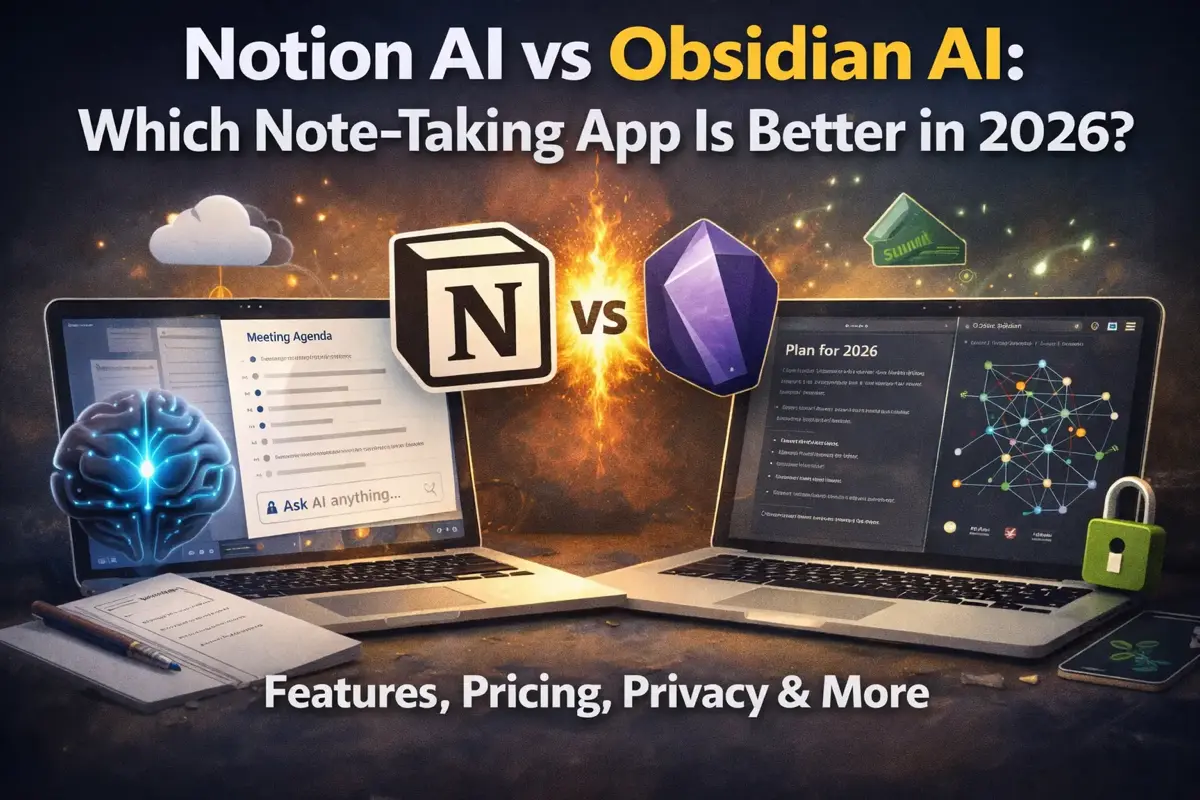
Notion and Obsidian represent two fundamentally different philosophies of note-taking. Now both have AI capabilities, making the choice even more interesting.
Notion AI is polished and integrated. Obsidian’s AI is flexible and privacy-focused. Let’s break down which approach works better for different needs.
The Fundamental Difference
Before comparing AI features, understand what makes these apps different:
Notion:
- Cloud-based, collaborative
- Databases and structured content
- All-in-one workspace (docs, wikis, projects)
- Proprietary format
- Company controls your data
Obsidian:
- Local-first, your files on your device
- Plain Markdown files
- Pure note-taking (plugins add features)
- Open format (just .md files)
- You control your data
This fundamental difference shapes everything about their AI implementations.
Quick Comparison
| Feature | Notion AI | Obsidian AI (Plugins) |
|---|---|---|
| Price | Included in Business ($20/user/mo) | Free - $20/mo (varies) |
| Setup | One click | Requires configuration |
| Privacy | Cloud processed | Can be local |
| Integration | Native, seamless | Plugin-dependent |
| Offline AI | No | Yes (with local models) |
| Learning curve | Easy | Moderate to steep |
| Collaboration | Excellent | Limited |
Notion AI: The Polished Option
What You Get
Notion AI is now bundled into Notion’s Business plan ($20/user/month, billed annually). The previous $8/month add-on was discontinued for new users in May 2025. Here’s what Notion AI offers:
Writing Assistance
- Generate drafts from prompts
- Continue writing from where you left off
- Translate content
- Fix spelling and grammar
- Change tone (professional, casual, etc.)
- Make text longer or shorter
Content Transformation
- Summarize pages
- Extract action items
- Create tables from text
- Convert bullet points to paragraphs (and vice versa)
- Explain technical content simply
Q&A About Your Workspace
- Ask questions about your notes
- “What did we decide about the Q3 budget?”
- “Summarize my meeting notes from last week”
- Search across your entire workspace with AI
Database Features
- Auto-fill properties
- Generate descriptions
- Summarize linked pages
Notion AI Strengths
Seamless Integration AI is built into every text block. Highlight text, press a shortcut, and AI options appear. No context switching.
Workspace-Wide Q&A This is Notion AI’s killer feature. Ask questions about anything in your workspace, and it finds and synthesizes answers. Game-changer for large knowledge bases.
Zero Configuration Just upgrade to Business plan and AI is enabled. No API keys, no setup, no technical knowledge required.
Collaborative AI-generated content is visible to all workspace members. Great for teams.
Notion AI Weaknesses
Cloud Dependency Everything is processed on Notion’s servers. Your notes, your prompts, your AI queries — all sent to the cloud.
Cost Adds Up AI is only available on Business plan ($20/user/month). For a team of 10, that’s $200/month for Notion with AI included.
Limited Customization You can now choose between models (GPT-5.2, Claude, Gemini 3, etc.), but you can’t adjust parameters like temperature or use fully custom system prompts.
Vendor Lock-in Your notes are in Notion’s format. AI features only work within Notion. Switching apps means losing AI capabilities.
No Offline AI No internet = no AI features.
Obsidian AI: The Flexible Option
Obsidian doesn’t have built-in AI. Instead, you add AI through community plugins. This gives you flexibility but requires more setup.
Popular AI Plugins
Copilot (Most Popular)
- Chat with AI about your notes
- Generate text in your vault
- Supports OpenAI, Claude, local models
- Free plugin, pay for API usage
Smart Connections
- Find related notes automatically
- AI-powered linking suggestions
- Semantic search across your vault
- Works with local embeddings
Text Generator
- Generate text from prompts
- Templates for common tasks
- Multiple model support
- Free plugin, pay for API
Ollama Integration
- Run AI models locally
- Complete privacy (nothing leaves your device)
- Free (just your electricity)
- Requires decent hardware
Obsidian AI Strengths
Privacy Options Run AI completely locally with Ollama. Your notes never leave your device. For sensitive content, this is huge.
Model Choice Use OpenAI, Claude, Mistral, Llama, or any other model. Switch based on task or preference. Not locked to one provider.
Cost Control Pay only for what you use. Heavy user? Consider local models. Light user? API costs might be pennies per month.
Customization Create custom prompts, adjust temperature, set system instructions. Power users can fine-tune everything.
Works Offline With local models (Ollama), AI works without internet. Great for travel or privacy-sensitive environments.
No Lock-in Your notes are Markdown files. Plugins are optional. Switch apps anytime without losing your content.
Obsidian AI Weaknesses
Setup Required Nothing works out of the box. You need to:
- Find and install plugins
- Configure API keys or local models
- Learn plugin-specific interfaces
- Troubleshoot when things break
Fragmented Experience Different plugins have different interfaces, different capabilities, different quality. No unified AI experience.
No Native Q&A Across Vault Plugins attempt this, but nothing matches Notion AI’s workspace-wide Q&A. The experience is clunkier.
Plugin Maintenance Community plugins can break after updates, be abandoned by developers, or have security issues.
Collaboration Limitations Obsidian is fundamentally single-user. Sharing AI features with a team is awkward at best.
Feature-by-Feature Comparison
Writing Assistance
Notion AI: Highlight text → AI menu → select action. Smooth and intuitive.
Obsidian: Depends on plugin. Usually: trigger command → write prompt → wait for response. More steps, more friction.
Winner: Notion (better UX)
Summarization
Notion AI: One-click page summaries. Works on any page including databases.
Obsidian: Plugin-dependent. Copilot can summarize, but setup required.
Winner: Notion (easier)
Search and Q&A
Notion AI: “Ask AI” searches entire workspace, synthesizes answers from multiple pages.
Obsidian: Smart Connections finds related notes. Copilot can answer questions but less sophisticated.
Winner: Notion (more powerful)
Privacy
Notion AI: All data processed in cloud. Notion sees everything.
Obsidian: Can run completely local with Ollama. Zero data transmission.
Winner: Obsidian (local option available)
Cost (Individual User)
Notion AI: Requires Business plan ($20/month) — AI no longer available as standalone add-on
Obsidian: Free (local models) to ~$5-20/month (API usage for heavy users)
Winner: Obsidian for cost-conscious users who don’t need Notion’s collaboration features.
Cost (Team of 10)
Notion AI: $200/month (Business plan × 10 users, AI included)
Obsidian: Varies wildly. Could be $0 (local) to $200+ (heavy API usage)
Winner: Obsidian for budget-conscious teams willing to self-manage
Customization
Notion AI: None. Take what you’re given.
Obsidian: Extensive. Choose models, write custom prompts, adjust parameters.
Winner: Obsidian (complete control)
Ease of Use
Notion AI: Click and go. Anyone can use it.
Obsidian: Requires technical comfort. Plugin setup, API keys, troubleshooting.
Winner: Notion (much easier)
Use Case Recommendations
Choose Notion AI If:
You’re a team Notion’s collaboration + AI is unmatched. Shared workspaces with AI-powered search and summarization.
You want simplicity No configuration, no maintenance, just AI that works.
You already use Notion Adding AI to existing Notion workflow is trivial.
You need workspace-wide Q&A “What did we decide about X?” across thousands of pages is Notion AI’s superpower.
You don’t have privacy concerns Cloud processing is fine for your content.
Choose Obsidian AI If:
Privacy matters Medical notes, legal documents, personal journals — keep it local.
You want control Choose your models, customize prompts, own your workflow.
You’re technical Comfortable with plugins, APIs, and occasional troubleshooting.
You’re budget-conscious Local models are free. API usage can be cheaper than flat fees.
You use Obsidian already AI plugins enhance rather than replace your existing setup.
You work offline frequently Local AI works anywhere, no internet required.
Consider Both If:
Some users maintain both:
- Obsidian for personal notes (privacy, local)
- Notion for team collaboration (shared workspace, AI Q&A)
Not ideal, but addresses different needs.
The Privacy Question
Let’s be direct about privacy:
Notion AI:
- Your notes are on Notion’s servers (already true without AI)
- AI queries send content to LLM providers (Notion uses OpenAI, Anthropic, and Google models)
- Notion’s privacy policy covers this
- Enterprise plans have additional protections
Obsidian with Cloud AI (OpenAI, Claude APIs):
- Your notes stay local
- Only content you send to AI leaves your device
- You choose what to send
- API providers have their own policies
Obsidian with Local AI (Ollama):
- Everything stays on your device
- No data transmission whatsoever
- Complete privacy
- You need capable hardware
For truly sensitive content, Obsidian + local AI is the only option that guarantees privacy.
Setting Up Obsidian AI
If you want to try Obsidian’s AI capabilities, here’s the quick path:
Option 1: Cloud AI (Easiest)
- Install “Copilot” plugin from Community Plugins
- Get OpenAI API key from platform.openai.com
- Add API key to Copilot settings
- Start chatting with your notes
Cost: Pay-per-use, typically $1-10/month for normal usage
Option 2: Local AI (Most Private)
- Install Ollama (ollama.com)
- Download a model:
ollama pull llama3 - Install “Copilot” or “Ollama” plugin
- Configure to use local endpoint
- Run AI completely offline
Cost: Free (electricity only) Requires: 8GB+ RAM, decent CPU (GPU helps)
The Verdict
Notion AI is better for:
- Teams and collaboration
- Non-technical users
- Heavy workspace-wide search needs
- All-in-one workspace fans
Obsidian AI is better for:
- Privacy-conscious individuals
- Technical power users
- Budget optimization
- Offline requirements
- Customization needs
My Recommendation
For most people: Start with Notion AI. It’s easier, more polished, and the workspace Q&A alone is worth the Business plan price if you have lots of notes.
For privacy-sensitive use: Obsidian + Ollama. The setup is worth it for complete control over your data.
For power users: Obsidian with carefully chosen plugins. The flexibility is unmatched, but budget time for configuration.
Both are excellent choices. The “right” answer depends on whether you prioritize convenience (Notion) or control (Obsidian).
Related Articles
- AI Tools Guide — Complete hub for all AI tools
- AI PDF Summarizers — Chat with your documents
- Best AI Tools for Office Work — Curated productivity tools
- How to Learn AI in 2026 — Your complete AI learning roadmap
- ChatGPT Alternatives — 10 AI assistants compared
Related Articles
![Best AI Writing Tools 2026 [Tested]: Grammarly vs Jasper vs Claude](/images/ai-writing-tools-comparison.webp)
Best AI Writing Tools 2026 [Tested]: Grammarly vs Jasper vs Claude
I tested 8 AI writing tools for real work tasks. Grammarly, Jasper, Claude, and Copy.ai compared on quality, speed, and price.

Best AI Presentation Makers in 2026: Create Slides in Minutes
Best AI presentation tools compared: Gamma, Beautiful.ai, Canva AI, and more. Which creates the best slides and is it worth paying for?
AI Meeting Assistants: Never Take Notes Again (2026 Comparison)
Compare the best AI meeting assistants: Otter.ai, Fireflies, Granola, and more. Automatic transcription, summaries, and action items.