
Pearcleaner: The Ultimate Homebrew and App Management Guide
Meet Pearcleaner: the free, source-available Mac app uninstaller with Homebrew integration. Clean leftover files, adopt apps, and manage casks in one GUI.
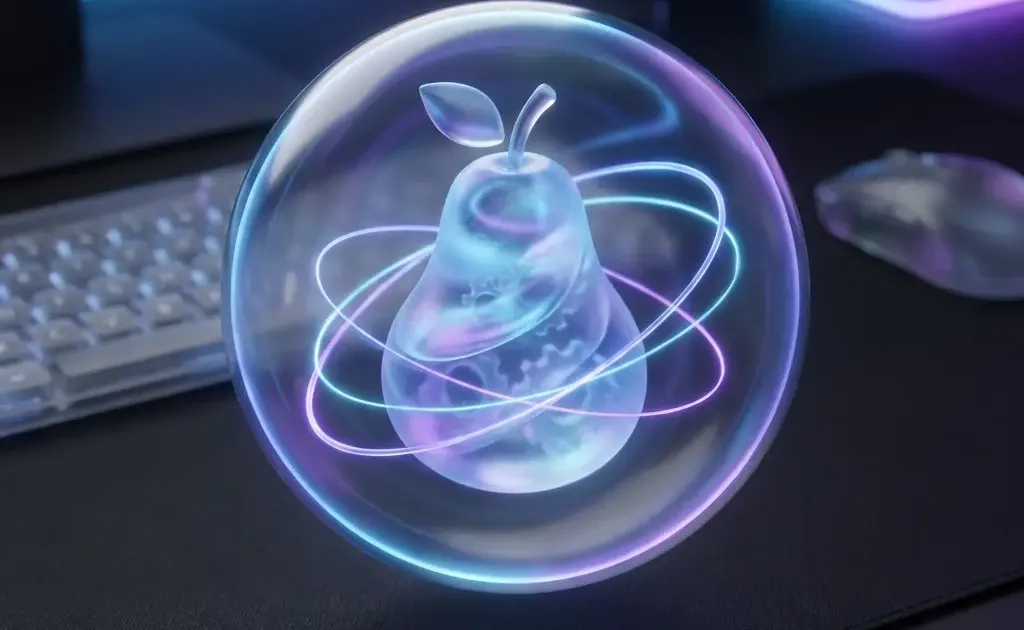
If you’ve been using a Mac for more than five minutes, you know that dragging an app to the Trash is a lie. macOS leaves behind caches, logs, and preference files that can eat up gigabytes of space over time.
For years, AppCleaner was the gold standard for fixing this. But a new player has arrived that feels more modern, powerful, and — most importantly — integrated with the power-user’s favorite tool: Homebrew.
Meet Pearcleaner.
What is Pearcleaner?
Pearcleaner is a free, source-available app uninstaller for macOS (licensed under Apache 2.0 with Commons Clause). It was built with a simple goal: to be the most thorough and user-friendly way to keep your Mac clean.
It doesn’t just find the main .app bundle; it scans your entire system for the “ghosts” left behind in ~/Library/Application Support, ~/Library/Caches, and beyond.
It requires macOS 13 (Ventura) or later and runs natively on both Intel and Apple Silicon Macs. The current version is 5.4.3.
Pearcleaner vs AppCleaner
If you’ve been using AppCleaner for years, you might be wondering: why switch?
| Feature | AppCleaner | Pearcleaner |
|---|---|---|
| Uninstall apps + leftover files | ✅ | ✅ |
| Homebrew cask management | ❌ | ✅ |
| Adopt apps into Homebrew | ❌ | ✅ |
| Strip Intel code (App Lipo) | ❌ | ✅ |
| Orphaned file search | ❌ | ✅ |
| PKG installer tracking | ❌ | ✅ |
| Automatic Trash monitoring | SmartDelete | Sentinel (~2MB RAM) |
| Finder extension | ❌ | ✅ |
| Source available | ❌ (closed source) | ✅ (Apache 2.0 + Commons Clause) |
| Price | Free | Free |
The short version: AppCleaner is great if you just want to uninstall apps cleanly. Pearcleaner is for people who want that plus Homebrew management, storage optimization, and deeper system cleanup — all from one app.
The Killer Feature: Homebrew Management
This is where Pearcleaner pulls ahead of every other uninstaller. Most Mac power users use Homebrew to install software, but managing those “casks” often requires jumping into the Terminal. Pearcleaner brings that power to a beautiful GUI.
1. Adopt Apps into Homebrew
Have an app you installed manually that you wish was managed by Homebrew? Pearcleaner’s Updater Page can “adopt” it. This means Homebrew takes over the update process, keeping your software stack unified and easily updatable with a single command.
2. Maintenance with One Click
Instead of typing brew cleanup into the terminal, Pearcleaner can handle maintenance tasks from its preferences. It helps you clear out old “bottles” (Homebrew’s pre-compiled binary packages) that are wasting space, manage updates for your installed casks, and even manage Homebrew analytics settings for you.
3. Visual Cask Overview
Pearcleaner shows you all your Homebrew-managed apps in one list alongside your manually installed apps. You can see at a glance which apps are managed by Homebrew and which aren’t — and adopt the ones that aren’t with a single click. No more guessing which apps will update with brew upgrade and which won’t.
Advanced Power-User Tools
Pearcleaner isn’t just about deleting things. It includes several advanced tools that usually require expensive paid utilities:
App Lipo: Slim Down Your Apps
If you’re on an Apple Silicon Mac (M1/M2/M3/M4), many “Universal” apps contain code for both Intel and Apple Silicon. Pearcleaner’s App Lipo feature can strip out the unnecessary Intel code, often saving hundreds of megabytes per app without affecting performance.
Orphaned File Search
It’s a digital archeology tool. Pearcleaner can hunt for “ghost files” left behind by apps you deleted months or even years before you installed it. It’s one of the best ways to reclaim storage on an older Mac setup.
PKG & Plugin Manager
Some software is installed via .pkg installers rather than simple drag-and-drop. Pearcleaner can track down these installer records and associated plugins or background services that traditional cleaners often miss.
Automation: The Sentinel Monitor
The Sentinel Monitor (also known as Smart Detection) is an optional background helper that watches your Trash folder. It’s designed to be extremely lightweight, using about 2MB of RAM.
When you drag an app to the Trash the “old-fashioned” way, Sentinel automatically detects it and pops up a notification. One click, and it scans for the associated support files, ensuring you never leave junk behind again.
Customization: Make it Yours
Pearcleaner fits right into the modern macOS aesthetic. It supports:
- System Appearance: As a native macOS app, Pearcleaner follows your system theme — including macOS Tahoe’s translucent design.
- Custom Color Schemes: Fully personalize the UI to your liking.
- Mini-Mode: A compact view for those who want a minimal footprint.
- Finder Extension: Right-click any app in Finder and select “Uninstall with Pearcleaner” for instant action.
How to Install Pearcleaner
Naturally, the best way to install a Homebrew-focused app is via Homebrew. Open your terminal and type:
brew install --cask pearcleanerOnce installed, here’s what I recommend for your first setup:
- Enable Sentinel in settings — it watches your Trash automatically
- Run an Orphaned File Search — you’ll likely find gigabytes of junk from apps you deleted years ago
- Check the Updater Page — adopt any manually installed apps into Homebrew
- Try App Lipo on Apple Silicon — see how much space you can reclaim from Universal apps
After the initial cleanup, Pearcleaner mostly runs itself. Sentinel catches new deletions, and you can check the Updater Page periodically to keep everything managed through Homebrew.
What Pearcleaner Can’t Do
No tool is perfect. A few things to keep in mind:
- It’s not a system optimizer — Pearcleaner focuses on app management, not memory cleaning, disk repair, or malware removal. If you need those, look elsewhere.
- App Lipo is one-way — Once you strip Intel code, you can’t undo it without reinstalling the app. Always make sure you won’t need to run the app on an Intel Mac before stripping.
- Homebrew adoption isn’t magic — If an app was installed from a different source (say, a beta channel or direct download with a different bundle ID), the Homebrew version might behave slightly differently after adoption.
- macOS 12 and earlier not supported — Pearcleaner requires macOS 13 (Ventura) or later due to API requirements.
None of these are dealbreakers, but it’s worth knowing before you dive in.
Looking for more ways to optimize your Mac? Check out our macOS Tahoe tips and hidden features, explore 30 essential free macOS apps, or see how OpenClaw brings AI to your desktop.
Related Articles
30 Best Free macOS Apps in 2026 (+ Homebrew Guide)
The 30 best free macOS apps for productivity, creativity, and system utilities — plus a complete Homebrew setup guide for beginners in 2026.
macOS Tahoe: 25 Tips, Tricks & Hidden Features
Discover 25 essential macOS 26 Tahoe tips and hidden features. Liquid Glass customization, Apple Intelligence tricks, and productivity hacks explained.
Kindle Paperwhite vs Kobo Clara BW: Which One to Buy?
Kindle Paperwhite vs Kobo Clara BW compared — specs, display, ecosystem, library support, and value. A clear recommendation for each type of reader.