
What Should I 3D Print First? 25 Beginner Projects
Your first 3D print is coming up? Here are 25 perfect beginner projects from test prints to practical objects - sorted by difficulty level.
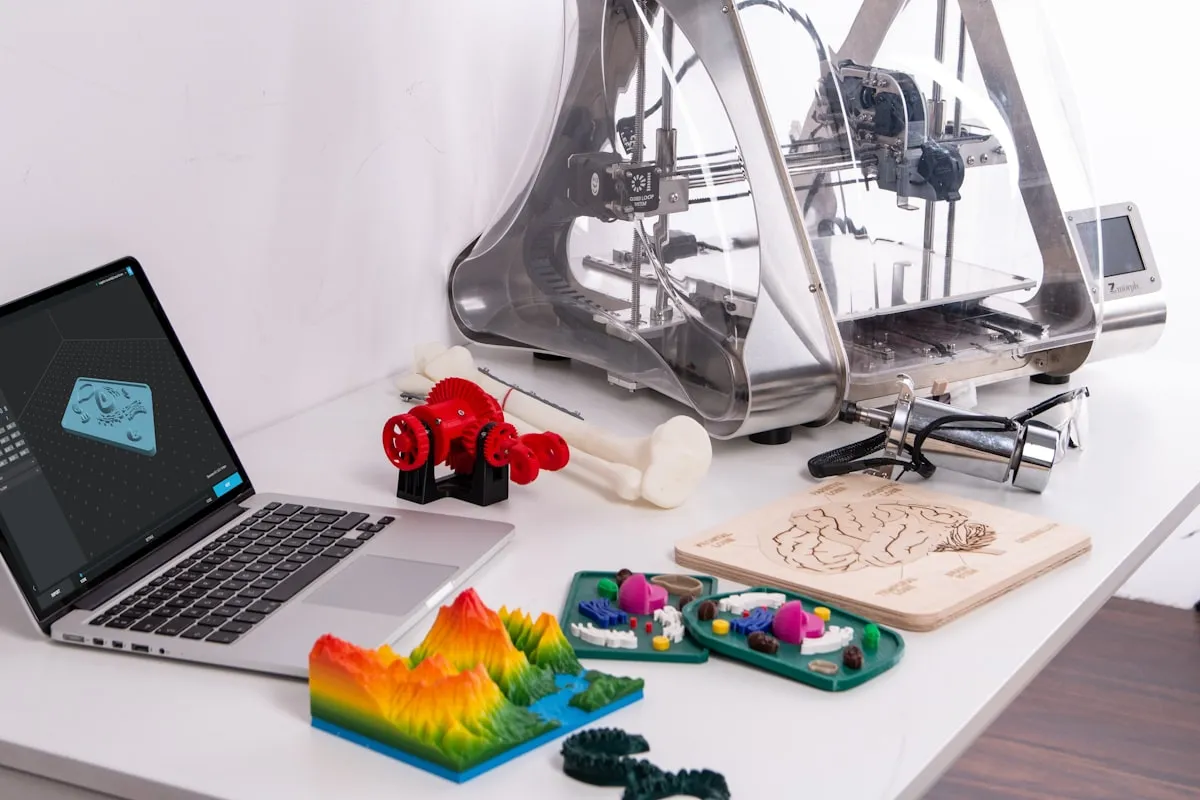
You’ve set up your first 3D printer and you’re wondering: What should I 3D print first? Every 3D printing beginner asks this question - and the answer is crucial for your success.
The wrong first projects lead to frustration and wasted material. The right projects teach you the basics, test your printer, and deliver useful results.
Here are 25 perfect first 3D prints, sorted by difficulty - from your first test print to impressive projects.
Level 1: Test Prints (Start Here!)
Before you get creative, you should calibrate and test your printer. These prints help you do that.
1. 3D Benchy - The Ultimate Test Print
Print time: 1-2 hours | Filament: ~15g | Difficulty: Easy
The 3D Benchy is THE standard test model of the community. The little boat tests:
- Overhangs and bridges
- Detail accuracy
- Stringing behavior
- Dimensional accuracy
Download: Printables - 3D Benchy
Tip: Compare your Benchy with reference images online to identify problems.
2. Calibration Cube (XYZ Cube)
Print time: 30 minutes | Filament: ~5g | Difficulty: Very easy
A 20x20x20mm cube to check dimensional accuracy. Measure it with calipers - it should be exactly 20mm in each direction.
Download: Printables - XYZ Calibration Cube
3. Temperature Tower
Print time: 1-2 hours | Filament: ~30g | Difficulty: Medium
Prints different temperature segments stacked on top of each other. Helps you find the optimal print temperature for your filament.
Download: Printables - Temperature Tower
Level 2: Simple Practical Prints
Now it gets practical! These objects are easy to print and immediately useful.
4. Cable Clips and Cable Holders
Print time: 15-30 minutes | Filament: ~5g | Difficulty: Very easy
Bring order to your desk with self-printed cable holders. Perfect as your first “real” project after test prints.
Download: Printables - Cable Clips Collection
5. Phone Stand
Print time: 1-2 hours | Filament: ~30g | Difficulty: Easy
A practical phone stand for your desk or nightstand. Functional and shows what 3D printing can do.
Download: Printables - Phone Stand
6. Shopping Cart Token
Print time: 20 minutes | Filament: ~5g | Difficulty: Very easy
Never search for coins again! The shopping cart token is small, quick, and extremely practical.
Download: Printables - Shopping Cart Token
7. Headphone Holder
Print time: 2-3 hours | Filament: ~50g | Difficulty: Easy
Hang your headphones neatly on your desk or shelf. A nice functional object.
Download: Printables - Headphone Stand
8. Key Holder
Print time: 1-2 hours | Filament: ~40g | Difficulty: Easy
A practical key holder for your entryway. Can be screwed to the wall.
Download: Printables - Key Holder
Level 3: Household Items
These prints show the practical value of 3D printing in everyday life.
9. Soap Dish
Print time: 2-3 hours | Filament: ~40g | Difficulty: Easy
A soap dish with drainage. Print it in PETG for better water resistance.
Download: Printables - Soap Dish
10. Toothbrush Holder
Print time: 1-2 hours | Filament: ~30g | Difficulty: Easy
Practical holder for electric or regular toothbrushes.
Download: Printables - Toothbrush Holder
11. Plant Pot with Drainage
Print time: 3-4 hours | Filament: ~60g | Difficulty: Medium
Small plant pots for succulents or herbs. With integrated drainage and saucer.
Download: Printables - Plant Pot
12. Spice Rack Organizer
Print time: 2-3 hours | Filament: ~50g | Difficulty: Medium
Brings order to your spice shelf. Stackable and labelable.
Download: Printables - Spice Rack
Level 4: Desk Accessories
Upgrade your workspace with self-printed accessories. For even more desk-focused print ideas, check out our 10 things every new printer owner should print.
13. Pen Holder
Print time: 2-3 hours | Filament: ~50g | Difficulty: Easy
A classic pen holder in various designs. Functional and decorative.
Download: Printables - Pen Holder
14. SD Card Holder
Print time: 1-2 hours | Filament: ~30g | Difficulty: Easy
Perfect for photographers and makers - keeps your SD cards organized.
Download: Printables - SD Card Holder
15. Laptop Stand
Print time: 4-6 hours | Filament: ~100g | Difficulty: Medium
Ergonomic laptop stand for better posture at your desk.
Download: Printables - Laptop Stand
16. Cable Management Box
Print time: 3-4 hours | Filament: ~80g | Difficulty: Medium
Hide the cable chaos under your desk.
Download: Printables - Cable Box
Level 5: Creative Projects
Now you can get creative! These projects will impress friends and family.
17. Lithophane (Photo as 3D Print)
Print time: 2-4 hours | Filament: ~30g | Difficulty: Medium
Turn a photo into a 3D printed image that reveals the subject when backlit. An impressive gift!
Tools: Lithophane Maker
Tip: Print vertically in white PLA with 100% infill.
18. Vase Mode Vase
Print time: 1-2 hours | Filament: ~50g | Difficulty: Easy
“Vase mode” prints continuously in a spiral. The result is a smooth, watertight vase.
Download: Printables - Spiral Vase
19. Flexi Animals (Print-in-Place)
Print time: 1-2 hours | Filament: ~30g | Difficulty: Medium
Flexible animals that come out of the printer already articulated. Perfect as gifts.
Download: Printables - Flexi Rex
20. Fidget Toys
Print time: 1-3 hours | Filament: ~30g | Difficulty: Medium
Spinners, cubes, and other fidget toys. Perfect for meetings and waiting times.
Download: Printables - Fidget Collection
Level 6: Advanced Projects
You’ve got some successful prints under your belt? Then try these more challenging projects.
21. Gridfinity System
Print time: Variable | Filament: Variable | Difficulty: Medium
The modular organization system for workshop and desk. Once started, you’ll print endless modules.
Download: Printables - Gridfinity
22. Print Replacement Parts
Print time: Variable | Difficulty: Medium-Hard
Measure broken plastic parts, recreate them in TinkerCAD, and print. THIS is the real value of 3D printing.
Tools: TinkerCAD (free)
23. Knife Block
Print time: 6-10 hours | Filament: ~150g | Difficulty: Medium
A custom knife block matching your kitchen knives.
Download: Printables - Knife Block
24. Lamps and Lighting
Print time: 4-8 hours | Filament: ~100g | Difficulty: Medium-Hard
From lampshades to LED housings - lighting projects look impressive.
Download: Printables - Lamps Collection
25. Toys and Puzzles
Print time: Variable | Difficulty: Medium
From building blocks to puzzle cubes - perfect for kids or as gifts.
Download: Printables - Toys Collection
Where Can I Find More 3D Models?
These platforms offer millions of free models for your next 3D print:
Top 3 Platforms for Beginners
- Printables.com - Best quality, curated by Prusa
- Thingiverse.com - Largest selection, classic marketplace
- MyMiniFactory.com - High-quality, tested designs
Specialized Platforms
- Cults3D.com - Mix of free and paid
- YouMagine.com - Open source community
- STLFinder.com - Search engine for all platforms
Tips for Successful First Prints
Choosing the Right Model
- Start without supports - Search for “no supports needed”
- Small objects first - Under 2 hours print time
- Read reviews - Choose models with many downloads and positive ratings
Slicer Settings for Beginners
- Layer height: 0.2mm (standard)
- Infill: 15-20% for most objects
- Speed: Reduce initially (70-80%)
- Support: Only when really necessary
Avoiding Mistakes
- Always watch the first layer
- Clean print bed before every print
- If problems occur: Cancel and restart
Your Action Plan for First Prints
- Day 1: Print 3D Benchy, analyze, calibrate if needed
- Day 2-3: Calibration cube and temperature tower
- Day 4-7: 3-5 practical objects (cable clips, phone stand, etc.)
- Week 2: Larger projects and first creative prints
- Month 1: First custom design in TinkerCAD
Conclusion: Just Start!
The most important tip for your first 3D prints: Just start. Begin with the Benchy, then print practical small items and gradually work your way up.
Every failed print is a learning opportunity. With each project, you’ll better understand how your printer works and which settings work best.
In a month of regular printing, you’ll master projects that seem impossible today.
Having trouble printing? Check out our guide to the 10 most common 3D printing beginner mistakes. Not sure which filament to use? See PLA vs PETG vs ABS for a full comparison. For all our 3D printing content, visit the 3D Printing Guide.
Related Articles
The Ultimate Guide to 3D Printing (2026)
Your complete guide to 3D printing—from choosing your first printer to selling your prints. Everything beginners need to start their 3D printing journey.
Is a 3D Printer Worth It? Honest Cost-Benefit Analysis (2026)
Is 3D printing worth the money? We calculate honestly: purchase costs, running costs, time investment, and what you can really do with it.
3D Printing for Beginners (2026): From Zero to First Print
Start 3D printing today. Printer recommendations under $300, material guide, and step-by-step to your first successful print.