
15 Best AI Tools for Office Work (I Tested 50+)
I tested 50+ AI tools and these 15 actually boost productivity. Email, meetings, writing, research — ranked by real-world results.
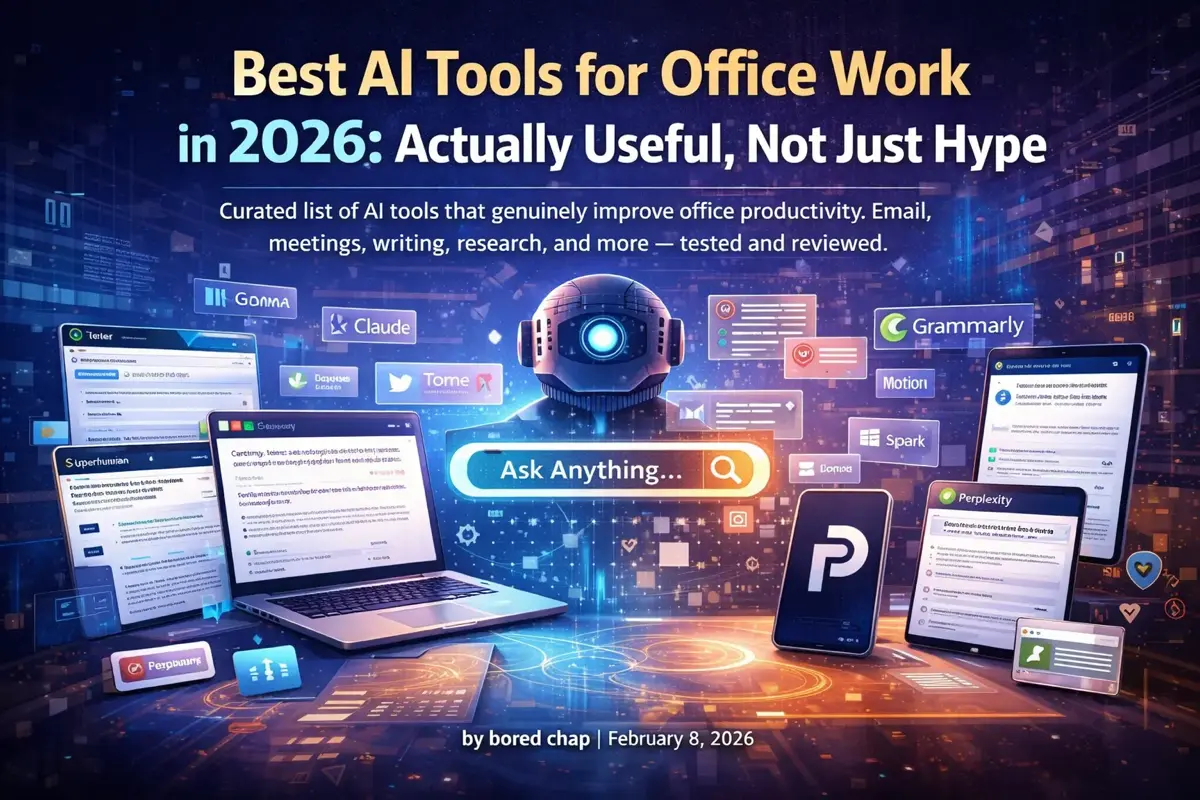
Most “AI tools” lists are filled with overhyped garbage that sounds impressive but doesn’t actually help you get work done.
This isn’t that list.
These are AI tools I’ve actually used in a real office environment. Tools that save time, reduce tedious work, and make you look more competent than you feel. No crypto projects, no tools that require a PhD to use, no vaporware.
The Quick List
| Category | Best Tool | Price | Why It Wins |
|---|---|---|---|
| AI Assistant | Claude | $20/mo | Best writing, largest context |
| Research | Perplexity | $20/mo | Answers with sources |
| Superhuman | $30/mo | AI triage + speed | |
| Meetings | Otter.ai | $16/mo | Best transcription |
| Writing | Grammarly | ~$12/mo (annual) | Works everywhere |
| Notes | Notion AI | From $20/mo | Integrated workspace |
| Presentations | Gamma | ~$8/mo (annual) | AI-generated slides |
| Scheduling | Reclaim | Free/$8 | Smart calendar blocking |
Now let’s dig into each category.
AI Assistants: Your Digital Coworker
Claude (Anthropic) — Best Overall
Price: Free tier / $20/month Pro
Claude is the AI assistant I reach for first. Here’s why:
Strengths:
- Best writing quality of any AI — less robotic, more natural
- 200K token context window — paste entire documents
- Thoughtful responses that consider nuance
- Artifacts feature for creating documents and code
- Less likely to confidently bullshit you
Best for:
- Drafting emails, reports, and documentation
- Analyzing long documents
- Brainstorming and planning
- Code review and explanation
Limitations:
- Web search available but less mature than ChatGPT’s
- No image generation
For a detailed comparison, see our Claude vs ChatGPT guide.
ChatGPT (OpenAI) — Best for Features
Price: Free tier / $20/month Plus
ChatGPT pioneered the category and still offers the most features:
Strengths:
- Web browsing for current information
- DALL-E image generation built in
- Huge Custom GPT ecosystem
- Code interpreter for data analysis
- Better mobile app
Best for:
- Research requiring current info
- Creating images and visuals
- Data analysis with Code Interpreter — especially powerful for financial research and stock analysis
- Heavy web-based research tasks
Perplexity — Best for Research
Price: Free tier / $20/month Pro
Perplexity is what Google should be. Ask a question, get an answer with sources.
Strengths:
- Real-time web search
- Citations for every claim
- Follow-up questions maintain context
- Focus modes (Academic, Reddit, YouTube)
Best for:
- Product research
- Fact-checking
- Learning new topics
- Competitive analysis
See our full Perplexity AI guide for tips and tricks.
Which AI Assistant Should You Use?
Use Claude for: Writing, analysis, working with documents Use ChatGPT for: Web research, images, Custom GPTs Use Perplexity for: Quick research with sources
Many power users subscribe to 2-3 of these. They complement each other well.
Want full privacy? If you’d rather keep your AI conversations off corporate servers entirely, OpenClaw (ClawDBot) is a self-hosted AI assistant that runs on your own hardware and connects through WhatsApp, Telegram, or Slack.
Email: Tame Your Inbox
Superhuman — Best Premium Email
Price: $30/month
Superhuman is expensive but transformative if email is a significant part of your job.
AI Features:
- Auto-triage sorts emails by importance
- AI-written replies in your voice
- Summary of long email threads
- Smart scheduling suggestions
Other Killer Features:
- Keyboard shortcuts for everything
- Split inbox by category
- Read receipts and tracking
- Blazingly fast
Best for: Executives, salespeople, anyone drowning in email
Not worth it if: You get <50 emails/day
Spark — Best Free Option
Price: Free / $8/month Premium
Spark’s AI features are surprisingly good for a free email client.
AI Features:
- Smart inbox prioritization
- AI-generated reply suggestions
- Email summaries
- Writing assistant
Best for: Anyone wanting AI email help without Superhuman’s price
Shortwave — Best for Gmail Power Users
Price: Free / $9/month
Built by former Google engineers specifically to fix Gmail.
AI Features:
- AI search (ask questions about your email)
- Thread summaries
- Smart compose
- Auto-labeling
Meetings: Stop Taking Notes
Otter.ai — Best Transcription
Price: Free tier / $16/month Pro
Otter joins your meetings and transcribes everything automatically.
Features:
- Real-time transcription
- Speaker identification
- Automated summaries
- Action item extraction
- Integrates with Zoom, Teams, Meet
Best for: Anyone in lots of meetings who needs to remember what was said
Fireflies.ai — Best for CRM Integration
Price: Free tier / $18/month Pro
Similar to Otter but with stronger integrations.
Features:
- Meeting transcription
- Automatic CRM updates (Salesforce, HubSpot)
- Conversation intelligence
- Team collaboration features
Best for: Sales teams, customer success
Granola — Best for Privacy-Conscious
Price: Free (25 meetings) / ~$18/month Individual
Granola runs locally and doesn’t send your audio to the cloud.
Features:
- On-device transcription
- Meeting summaries
- Works offline
- Your data stays on your device
Best for: Confidential meetings, privacy-conscious users
Writing: Better Words, Faster
Grammarly — Best All-Around
Price: Free tier / ~$12/month Pro (annual) or $30/month (monthly)
Grammarly works everywhere — email, docs, Slack, browser.
AI Features:
- Grammar and spelling (obviously)
- Tone detection and suggestions
- Rewrite suggestions
- GrammarlyGO for AI-generated text
Best for: Non-native speakers, anyone who writes frequently
Hemingway Editor — Best for Clarity
Price: Free (web) / $20 one-time (desktop)
Hemingway makes your writing bold and clear.
Features:
- Highlights complex sentences
- Identifies passive voice
- Readability scoring
- Suggests simpler alternatives
Best for: Reports, documentation, anything that needs to be clear
Wordtune — Best for Rewriting
Price: Free tier / ~$7/month Advanced (annual) or ~$14/month (monthly)
Wordtune excels at rephrasing existing text.
Features:
- Multiple rewrite options
- Tone adjustment (formal, casual)
- Expand or shorten text
- Translate and rewrite
Best for: Polishing drafts, adjusting tone
Notes & Knowledge: Your Second Brain
Notion AI — Best Integrated
Price: Included in Business plan (~$20/user/month, billed annually)
Notion discontinued its separate AI add-on in May 2025. Full AI features are now bundled into the Business and Enterprise plans (Free and Plus tiers get limited AI access).
Features:
- Summarize pages and databases
- Generate content from prompts
- Answer questions about your workspace
- Auto-fill database properties
- Translate content
Best for: Existing Notion users
Mem — Best for Automatic Organization
Price: Free tier / ~$8/month (annual) or ~$15/month (monthly)
Mem uses AI to organize your notes automatically.
Features:
- Auto-tagging and linking
- AI search across all notes
- Meeting notes integration
- Smart suggestions
Best for: People who hate organizing but need to find things
Reflect — Best for Personal Notes
Price: $10/month
Clean, fast note-taking with AI features.
Features:
- AI assistant built in
- Backlinks and graph view
- Voice transcription
- End-to-end encryption
Best for: Personal knowledge management
Presentations: Slides Without the Pain
For a detailed hands-on comparison of all major AI presentation tools, see our full AI presentation makers guide.
Gamma — Best AI Slide Creator
Price: Free tier / ~$8/month Plus (annual) or $10/month (monthly)
Describe your presentation, get professional slides.
Features:
- Generate full presentations from prompts
- Beautiful templates
- One-click redesign
- Export to PowerPoint/PDF
Best for: Quick presentations, pitch decks
Canva AI — Best for Visual Presentations
Price: Free tier / ~$13/month (Canva Pro, billed annually)
Canva’s AI features turn simple prompts into polished, visual presentations.
Features:
- Magic Design generates slides from text prompts
- Massive template library (thousands of presentation designs)
- AI image generation and editing built in
- Brand kit for consistent styling
- Easy collaboration and sharing
Best for: Visual presentations, social media decks, non-designers
Beautiful.ai — Best for Design-Challenged
Price: ~$12/month Pro (annual) or $45/month (monthly)
Smart templates that prevent you from making ugly slides.
Features:
- Auto-formatting as you type
- Design rules built in
- Team brand controls
- AI content suggestions
Scheduling: Protect Your Time
Reclaim — Best Calendar AI
Price: Free tier (Lite) / ~$8/month Starter
Reclaim automatically blocks time for habits, tasks, and focus time.
Features:
- Smart time blocking
- Habit scheduling
- Task integration (Asana, Todoist, etc.)
- Meeting buffer time
- Automatic rescheduling
Best for: Anyone who struggles to protect focus time
Clockwise — Best for Teams
Price: Starting at ~$6.75/user/month (Teams, annual)
Clockwise optimizes calendars across your whole team.
Features:
- Finds optimal meeting times
- Creates focus time blocks
- Reduces meeting fragmentation
- Team calendar analytics
Best for: Teams with lots of internal meetings
Motion — Best for Task + Calendar
Price: $19/month
Motion combines tasks and calendar with AI scheduling.
Features:
- Auto-schedules your tasks
- Prioritizes based on deadlines
- Reschedules when things change
- Project management features
Best for: Solo workers or small teams who need task management
Bonus: Browser Extensions
Sider — AI Sidebar
Price: Starting at ~$5/month (Starter) / $10/month (Basic)
Adds Claude/GPT/Perplexity to any webpage via sidebar.
Best for: Quick AI access while browsing
Monica — All-in-One AI
Price: Free tier / $10/month
Multiple AI features in one extension.
Features: Chat, translate, summarize, write
Merlin — Quick Actions
Price: Free tier / $15/month
Keyboard shortcut triggers AI anywhere on the web.
Best for: Power users who want speed
How to Actually Adopt These Tools
Start Small
Don’t try 10 tools at once. Pick your biggest pain point:
- Drowning in email? → Superhuman or Spark
- Forgetting meeting details? → Otter.ai
- Writing takes forever? → Claude or Grammarly
- Research is tedious? → Perplexity
Check Your Company Policy
Before using AI tools at work:
- Check if your company has an AI usage policy
- Never paste confidential data into free AI tiers
- Use enterprise versions when available
- Be transparent about AI assistance when appropriate
Build Habits Gradually
Week 1: Use one tool for one task Week 2: Expand to more use cases Week 3: Add a second tool Week 4: Evaluate and adjust
Track Your Time Savings
Roughly estimate time saved. When you can say “I save 5 hours/week with these tools,” it’s easier to justify subscriptions and convince colleagues.
What About Microsoft Copilot?
Copilot deserves a deep dive — see our Copilot in Word tutorial. Quick summary:
- Integrates directly into Microsoft 365
- Works in Word, Excel, PowerPoint, Outlook, Teams
- Requires Microsoft 365 Business Standard (~$12.50/user/month)
- Plus Copilot add-on (~$18/user/month)
Best for: Companies already deep in Microsoft ecosystem Skip if: You don’t use Microsoft 365 heavily
The Office Politics of AI
Some real talk about AI tools in a work environment:
The “Are You Cheating?” Vibe
Some colleagues will think using AI is “cheating.” It’s not. Using a calculator isn’t cheating at math. Using spell-check isn’t cheating at writing. AI is a tool.
That said, know your audience. Don’t brag about AI-assisted work to the colleague who spent 4 hours on their report.
Sharing vs. Hoarding
Found a great AI workflow? Share it with your team. Being the person who helps others be more productive is a good reputation to have.
The Manager Question
Some managers love AI adoption. Others feel threatened by it. Read the room. If your boss is skeptical, show results first, explain methods later.
Future-Proofing Yourself
The uncomfortable truth: companies will expect AI fluency soon. Learning now, while it’s optional, puts you ahead of the curve. Here are the AI skills that actually get you promoted.
The Bottom Line
AI tools won’t make you smarter, but they will make you faster. The goal isn’t to use AI for everything — it’s to use AI for the tedious parts so you can focus on the work that actually requires your brain.
Start with one tool. Master it. Then add another.
The people who learn to work effectively with AI tools will outcompete those who don’t. It’s not about replacing your job — it’s about being the person who gets more done with less effort.
Related Articles
- AI Tools Guide — Complete hub for all AI tools
- How to Learn AI in 2026 — Your complete learning roadmap
- ChatGPT Mastery Guide — Master the most popular AI tool
- Best Free AI Courses — Build a solid AI foundation
- How to Use AI at Work Safely — Stay compliant
- Desk Upgrade Guide — Build a productive home office setup
Related Articles

Best AI PDF Summarizers (2026): Chat With Your Documents
The best AI tools for summarizing PDFs and long documents. Upload a 100-page report, get key insights in seconds. Free and paid options compared.
AI Tools for Work: The Only Guide You Need (2026)
Every AI tool worth using at work in 2026. ChatGPT, Claude, Copilot, and 20+ specialized tools — organized by task, with honest ratings and free alternatives.
10 Best AI Chrome Extensions (2026) — Actually Worth Installing
These 10 AI Chrome extensions actually save time. Summarize pages, write emails, research faster — I use #3 and #7 every day.