
7 Best Free Stock Screeners for 2026 (Tested & Ranked)
I tested Finviz, TradingView, Yahoo Finance and 4 more free stock screeners. Here's which one to pick for fundamentals, technicals, and dividends in 2026.

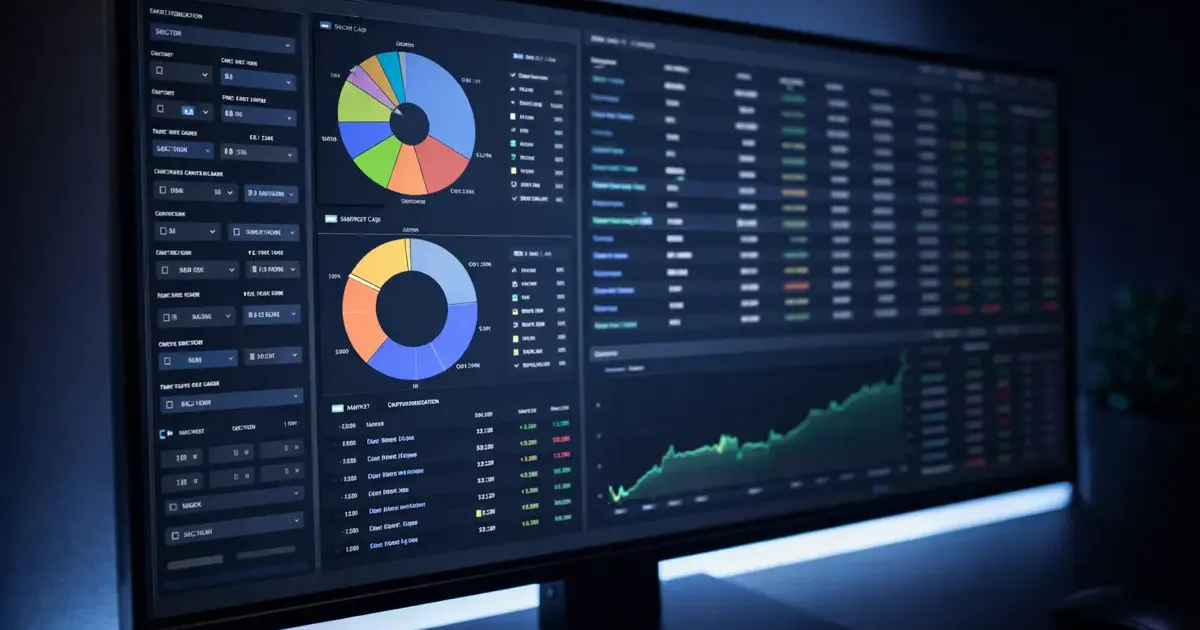
Disclaimer: This article reviews stock screening tools for educational purposes. Nothing here is financial advice. Stock screeners help you filter data, they don’t tell you what to buy. Always do your own research before investing real money.
You’re staring at a spreadsheet you finished twenty minutes ago, and your mind drifts to the same question it always does: what’s the market doing right now?
I get it. I spend an unreasonable amount of my workday running stock screens instead of running reports. But here’s how I justify it, stock screening is research, and research is a skill. You’re not gambling. You’re building watchlists, learning to read fundamentals, and figuring out which metrics actually matter.
The problem? Most “free” screeners are either glorified ads for premium subscriptions or so stripped down they’re useless. I’ve tested them all over the past several months, and only seven are genuinely worth your time at the free tier.
If you’re brand new to investing, you might want to start with some free investing courses to understand what these metrics mean before diving into screeners. And if you want to practice acting on your screens without risking real money, check out the best paper trading apps. Once you’ve built a watchlist, ChatGPT can help you research each stock faster, analyzing fundamentals, summarizing earnings, and spotting red flags.
Quick Comparison
| Screener | Free Filters | Real-Time Data | Best Feature | Premium Cost | Best For |
|---|---|---|---|---|---|
| Finviz | 70+ | No (15-20 min delay) | Heat maps + visualizations | ~$25-40/mo | Power users |
| Yahoo Finance | ~30 | Yes (basic) | Pre-built screeners | ~$8-20/mo | Beginners |
| TradingView | 100+ | Limited | Integrated charting | ~$15-60/mo | Technical analysis |
| Seeking Alpha | ~20 (limited) | Yes | Quant ratings | ~$25/mo (annual) | Fundamental analysis |
| Webull | 40+ | Yes | Mobile-first design | Free (brokerage) | Mobile screening |
| Stock Analysis | 294 | 1-min delay | Clean modern UI | ~$7/mo (annual) | Data-heavy research |
| MarketBeat | 30+ | Yes | Dividend screener | ~$20-40/mo | Dividend investors |
1. Finviz, Best Overall Free Screener
Price: Free (Elite: ~$25/mo annual, ~$40/mo monthly) | Data: 15-20 minute delay | Filters: 70+
If you only bookmark one stock screener, make it Finviz. It’s been the gold standard for free screening for years, and nothing has dethroned it.
What Makes It Stand Out
Finviz gives you over 70 filter criteria on the free tier, fundamentals like P/E ratio, EPS growth, and ROE, technical indicators like RSI and moving average signals, and descriptive filters for market cap, sector, and exchange. That’s more free filters than most paid screeners offer.
But the real magic is the visualization. The heat map alone is worth bookmarking. It shows the entire market at a glance, colored by performance, sized by market cap. You can instantly see which sectors are bleeding red and which are quietly rallying. The bubble charts and group performance views add another layer of context that raw numbers can’t convey.
You can also save screener presets with a free registered account (up to 50), which means you can build a “value stocks” screen, a “momentum plays” screen, and a “dividend growers” screen, then cycle through them during your lunch break.
What’s Missing
The 15-20 minute data delay is the big one. If you’re screening for day trades, Finviz free isn’t going to cut it. The ads are also noticeable, not intrusive enough to be a dealbreaker, but you’ll notice them. Finviz Elite ($299.50/year) removes ads and adds real-time data, premarket/afterhours data, and email alerts.
Who It’s For
Anyone who wants serious screening power without paying. If you understand basic financial metrics and want granular control over your filters, Finviz is the answer.
2. Yahoo Finance Screener, Best for Beginners
Price: Free (Plus Bronze: ~$8/mo annual) | Data: Streaming quotes | Filters: ~30
Yahoo Finance is the training wheels of stock screening, and I mean that as a compliment. If the idea of setting up 70 filters in Finviz sounds overwhelming, start here.
What Makes It Stand Out
The pre-built screeners are the killer feature for beginners. Yahoo gives you ready-made screens like “Most Active Today,” “52-Week Highs,” “Undervalued Growth Stocks,” and “Undervalued Large Caps” from Morningstar. You don’t need to know what a P/E ratio is to start browsing, just click a pre-built screen and scroll.
When you’re ready to build your own, the custom screener covers stocks, ETFs, and mutual funds. Filters include the essentials: price, market cap, dividend yield, volume, P/E, sector, and earnings growth. The interface is clean and familiar, if you’ve ever checked a stock quote on Yahoo, you already know the layout.
It also includes ESG data filters, which is a nice touch if sustainable investing matters to you.
What’s Missing
The filter selection is basic compared to Finviz or TradingView. No technical analysis filters (no RSI, no moving averages, no pattern recognition). No heat maps or advanced visualization. And Yahoo aggressively pushes its Plus subscription tiers (Bronze at ~$8/mo, Silver at ~$20/mo, Gold at ~$40/mo billed annually), which unlock Morningstar ratings, research reports, and fair value analysis.
Who It’s For
Complete beginners who want to explore the market without getting overwhelmed. Once you outgrow Yahoo’s filters, you’ll naturally migrate to Finviz or TradingView.
3. TradingView Screener, Best for Technical Analysis
Price: Free (Essential: ~$13/mo annual) | Data: Limited real-time | Filters: 100+
TradingView is the one screener on this list that’s genuinely integrated into a full charting platform. Most screeners dump you into a table of results. TradingView lets you go from screen to chart to analysis in seconds.
What Makes It Stand Out
The screener covers stocks, ETFs, forex, crypto, and bonds, across dozens of global exchanges, not just U.S. markets. That international coverage is rare among free screeners.
Filter categories include fundamentals (P/E, EPS, revenue growth, profit margins), technicals (moving averages, oscillators, volatility bands, MACD, RSI), and market data (price, volume, beta, gap percentage). You can apply multiple filter conditions and sort results by any column.
The real advantage is what happens after you screen. Click any ticker and you’re immediately in TradingView’s charting environment with community indicators, drawing tools, and the ability to build your own technical overlays. No other free screener offers that workflow.
The platform also has a built-in screener rating system, each stock gets a technical summary (Strong Buy, Buy, Neutral, Sell, Strong Sell) based on moving averages and oscillators.
What’s Missing
The free tier limits you to one chart per layout, two indicators per chart, and 50 watchlist items. You can’t export screening data or set up custom alerts without upgrading. The Essential plan starts at ~$13/mo (billed annually at $155.40/year), with Plus at ~$25/mo and Premium at ~$50/mo annually.
Who It’s For
Traders who rely on technical analysis and want their screener tightly integrated with charts. If you spend more time looking at candlestick patterns than P/E ratios, TradingView is your home.
4. Seeking Alpha, Best for Fundamental Analysis
Price: Free (limited) / Premium: ~$299/year | Data: Real-time | Filters: ~20 (free tier)
Here’s the honest truth about Seeking Alpha: the free tier screener is limited. But even the stripped-down version offers something no other screener does, proprietary Quant Ratings that actually have a track record.
What Makes It Stand Out
Seeking Alpha’s Quant Rating system scores stocks on a scale from Strong Sell to Strong Buy using a factor-based model that evaluates value, growth, profitability, momentum, and EPS revisions. Even on the free tier, you can see these ratings on individual stock pages and use the basic screener to sort by common financial metrics like earnings, valuation, and risk.
The community analysis is another differentiator. Each stock has articles from analysts and contributors, giving you qualitative context that no pure data screener can match. When your screen surfaces an interesting ticker, you can immediately read multiple perspectives on it.
What’s Missing
This is where it gets frustrating. Seeking Alpha has increasingly locked its best screener features behind the Premium paywall (~$299/year for first-time subscribers, ~$499/year on renewal). The full screener with Quant Ratings filters, advanced screening criteria, and stock comparisons requires a paid subscription. Free users can sort by basic financial data and view ratings on individual stock pages, but building custom Quant-based screens is a paid feature.
There is a 7-day free trial if you want to test the full experience.
Who It’s For
Investors who care about fundamental analysis and want qualitative context alongside quantitative data. Even the free tier is worth using for the Quant Ratings visible on individual stock pages, just know the full screener experience requires Premium.
5. Webull Screener, Best Mobile Screener
Price: Free (requires account) | Data: Real-time | Filters: 40+
If you do most of your market browsing on your phone, and let’s be honest, you’re probably reading this on your phone right now, Webull’s built-in screener is hard to beat.
What Makes It Stand Out
Webull’s screener lives inside the app, which means real-time data integration by default. No 15-minute delays, no separate tabs. You’re screening, charting, and (if you want) trading in the same interface.
The filter options are surprisingly robust for a mobile-first platform. You get financial indicators (P/E, EPS, dividend yield, net margin, ROE, ROA, debt-to-asset ratio), technical signals (MACD golden cross, RSI oversold, KDJ indicators, moving average crossovers), and market filters for stocks listed in the U.S. Hong Kong, China, India, and Canada.
Webull also offers pre-built screens like “Hottest Stocks,” “Top 5% Gainers (1 Month),” and technical pattern screens like “Three White Soldiers” and “Bullish Engulfing.” You can save custom screeners to “My Screeners” and access them across all your devices.
What’s Missing
You need to create a Webull account (free, no funding required) to access the screener. The desktop web version exists but feels secondary to the mobile app. And while Webull is a full brokerage, the screener’s design subtly encourages you to trade, which is fine if that’s your goal, but something to be aware of if you’re just researching.
Who It’s For
Mobile-first investors who want to screen stocks during their commute, between meetings, or (let’s be real) during meetings. The real-time data and integrated trading make it the most convenient option on this list.
6. Stock Analysis, Best Modern Free Option
Price: Free (Pro: ~$79/year) | Data: 1-minute delay | Filters: 294
Stock Analysis (stockanalysis.com) is the dark horse of this list. It doesn’t have the name recognition of Finviz or Yahoo Finance, but it might have the best free-to-feature ratio of any screener in 2026.
What Makes It Stand Out
Two hundred and ninety-four filters. On the free tier. That’s not a typo.
Stock Analysis lets you screen by nearly every financial metric imaginable, income statement data, balance sheet items, cash flow metrics, valuation ratios, growth rates, profitability measures, and technical indicators. The data updates every minute, which is fast enough for everyone except day traders.
The interface is clean and modern, no cluttered 2008-era design, no overwhelming ads. It feels like a screener built by someone who actually uses screeners. You also get a free ETF screener (103 filters), an IPO calendar, an earnings calendar, and corporate actions history, all without signing up.
If you do create a free account, you get up to 5 watchlists with 25 symbols each. The Pro plan at $79/year removes ads, unlocks 10-40 years of financial history, and adds real-time prices and data exports.
What’s Missing
The brand recognition issue means the community is smaller, you won’t find the same volume of discussion and analysis as Seeking Alpha or TradingView. There’s no integrated charting platform, so you’ll need to hop to TradingView or another tool for technical analysis after screening. And while 294 filters is impressive, it can be overwhelming if you don’t know what you’re looking for.
Who It’s For
Data-driven investors who want maximum filtering power without paying. If you find Finviz’s 70 filters limiting and want a clean, modern interface, Stock Analysis is your upgrade.
7. MarketBeat, Best for Dividend Screening
Price: Free (limited) / Daily Premium: ~$20/mo | Data: Real-time | Filters: 30+
If your investment strategy revolves around dividends, building a passive income portfolio one quarterly payout at a time, MarketBeat has the most focused free dividend screener available.
What Makes It Stand Out
MarketBeat’s dedicated dividend screener lets you filter stocks by dividend yield, payout ratio, years of consecutive dividend growth, ex-dividend dates, and sector. That’s a level of dividend-specific granularity that most general-purpose screeners lack.
Beyond dividends, the free tier includes analyst ratings, insider trading data, earnings data, and the ability to compare stocks side by side on key fundamentals. The analyst ratings revision feed is particularly useful, it shows you when Wall Street firms upgrade or downgrade a stock, giving you a sentiment signal that pure financial data misses.
The platform also sends a daily newsletter summarizing market movements, which is a low-effort way to stay informed.
What’s Missing
The free tier limits you to following only 5 stocks, which is tight if you’re building a diversified dividend portfolio. The Daily Premium plan (~$20/mo or $199/year) removes that cap and adds two daily newsletters (including one before market open). The All Access plan ($40/mo or ~$399/year) unlocks the full suite.
Who It’s For
Income-focused investors who want to find and track dividend-paying stocks. If you’re building a portfolio designed to generate passive income, MarketBeat’s free screener is the best starting point.
What Is a Stock Screener and Why Use One?
A stock screener is a filtering tool that lets you search through thousands of stocks using specific criteria. Instead of browsing the market randomly, “I’ve heard Tesla is doing something, maybe I should look at that”, a screener lets you define what you’re looking for and find stocks that match.
Think of it like apartment hunting. You could drive around every neighborhood in the city, or you could set filters on Zillow: two bedrooms, under $2,000/month, pet-friendly. Stock screeners work the same way, except your filters are things like:
- Valuation metrics: P/E ratio, P/B ratio, PEG ratio
- Fundamental data: Revenue growth, profit margins, ROE, debt levels
- Technical indicators: RSI, moving averages, MACD signals
- Dividend data: Yield, payout ratio, growth streak
- Descriptive criteria: Market cap, sector, exchange, country
The result is a shortlist of stocks that meet your specific criteria. That shortlist isn’t a buy list, it’s a research starting point.
How to Use a Stock Screener Effectively
Running a stock screen is easy. Running a useful stock screen takes a little thought. Here’s how to get actual value from these tools.
Start With One Strategy, Not Fifty Filters
The most common beginner mistake is stacking too many filters at once. You set minimum revenue growth AND low P/E AND high dividend yield AND strong RSI, and the screener returns zero results.
Pick one investing approach and build your screen around it:
- Value investing: Low P/E (under 15), low P/B (under 1.5), positive earnings growth
- Growth investing: Revenue growth over 20%, EPS growth over 15%, market cap over $1B
- Dividend investing: Yield over 3%, payout ratio under 60%, 10+ years of dividend growth
- Momentum trading: RSI between 50-70, above 50-day moving average, high relative volume
Fundamental vs. Technical Screening
Fundamental screening filters by financial health, revenue, earnings, debt, profitability. It answers: Is this a good business?
Technical screening filters by price action and trading patterns, moving averages, RSI, volume trends. It answers: Is this stock moving in the direction I want?
Most serious investors combine both. Screen fundamentally first (find good businesses), then check the technicals (find good entry points).
Save Your Screens
Every screener on this list lets you save presets (with a free account on most). Build 3-5 screens that match your strategy and run them weekly. Markets change, but your criteria shouldn’t shift with every headline.
The Bored at Work Angle
Let’s address the elephant in the room, you’re probably going to use these screeners at work. Here’s how to make that productive rather than problematic.
Stock screening is genuinely educational. You’re learning to read financial statements, understand valuation metrics, and think about risk. These are transferable skills that apply to business analysis, budgeting, and strategic thinking. That said, there’s a difference between spending 15 minutes running a screen during lunch and losing three hours to TradingView charts during a deadline.
A few practical tips:
Run screens during breaks, not during meetings. Build your screens at home, save them as presets, then just check the results during lunch or coffee breaks. The whole process takes five minutes once your screens are set up.
Use Stock Analysis or Yahoo Finance at work. They look like generic business research tools. TradingView’s chart-heavy interface is a bit more obviously “I’m trading stocks right now.”
Keep a watchlist, not a trading app open. Screening is research. Trading is a different activity that requires full attention. Use your work time for research and make actual decisions after hours.
For more ways to stay productive when work gets slow, we’ve got you covered.
Which Screener Should You Pick?
Here’s the short version:
| If you want… | Use this |
|---|---|
| The most powerful free screener overall | Finviz |
| The simplest starting point for beginners | Yahoo Finance |
| Screening integrated with charting | TradingView |
| Fundamental analysis with analyst context | Seeking Alpha |
| The best mobile experience | Webull |
| Maximum free filters with modern UI | Stock Analysis |
| Dividend-focused screening | MarketBeat |
My personal setup: Finviz for quick daily scans, Stock Analysis for deep dives into financials, and TradingView when I want to check the technical picture. Three free tools, zero subscriptions, and an unreasonable amount of time spent on them during work hours.
The best screener is the one you actually use consistently. Pick one, learn its filters, save a few presets, and check them regularly. You’ll learn more about how markets work in a month of active screening than you will in a year of passively reading financial news.
Related reading:
- Investing Tools Guide: Everything You Need to Start, The complete hub for all our investing and finance content
- 7 Best Paper Trading Apps, Practice trading with virtual money after you find stocks worth watching
- Best Stock News Apps, Stay on top of earnings and developments for stocks you’re watching
- Best Free Investing Courses, Learn what all those financial metrics actually mean
- 25 Productive Things to Do When Bored at Work, More ways to stay sharp during slow days
Related Articles
How to Read Stock Charts: A Beginner's Guide (2026)
Learn to read stock charts in 30 minutes. Candlesticks, moving averages, RSI, MACD, and common patterns explained simply with free tools to practice.
Investing Tools Guide: Everything You Need to Start (2026)
The complete guide to investing tools for beginners. Brokerage apps, screeners, trackers, and learning resources, organized by what you actually need.

7 Best Investing Apps for Beginners (I Use 3 Daily)
I tested every major investing app so you don't have to. Here are the 7 best for beginners in 2026, with honest takes on fees, features, and which to pick.