
Claude vs ChatGPT (2026): I Use Both Daily — Here's My Pick
After using Claude and ChatGPT daily for 6+ months, here's which wins at writing, coding, and reasoning — with side-by-side examples.
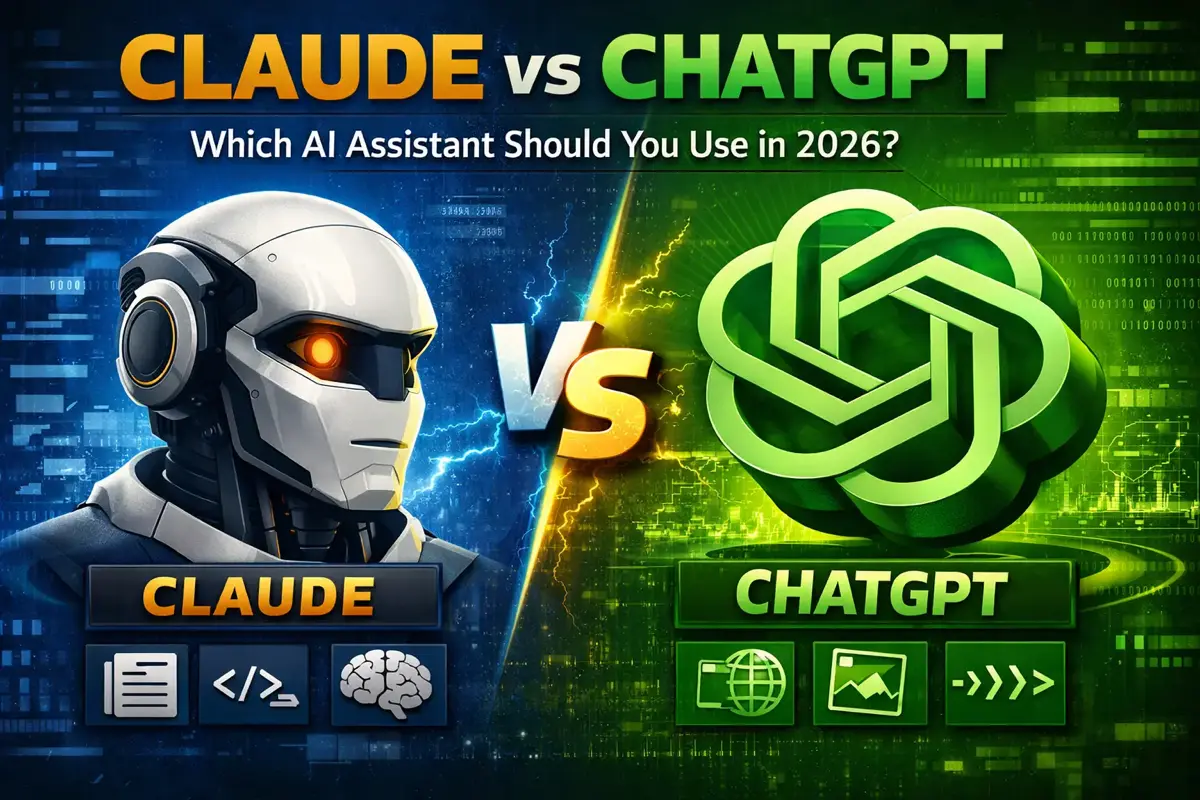
ChatGPT put AI assistants on the map. But Claude has quietly become the preferred choice for many power users, writers, and developers.
So which one should you actually use in 2026?
After using both extensively for work, I’ll break down where each excels — and where they fall short.
The Quick Answer
Choose Claude if:
- You write long-form content (articles, reports, documentation)
- You need nuanced analysis or careful reasoning
- You work with large documents or codebases
- You value thoughtful, well-structured responses
- You want memory across conversations
Visit Claude.ai
Choose ChatGPT if:
- You need image generation (DALL-E) or video (Sora)
- You use Custom GPTs and integrations heavily
- You want deep research and agent mode
- You prefer a larger ecosystem of tools
Visit ChatGPT.com
Head-to-Head Comparison
| Feature | Claude 4.5 | GPT-5.2 |
|---|---|---|
| Price (Pro/Plus) | $20/month | $20/month |
| Free Tier | Yes (limited) | Yes (limited) |
| Context Window | 200K tokens | 128K tokens |
| Web Search | ✅ Yes | ✅ Yes |
| Image Generation | ❌ No | ✅ Yes (DALL-E) |
| Video Generation | ❌ No | ✅ Yes (Sora) |
| Image Understanding | ✅ Yes | ✅ Yes |
| File Upload | ✅ Yes | ✅ Yes |
| Code Execution | ✅ Yes (Artifacts) | ✅ Yes (Code Interpreter) |
| Coding Agent | ✅ Claude Code | ✅ Codex |
| Memory | ✅ Yes | ✅ Yes |
| Extended Thinking | ✅ Yes | ✅ Yes (Thinking mode) |
| API Available | ✅ Yes | ✅ Yes |
| Mobile App | ✅ Yes | ✅ Yes |
At $20/month each, the price is identical. The differences are in capabilities and personality.
What’s New in 2026
Both platforms have evolved significantly. Here’s what changed:
Claude’s Big Updates:
- Web Search — Claude can now browse the web (even in Free tier!)
- Memory — Remembers context across conversations
- Claude Code — Coding agent for terminal and IDE
- Research Mode — Deep research capabilities
- Extended Thinking — Complex reasoning mode
- Google Workspace — Connect email, calendar, docs
ChatGPT’s Big Updates:
- GPT-5.2 — New flagship model (Instant, Thinking, Pro variants)
- Sora — Video generation built in
- Codex Agent — Advanced coding assistant
- Deep Research — Agent mode for complex research
- Go Tier — New mid-tier between Free and Plus
Writing Quality: Claude Wins
This is where Claude shines brightest.
Claude’s writing is:
- More natural and less robotic
- Better structured with clearer flow
- More willing to take creative risks
- Less prone to filler phrases and corporate speak
ChatGPT’s writing is:
- More formulaic and predictable
- Heavy on transition words (“Furthermore,” “Moreover”)
- Tends toward safe, generic language
- Often verbose when concise would be better
For blog posts, documentation, emails, and any professional writing, Claude produces text that needs less editing. It understands tone better and adapts to different styles more naturally.
Example: Ask both to “write a product description for wireless earbuds.”
ChatGPT will give you marketing-speak with buzzwords. Claude will ask what makes these earbuds different and write something that sounds like a human wrote it.
Reasoning and Analysis: Claude Wins
When you need to think through complex problems, Claude is more reliable.
Claude excels at:
- Breaking down multi-step problems
- Acknowledging uncertainty and limitations
- Providing balanced perspectives
- Following complex, multi-part instructions
- Extended thinking for deep analysis
ChatGPT tends to:
- Give confident answers even when uncertain
- Miss nuances in complex questions
- Occasionally hallucinate with conviction
- Struggle with very specific instructions
For research, analysis, and decision-making support, Claude’s more measured approach is valuable. It’s more likely to say “I’m not sure” when appropriate.
Coding: It’s Close
Both are excellent coding assistants with dedicated coding agents now.
Claude’s Coding Strengths:
- Claude Code — Terminal and IDE integration
- Larger context window (200K tokens) — can analyze entire codebases
- Cleaner code explanations
- Better at understanding project context
- Artifacts feature for iterating on code visually
ChatGPT’s Coding Strengths:
- Codex agent — Advanced coding assistant
- More integrations (GitHub Copilot ecosystem)
- Code Interpreter for running Python
- Larger training data and GPT ecosystem
For day-to-day coding help: Both work well. Choose based on your workflow.
For large codebase analysis: Claude’s 200K context window is a significant advantage.
Web Search: Now a Tie
This used to be ChatGPT’s clearest advantage. Not anymore.
Both Claude and ChatGPT now have web search:
- Current information (news, prices, recent events)
- Fact-checking against live sources
- Research on recent topics
Claude added web search in 2025, available even in the Free tier. This eliminates one of the biggest reasons to choose ChatGPT over Claude.
Image & Video: ChatGPT Wins
Image Generation
ChatGPT wins — DALL-E is built in. Claude cannot generate images.
Video Generation
ChatGPT wins — Sora video generation is now included. Claude has nothing comparable.
Image Understanding
Tie — Both can analyze images, read text from screenshots, and describe visual content. Both are excellent at this.
Context Window: Claude Wins
Claude: 200,000 tokens (~150,000 words) ChatGPT: 128,000 tokens (~96,000 words)
This matters more than you might think.
With Claude’s larger context, you can:
- Upload entire codebases for review
- Analyze multiple long documents at once
- Maintain longer conversation history
- Work with book-length content
For anyone working with large documents or complex projects, Claude’s context advantage is significant.
Memory: Both Have It Now
Both platforms now remember context across conversations:
Claude’s Memory:
- Enabled in Pro tier
- Remembers preferences and context
- Integrates with Google Workspace
ChatGPT’s Memory:
- Available across tiers
- Learns your preferences
- Connects with various apps
This used to be a differentiator — now it’s table stakes.
Artifacts vs Code Interpreter
Claude’s Artifacts lets you create and iterate on:
- Code (with preview)
- Documents
- Diagrams (Mermaid, SVG)
- Interactive components
It’s like having a mini IDE within the chat. You can see your code running, make changes, and iterate visually.
ChatGPT’s Code Interpreter runs Python code on OpenAI’s servers and now includes the Codex agent for more complex coding tasks.
Both are powerful but different — Artifacts is more versatile for front-end development and visualization, while Code Interpreter/Codex is stronger for data analysis and backend work.
Personality and Tone
Claude feels like: A thoughtful colleague who considers questions carefully before answering. Sometimes too cautious.
ChatGPT feels like: An eager assistant who wants to help immediately. Sometimes too confident.
Neither is objectively better — it depends on what you prefer.
Claude will push back on requests it finds problematic. ChatGPT is generally more willing to attempt anything.
API and Developer Experience
Both offer robust APIs at similar pricing.
Claude API advantages:
- Larger context window
- Often better for agentic workflows
- Strong performance on complex instructions
- Opus 4.5, Sonnet 4.5, Haiku 4.5 model options
OpenAI API advantages:
- More models to choose from (GPT-5.2 variants)
- Larger ecosystem and more tutorials
- More third-party integrations
- Function calling is more mature
For developers building AI applications, OpenAI’s ecosystem is currently larger. But Claude’s API is a strong competitor.
Privacy Considerations
Claude (Anthropic):
- Doesn’t train on your conversations by default
- Clear data retention policies
- Constitutional AI approach to safety
ChatGPT (OpenAI):
- Trains on conversations unless you opt out
- Team and Enterprise plans don’t train on data
- More aggressive data collection historically
If privacy matters, Claude has a slight edge for individual users. Both offer business plans with stronger privacy guarantees.
Pricing Tiers Compared
Claude:
- Free — Limited messages, includes web search
- Pro — $20/month (or $17/month annual)
- Max — From $100/month (5x-20x Pro usage)
- Team — $25/seat/month
ChatGPT:
- Free — Limited GPT-5.2 access
- Go — New tier (expanded access)
- Plus — $20/month (see our ChatGPT Plus vs Free breakdown)
- Pro — $200/month (unlimited, priority)
- Business — Per seat pricing
Not sure if ChatGPT Plus is worth upgrading? Watch our detailed breakdown:
Use Cases: When to Use Each
Use Claude For:
- Writing articles, blog posts, documentation
- Analyzing long documents or contracts
- Complex reasoning and research
- Code review and refactoring (Claude Code)
- Creative projects requiring nuance
- Anything requiring careful, thoughtful responses
Use ChatGPT For:
- Image generation (DALL-E)
- Video generation (Sora)
- Custom GPT workflows
- Quick answers to straightforward questions
- Deep research with agent mode
- Anything requiring visual content creation
Use Both:
Many power users maintain subscriptions to both. Claude for writing and analysis, ChatGPT for images, video, and specific integrations. See our Best AI Tools for Office Work for the full productivity stack beyond these two.
The Verdict
Best for Writing: Claude
The writing quality difference is noticeable. Claude produces content that needs less editing.
Best for Research: Tie
Both now have web search. Claude’s larger context helps with document analysis. ChatGPT’s deep research mode is powerful.
Best for Coding: Tie
Both have dedicated coding agents now. Claude Code vs Codex — pick based on your workflow.
Best for Visual Content: ChatGPT
DALL-E for images, Sora for video. Claude can’t compete here.
Best for Everyday Use: Depends
If you value quality over features: Claude. If you need images/video: ChatGPT.
Best Value: Either
Both cost $20/month for Pro/Plus. Both have useful free tiers.
My Recommendation
Start with Claude if you primarily need an AI for writing, analysis, or working with long documents. The quality difference is worth it.
Start with ChatGPT if you need image/video generation, or use lots of Custom GPTs and integrations.
Get both if you use AI heavily for work. They complement each other well — Claude for quality, ChatGPT for visual content and features.
The good news: you can’t go wrong with either. Both are genuinely useful tools that can improve your productivity. Try the free tiers of each and see which fits your workflow better.
Related Articles
- ChatGPT Mastery Guide — Everything you need to know about ChatGPT
- Claude AI Review — In-depth look at Claude’s strengths
- AI Tools Guide — Compare all AI assistants for work
- ChatGPT Alternatives — 10 options compared
- How to Learn AI in 2026 — Your complete learning roadmap
Related Articles
AI Tools for Work: The Only Guide You Need (2026)
Every AI tool worth using at work in 2026. ChatGPT, Claude, Copilot, and 20+ specialized tools — organized by task, with honest ratings and free alternatives.
ChatGPT Plus vs Free: Is $20/Month Actually Worth It?
Honest comparison of ChatGPT Plus vs Free in 2026. What you get, what you miss, and whether the $20/month is worth it for your needs.
AI for Email Writing: Templates, Tools & Prompts That Work
Write better emails faster with AI. Templates, prompts, and tools for every situation—from cold outreach to difficult conversations.