
AI for Email Writing: Templates, Tools & Prompts That Work
Write better emails faster with AI. Templates, prompts, and tools for every situation, from cold outreach to difficult conversations.

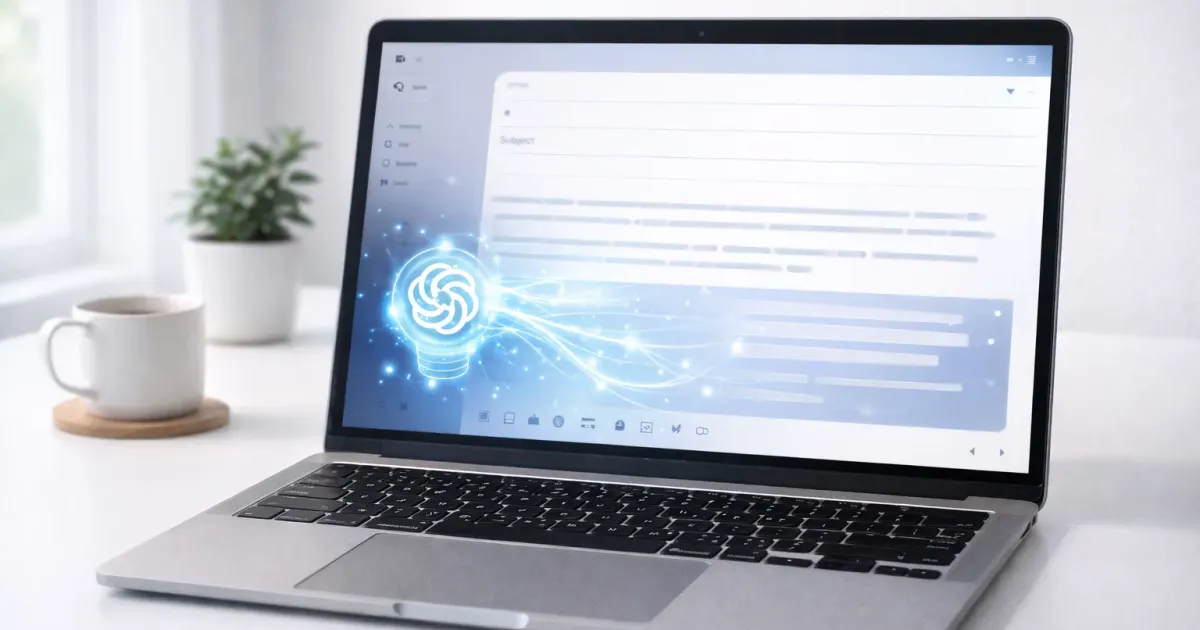
You spend hours on email every week. Much of it is repetitive: scheduling, following up, saying no politely, asking for things.
AI can cut that time dramatically, without making you sound like a robot.
Here’s how to use AI for email writing effectively, with templates and prompts you can copy today.
The Right Mindset
AI doesn’t write emails for you. It drafts emails that you then make yours.
AI is good at:
- Structure and formatting
- Professional phrasing
- Getting past blank-page paralysis
- Suggesting approaches you hadn’t considered
AI needs you for:
- Specific details and context
- Your actual voice and personality
- Judgment about tone and appropriateness
- Final review and approval
Think of AI as a writing assistant who creates the first draft. You’re still the author.
The Basic Formula
Every AI email prompt needs four things:
- Who, Recipient and your relationship
- What, Purpose of the email
- Tone, How it should sound
- Constraints, Length, format, things to include/avoid
Basic template:
Write an email to [WHO: relationship + context].
Purpose: [WHAT: specific goal]
Tone: [professional/casual/friendly/formal/apologetic/firm]
Keep it [LENGTH: short/medium/detailed].
Include: [specific points]Avoid: [things to leave out]
Email Templates by Situation
If you send the same kinds of messages over and over, it pays to build a small library of reusable ChatGPT email templates so you’re not starting from scratch each time.
1. Following Up (No Response)
Prompt:
Write a polite follow-up email to a potential client who hasn'tresponded to my proposal sent last week.
Tone: Professional but not pushyGoal: Prompt a response without being annoyingLength: 3-4 sentences maxInclude: Reference to the original email, offer to answer questions
Why it works: Specific context, clear goal, explicit tone guidance.
2. Declining a Request
Prompt:
Write an email declining a meeting request from a colleague whowants to "pick my brain" about career advice.
Tone: Warm but firmGoal: Say no clearly while maintaining the relationshipInclude: Brief reason (busy with deadline), alternative suggestion(coffee next month or async questions via email)Avoid: Over-apologizing, leaving door open for pushback
3. Asking for Something
Prompt:
Write an email to my manager requesting approval for a $500conference registration.
Tone: Professional, confidentGoal: Get approvalInclude: Conference name/date, specific benefits to the team,that I'll share learnings afterwardLength: Keep it concise, managers are busy
4. Difficult Conversations
Prompt:
Write an email to a vendor about consistently late deliveries.This is the third time in two months.
Tone: Firm but professional, not angryGoal: Get commitment to improvement, document the issueInclude: Specific dates of late deliveries, impact on our work,request for explanation and remediation planAvoid: Threats, emotional language, anything that could damagethe long-term relationship
5. Cold Outreach
Prompt:
Write a cold email to a marketing director at a mid-size SaaS company.I'm offering consulting services for content strategy.
Tone: Confident, not salesyGoal: Get a 15-minute callInclude: One specific observation about their current content,brief credibility (worked with similar companies), clear CTALength: Under 150 words, busy people won't read moreAvoid: Generic flattery, multiple CTAs, attachments
6. Thank You / Appreciation
Prompt:
Write a thank-you email to a colleague who helped me preparefor a big presentation last week. The presentation went welland I got positive feedback from leadership.
Tone: Genuine, warmGoal: Express real appreciation, strengthen relationshipInclude: Specific things they helped with, outcome of the presentationAvoid: Sounding generic or obligatory
7. Introducing Yourself
Prompt:
Write an email introducing myself to a new team I'm joiningas a product manager.
Tone: Friendly, approachable, professionalInclude: My background briefly, excitement about joining,invitation to chatLength: Short, people will learn more about me over timeAvoid: Listing all my accomplishments, being too formal
8. Scheduling
Prompt:
Write an email to schedule a project kickoff meeting with5 stakeholders from different departments.
Tone: Efficient, professionalInclude: Purpose of meeting, proposed times (give 3 options),expected duration (1 hour), ask for agenda itemsLength: Brief and scannable
Advanced Techniques
Match Someone’s Style
If you need to match a specific tone, show AI an example:
Write an email declining a speaking invitation. Match thetone of this email I wrote previously:
[Paste your previous email]
New context: Declining an invitation to speak at a localbusiness meetup because of scheduling conflict.
Handle Tricky Situations
For sensitive emails, ask AI to think through approaches:
I need to email my manager about burnout without seeminglike I can't handle my job. What are 3 different approachesI could take? For each, give me a brief email draft.Then pick elements from different versions.
Generate Options
When tone is tricky, get multiple versions:
Write 3 versions of a follow-up email after a job interview:1. Confident and brief2. Enthusiastic and detailed3. Professional and reserved
Context: Second-round interview for senior analyst role,went well, interviewer mentioned timeline of 2 weeks.
Tools for Email Writing
General AI Assistants
| Tool | Best For | Integration |
|---|---|---|
| ChatGPT | Versatile drafting | Copy/paste |
| Claude | Nuanced, natural tone | Copy/paste |
| Gemini | Gmail users | Built into Gmail |
| Copilot | Outlook users | Built into Outlook |
Dedicated Email Tools
| Tool | Feature | Price |
|---|---|---|
| Grammarly | Tone detection, corrections | Free / $12/mo |
| Lavender | Email scoring, suggestions | $27/mo |
| Superhuman | AI writing + email client | $30/mo |
| Sanebox | AI email management | From $3.49/mo |
My Recommendation
For most people: Use ChatGPT or Claude for drafting (free), Grammarly for polish (free tier works).
If you live in Gmail: Enable Gemini integration, it’s surprisingly good and free.
If you live in Outlook: Copilot is built in and improving fast.
Making AI Emails Sound Human
AI drafts often have tells:
- Too perfect grammar
- Generic phrases (“I hope this email finds you well”)
- Consistent sentence structure
- Missing personality
Fixes:
Add specifics AI doesn’t know:
Before: "Thank you for your help with the project."After: "Thank you for staying late Tuesday to fix the dashboard bug, you saved the client demo."Vary your sentence length:
Before: "I wanted to follow up on our discussion. I think the proposal has merit. Let me know your thoughts."After: "Following up on our discussion. I think this proposal has real merit, especially the timeline. Thoughts?"Remove AI-isms:
- “I hope this email finds you well” → Just start with your point
- “Please do not hesitate to reach out” → “Let me know if you have questions”
- “I wanted to touch base” → Be specific about why
Add your voice: End with something only you would say. An inside joke, a reference to a shared experience, or just your natural sign-off.
When NOT to Use AI
Some emails need to be fully human:
- Condolences or serious personal matters, AI can’t feel, and it shows
- Highly sensitive HR issues, Too much at stake for AI errors
- Legal or contractual matters, Review with actual humans
- Relationship-critical communications, When authenticity matters most
- When you’re told not to, Some companies have AI policies
For these, AI can help you think through what to say, but write it yourself.
Quick-Reference Prompts
Copy these and fill in the brackets:
Professional request:
Write a professional email requesting [THING] from [PERSON/ROLE].Keep it under 100 words. Tone: [confident/polite/formal].Polite no:
Write an email politely declining [REQUEST] from [PERSON].Offer [ALTERNATIVE]. Keep relationship intact.Follow-up:
Write a follow-up email about [TOPIC]. Original email sent [WHEN].Goal: [get response/schedule meeting/close deal]. Not pushy.Bad news:
Write an email delivering bad news: [SITUATION].To: [PERSON/ROLE]. Include: [next steps/explanation].Tone: Direct but empathetic.Thank you:
Write a thank-you email to [PERSON] for [SPECIFIC THING THEY DID].Mention [POSITIVE OUTCOME]. Genuine, not generic.The 60-Second Email Workflow
- Prompt (15 sec): Copy template, fill in brackets
- Generate (5 sec): Let AI draft
- Edit (30 sec): Add specifics, fix tone, make it yours
- Send (10 sec): Quick final read, hit send
What used to take 10 minutes now takes 1. Multiply by dozens of emails weekly.
Related Articles
Top Ranked Frontier AI Models
Empirical rankings sourced from Artificial Analysis, Arena.ai, LLM Stats & BenchLM.
Related Articles

ChatGPT for Email: 9 Templates That Actually Work in 2026
Stop writing emails from scratch. Nine proven ChatGPT prompts for cold outreach, replies, follow-ups, apologies, and negotiations. Copy and adapt.
15 ChatGPT Custom Instructions Templates You Can Copy
15 copy-paste ChatGPT custom instructions templates for work, writing, coding, and more. Grab a template, paste it in, and get better responses instantly.
Best ChatGPT Plugins in 2026 Are Now Custom GPTs (Top 12)
ChatGPT Plugins are gone. Custom GPTs replaced them. Here are the 12 best Custom GPTs for productivity, research, coding, and writing in 2026.