
Build an AI Flight Search Agent (No Coding)
Learn how AI agents work by building a flight search assistant. From no-code tools to Python scripts, find the cheapest flights automatically.

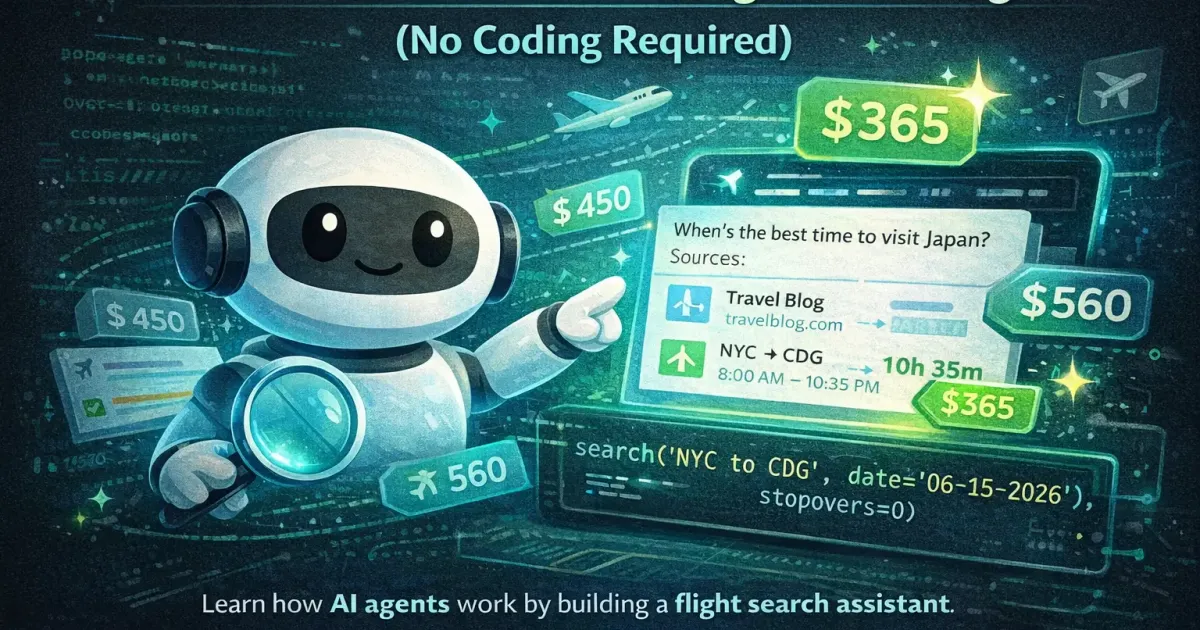
Imagine having a personal assistant that monitors flight prices 24/7, alerts you when prices drop, and finds routing options you’d never discover yourself. That’s what an AI flight search agent does.
In this guide, you’ll learn how these agents work and build your own, starting with no-code tools and progressing to more powerful options if you’re curious.
Want a structured roadmap? Check out our comprehensive Guide to Learning AI in 2026 with step-by-step milestones, free courses, and career advice.
What Is an AI Flight Search Agent?
An AI agent is software that:
- Understands your goal (find the cheapest flight from A to B)
- Takes autonomous actions (searches multiple sources, compares options)
- Makes decisions (filters results based on your preferences)
- Reports back (shows you the best options or books automatically)
Unlike a simple flight search, an agent can:
- Search multiple dates to find the cheapest day
- Consider alternative airports nearby
- Find creative routings (separate tickets, hidden city fares)
- Monitor prices over time and alert you to drops
- Remember your preferences for future searches
Level 1: No-Code Solutions (5 Minutes)
Let’s start with tools anyone can use right now.
Option A: ChatGPT with Web Search
If you have ChatGPT Plus ($20/month), you can use web search to check real flight prices:
- Enable web search in your ChatGPT conversation
- Ask ChatGPT to search for flights
- Ask naturally:
Find me the cheapest flights from Berlin to Tokyoin March 2026. I'm flexible on dates (±3 days)and can fly from any Berlin-area airport.Show me options with 1 stop maximum.What you get: ChatGPT searches flight sites, compares options, and presents results conversationally.
Limitations: Results vary based on search quality; can’t monitor prices over time automatically.
Option B: Google Flights + Gemini
Use Gemini to search and analyze Google Flights data:
Search Google Flights for the cheapest way to flyfrom New York to Barcelona in June.Check flexible dates and nearby airports.What patterns do you see in pricing?What you get: Real-time prices with Gemini’s analysis.
Option C: Perplexity for Research
What's the cheapest way to fly from London to Bali?Compare direct flights, 1-stop options, and anycreative routing that could save money.Search recent flight deals and pricing patterns.What you get: Sourced information from flight deal sites and forums.
Level 2: Automated Alerts (15 Minutes)
These tools monitor prices and alert you automatically.
Google Flights Price Tracking
- Search your route on Google Flights
- Click “Track prices”
- Get email alerts when prices change
Free, simple, but limited to Google’s data.
Skyscanner Price Alerts
- Search on Skyscanner
- Create an account
- Enable price alerts for your route
Searches more sources than Google.
Hopper App
The Hopper app uses AI to:
- Predict if prices will go up or down
- Recommend when to book
- Alert you at the optimal time
Best for mobile users who want “set and forget.”
Level 3: Low-Code Automation (30 Minutes)
Want more control? Tools like Zapier and Make.com let you build custom workflows.
Example: Automated Daily Flight Search
Goal: Every morning, search for flights and email yourself the best options.
Using Zapier:
- Trigger: Schedule (every day at 8am)
- Action 1: Search flights via Kiwi.com API (Zapier has a Kiwi integration)
- Filter: Only if price is below $X
- Action 2: Send email with results
Cost: Zapier free tier allows basic automations.
Example: Price Drop Alert to Phone
Using Make.com:
- Trigger: Schedule (every 6 hours)
- Action 1: Search Skyscanner API
- Action 2: Compare to previous search (stored in Google Sheets)
- Action 3: If price dropped >10%, send Telegram/SMS notification
More flexible than Zapier, steeper learning curve.
Level 4: Build a Real Agent (For the Curious)
If you want to understand how AI agents actually work, here’s a simplified example using Python. Don’t worry, I’ll explain each part.
What You’ll Build
An agent that:
- Takes your flight request
- Searches the Amadeus API (real flight data)
- Uses AI to analyze and rank results
- Returns the best options with explanations
Prerequisites
- Python installed (free from python.org)
- Free API keys from Amadeus and OpenAI
- 30-60 minutes
Step 1: Get Your API Keys
Amadeus (Flight Data):
- Go to developers.amadeus.com
- Create free account
- Create an app to get API key and secret
OpenAI (AI Analysis):
- Go to platform.openai.com
- Create account and add payment method
- Generate API key
Step 2: Install Required Packages
Open your terminal and run:
pip install amadeus openaiStep 3: The Agent Code
Create a file called flight_agent.py:
from amadeus import Client, ResponseErrorfrom openai import OpenAIfrom datetime import datetime
# Initialize clientsamadeus = Client(    client_id='YOUR_AMADEUS_KEY',    client_secret='YOUR_AMADEUS_SECRET')openai_client = OpenAI(api_key='YOUR_OPENAI_KEY')
def search_flights(origin, destination, date):    """Search for flights using Amadeus API"""    try:        response = amadeus.shopping.flight_offers_search.get(            originLocationCode=origin,            destinationLocationCode=destination,            departureDate=date,            adults=1,            max=10  # Get top 10 options        )        return response.data    except ResponseError as error:        print(f"Error: {error}")        return []
def analyze_with_ai(flights, preferences):    """Use AI to analyze and rank flight options"""
    # Format flight data for AI    flight_summary = []    for i, flight in enumerate(flights):        price = flight['price']['total']        duration = flight['itineraries'][0]['duration']        stops = len(flight['itineraries'][0]['segments']) - 1        airline = flight['itineraries'][0]['segments'][0]['carrierCode']
        flight_summary.append(            f"Option {i+1}: ${price}, {duration}, {stops} stops, {airline}"        )
    # Ask AI to analyze    prompt = f"""    Analyze these flight options and recommend the best choice.
    User preferences: {preferences}
    Available flights:    {chr(10).join(flight_summary)}
    Consider price, duration, number of stops, and the user's preferences.    Explain your recommendation clearly.    """
    response = openai_client.chat.completions.create(        model="gpt-4",        messages=[{"role": "user", "content": prompt}]    )
    return response.choices[0].message.content
def flight_agent(origin, destination, date, preferences=""):    """Main agent function"""    print(f"🔍 Searching flights from {origin} to {destination} on {date}...")
    # Search for flights    flights = search_flights(origin, destination, date)
    if not flights:        return "No flights found. Try different dates or airports."
    print(f"✅ Found {len(flights)} options. Analyzing...")
    # Analyze with AI    analysis = analyze_with_ai(flights, preferences)
    return analysis
# Example usageif __name__ == "__main__":    result = flight_agent(        origin="BER",        # Berlin        destination="NRT",   # Tokyo Narita        date="2026-06-15",        preferences="I prefer shorter flights over cheaper ones, but don't want to overpay. One stop is fine."    )    print(result)
Step 4: Run Your Agent
python flight_agent.pyWhat happens:
- Agent searches real flights via Amadeus
- Formats the results
- Sends to GPT-4 for analysis
- Returns a personalized recommendation
Making It Smarter
You can extend this agent to:
Search multiple dates:
def search_flexible_dates(origin, destination, base_date, days_range=3): all_flights = [] for offset in range(-days_range, days_range + 1): date = base_date + timedelta(days=offset) flights = search_flights(origin, destination, date.strftime('%Y-%m-%d')) all_flights.extend(flights) return all_flightsCheck nearby airports:
nearby_airports = { 'BER': ['BER'], # Berlin (only BER operational) 'NYC': ['JFK', 'EWR', 'LGA'], # New York area}Monitor prices over time:
import jsonfrom datetime import datetime
def save_price(route, price):    with open('price_history.json', 'a') as f:        f.write(json.dumps({            'route': route,            'price': price,            'timestamp': datetime.now().isoformat()        }) + '\n')
Level 5: The Future, Autonomous Booking Agents
We’re moving toward agents that don’t just search, they book.
What’s Coming
- Price prediction agents that book automatically when prices hit your target
- Multi-leg optimization that books separate tickets to save money
- 24/7 monitoring that catches error fares and deals
- Complete trip agents that book flights, hotels, and activities together
What Exists Now
- Hopper - Predicts prices and can auto-book
- Kayak Alerts - Sophisticated price tracking
- Going (formerly Scott’s Cheap Flights) - Human-curated deals (AI-assisted)
The Challenge
Airlines don’t love automated booking. Most APIs allow searching but not purchasing. True booking automation requires:
- Airline partnerships
- Payment processing
- Legal compliance
For now, agents excel at finding deals, you still click “book” yourself.
Which Level Is Right for You?
| Level | Time | Skill | Power |
|---|---|---|---|
| 1: ChatGPT/Gemini | 5 min | None | Basic |
| 2: Price Alerts | 15 min | None | Passive monitoring |
| 3: Zapier/Make | 30 min | Low | Custom automation |
| 4: Python Agent | 1-2 hrs | Medium | Full control |
| 5: Booking Agent | Advanced | High | Maximum |
Recommendation:
- Start with Level 1-2 for immediate results
- Try Level 3 if you enjoy automation
- Explore Level 4 if you want to learn AI development
Key Takeaways
- AI agents are tools + intelligence - They search, analyze, and decide
- Start simple - ChatGPT with web search works for most people
- Official APIs are key - Don’t scrape; use Amadeus, Skyscanner, or Kiwi
- AI adds the magic - Transforms raw data into personalized recommendations
- The future is autonomous - Agents will book for you, not just search
What’s Next?
- Use AI for your next trip: AI Travel Planning Hub
- Master ChatGPT for travel: ChatGPT Travel Prompts
- Compare AI tools: Best AI Trip Planners 2026
- Learn more about AI: Best Free AI Courses
Related Articles

9 Ways AI Gets Your Travel Plans Wrong
Closed restaurants, impossible transfers, invented opening hours. The nine failures we hit most often when planning trips with AI, and how to catch each one.

Your First AI-Planned Trip with ChatGPT (2026)
A beginner-friendly tutorial for planning your first trip with ChatGPT. Follow along step-by-step from your first prompt to a complete travel itinerary.

Offline Travel Tech: Essential Apps & Devices for No-Data Regions
Prepare your smartphone, Kindle, and gear for zero-connectivity travel. Discover offline maps, offline translation packs, travel guides, and power tips.