
Kindle vs Kobo (2026): I Own Both — Here's Which to Buy
After using both Kindle and Kobo daily, here's the honest truth. Features, prices, and ecosystem compared — with a clear winner.
So you’ve decided to buy an e-reader. Smart choice. (Not sure if an e-reader is right for you? Read our guide on whether a Kindle is worth it first.) But now you’re stuck between the two major players: Amazon’s Kindle and Rakuten’s Kobo.
Both make excellent devices. Both have passionate fans. And both have trade-offs that might make one better for you than the other.
Let’s break down the real differences.
The Quick Answer
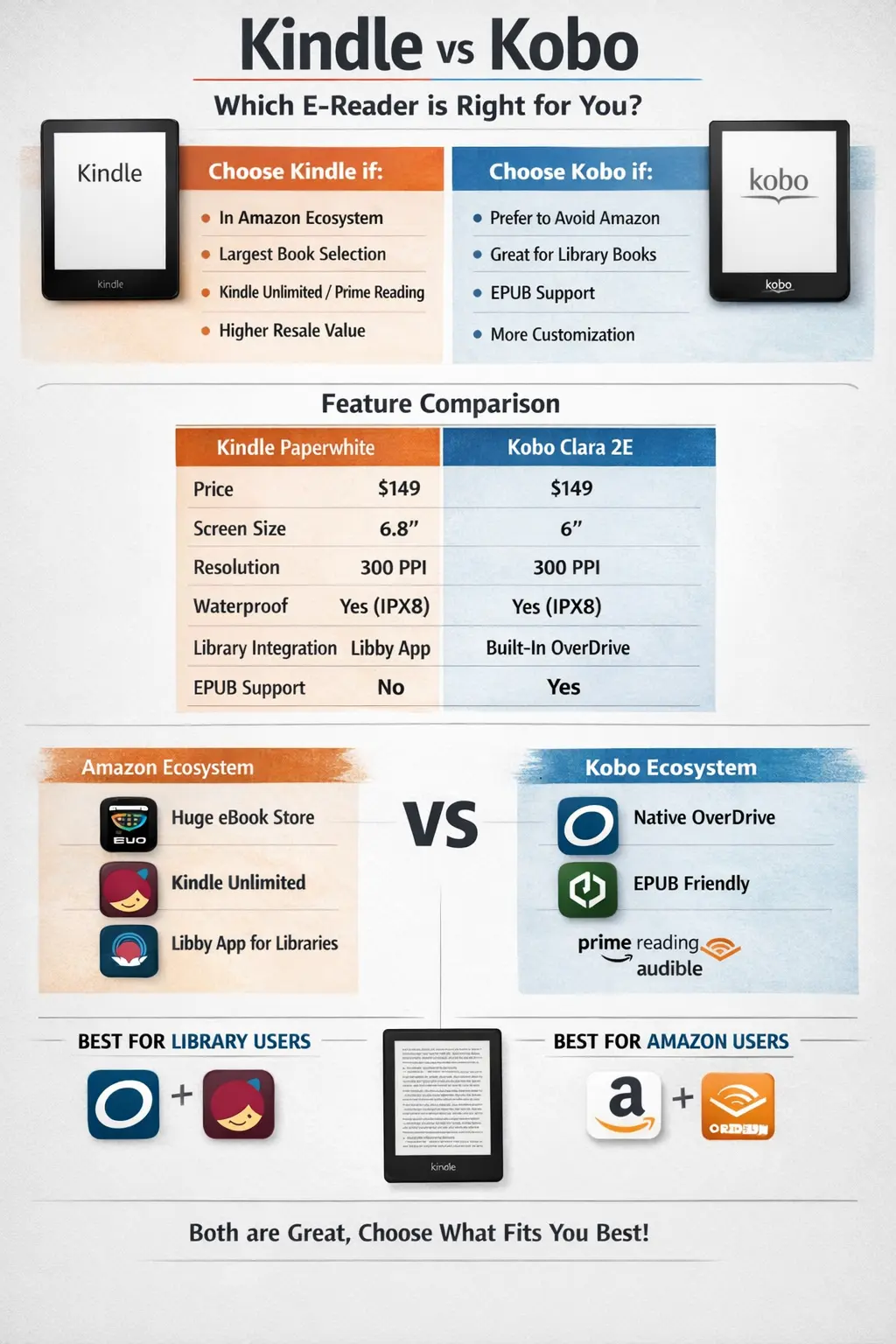
Choose Kindle if:
- You’re already in Amazon’s ecosystem
- You want the largest ebook selection
- You use Kindle Unlimited or Amazon Prime Reading
- Resale value matters to you
Choose Kobo if:
- You want to avoid Amazon
- You borrow ebooks from libraries frequently
- You read EPUBs from various sources
- You want more customization options
Kindle vs Kobo: Head-to-Head Comparison
| Feature | Kindle Paperwhite | Kobo Clara 2E |
|---|---|---|
| Price | $160 | $140 |
| Screen Size | 7” | 6” |
| Resolution | 300 PPI | 300 PPI |
| Storage | 16GB | 16GB |
| Waterproof | Yes (IPX8) | Yes (IPX8) |
| Warm Light | Yes | Yes (ComfortLight PRO) |
| EPUB Support | No (Kindle formats) | Yes |
| Library Integration | Via Libby app | Native OverDrive |
| Physical Buttons | No | No |
| USB Type | USB-C | USB-C |
| Weight | 211g | 171g |
At the entry level, these devices are remarkably similar. The differences that matter are mostly in software and ecosystem.
Ecosystem: The Biggest Difference
Amazon Kindle Ecosystem
Amazon runs the world’s largest ebook store. Period.
Pros:
- Massive selection — if a book exists digitally, it’s probably on Amazon
- Kindle Unlimited ($11.99/month) — millions of books included
- Prime Reading — free books for Prime members
- Whispersync — sync progress across all your devices
- Audible integration — switch between reading and listening
Cons:
- Locked to Amazon’s formats (AZW, MOBI, KFX)
- No native EPUB support
- DRM restrictions on purchased books
- Amazon controls your library
Kobo Ecosystem
Kobo is owned by Rakuten (Japanese e-commerce giant) and has a strong international presence.
Pros:
- Native EPUB support — the universal ebook format
- Works with library OverDrive directly
- Kobo Plus ($9.99/month) — Kobo’s alternative to Kindle Unlimited
- Better support for sideloading your own books
- Pocket integration — save web articles to read later
- More font and formatting customization
Cons:
- Smaller ebook store than Amazon
- Less brand recognition
- Fewer accessories available
- May have limited selection in some regions
Library Integration: Kobo Wins
If you borrow ebooks from your local library, Kobo makes it significantly easier.
Kobo: OverDrive is built right in. Find a book in OverDrive, click “Send to Kobo,” and it appears on your device automatically. Seamless.
Kindle: You need to use the Libby app to borrow books, then “Send to Kindle.” It works, but there are more steps, and occasionally books won’t send properly.
For heavy library users, this alone might tip the scales toward Kobo.
Sideloading and Format Support
Kindle Supported Formats:
- AZW / AZW3 (Amazon’s format)
- MOBI (older Kindle format)
- TXT
Kobo Supported Formats:
- EPUB (universal standard)
- MOBI
- TXT
- CBZ/CBR (comic formats)
- And more…
If you have ebooks from various sources (Humble Bundle, DRM-free stores, etc.), Kobo handles them with less friction. Most DRM-free ebooks come in EPUB format.
You can convert EPUBs for Kindle using Calibre software, but it’s an extra step. Alternatively, modding your Kindle with KOReader gives you native EPUB support without any conversion hassle.
Hardware Comparison: Full Lineup
Kindle Lineup (2026)
| Model | Price | Screen | Key Features |
|---|---|---|---|
| Kindle | $109 | 6” | Basic, budget-friendly |
| Paperwhite | $160 | 7” | Best value, waterproof |
| Paperwhite Signature | $200 | 7” | Wireless charging, 32GB |
| Scribe | $499 | 10.2” | Stylus, note-taking |
Note: Kindle Oasis discontinued in 2025
Kobo Lineup (2026)
| Model | Price | Screen | Key Features |
|---|---|---|---|
| Kobo Clara BW | $129 | 6” | Budget option |
| Kobo Clara Colour | $150 | 6” | Color screen, recycled plastic |
| Kobo Libra 2 | $189 | 7” | Physical buttons, waterproof |
| Kobo Sage | $259 | 8” | Stylus support, Dropbox |
| Kobo Elipsa 2E | $399 | 10.3” | Large screen, note-taking |
Both companies offer similar tiers at similar prices. Kobo tends to emphasize sustainability (recycled materials) and slightly larger screens at each tier.
Reading Experience
Text Customization
Kobo wins here. Kobo offers more fonts, finer size adjustments, and more control over margins, line spacing, and justification. You can tweak until it’s perfect.
Kindle has reasonable customization, but fewer options overall.
Dark Mode
Both support dark mode (white text on black background). Both look good. Tie.
Page Turn Speed
Both use E Ink, so both have slight refresh delays. Modern models from both are fast enough that you won’t notice during normal reading. Tie.
Warm Light
Both Paperwhite and Clara 2E have adjustable warm lights for nighttime reading. Both work well. Tie.
Store and Pricing
Amazon typically has:
- More books overall
- More competitive pricing on bestsellers
- Better sales and daily deals
- Kindle Unlimited with a larger selection
Kobo typically has:
- Competitive pricing in Canada and Europe
- Kobo Plus subscription
- Strong romance and indie selection
- Better prices in some regions due to currency
If you read mostly mainstream titles, Amazon’s store is hard to beat. If you read a lot of indie or romance, Kobo’s store might surprise you.
Build Quality and Design
Both companies make solid e-readers. Neither feels cheap.
Kindle:
- Clean, minimal design
- More accessory options (cases, chargers)
- Better resale value
- Slightly heavier (Paperwhite vs Clara)
Kobo:
- Focus on sustainability (recycled materials)
- Physical page buttons on mid-tier+ models
- Slightly lighter at comparable tiers
- ComfortLight PRO is excellent
The Kobo Libra 2 with physical page buttons is a standout — great for one-handed reading in bed.
Privacy Considerations
Neither company is perfect here, but there are differences:
Amazon:
- Tracks your reading habits extensively
- Data feeds into Amazon’s advertising ecosystem
- Kindle sends highlights and notes to Amazon’s servers
Kobo:
- Also collects reading data
- Less integrated into a massive advertising network
- Slightly better privacy reputation
If privacy matters to you, Kobo is marginally better, though neither is truly private.
Verdict: Which Should You Buy?
Buy a Kindle if:
- You’re already using Amazon for everything
- The largest book selection matters to you
- You want Kindle Unlimited or Audible integration
- You value higher resale value
- You’re in the US (best Kindle Unlimited selection)
Buy a Kobo if:
- You want to avoid Amazon’s ecosystem
- You borrow library books regularly
- You have EPUBs from various sources
- You want more customization options
- You want physical page buttons (Libra 2)
- You care about sustainability
The Tie-Breaker
If you genuinely can’t decide: Kindle Paperwhite.
It’s the safe choice. Better resale value if you change your mind. Largest book store. And you can always use library books via Libby, even if it’s slightly less convenient than Kobo.
But if you know you’ll use the library heavily or have strong feelings about avoiding Amazon, Kobo won’t disappoint you.
Both are excellent devices. You won’t regret either choice.
Related Articles

Unlock Your E-Reader: The Ultimate Kindle Modding Guide (2026)
Ready to take your Kindle to the next level? From jailbreaking to installing KOReader, here is everything you need to know about Kindle modding.
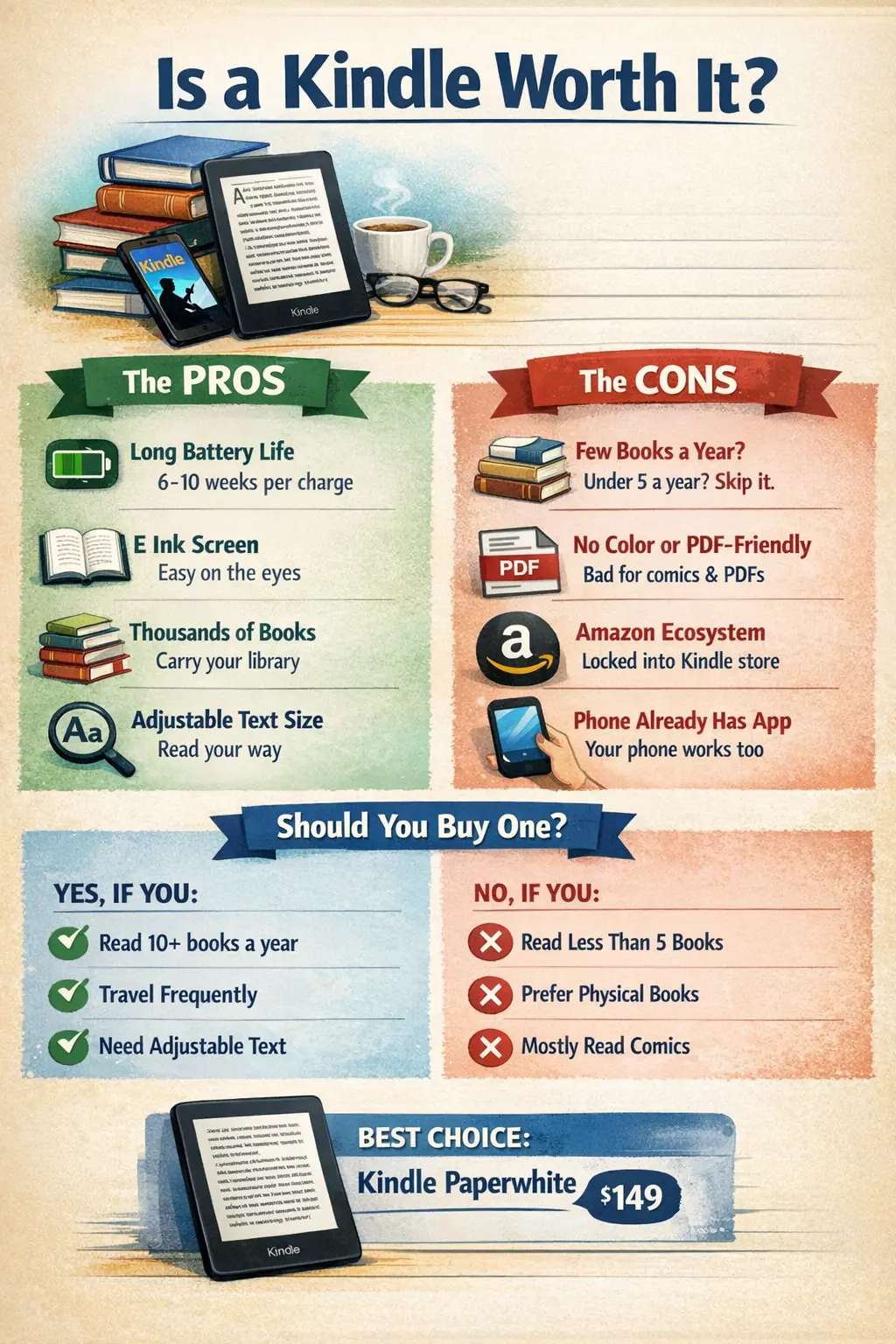
Is a Kindle Worth It in 2026? (Honest Answer After 3 Years)
After 3 years with a Kindle, here's my honest take. Pros, cons, and exactly who should (and shouldn't) buy one in 2026.
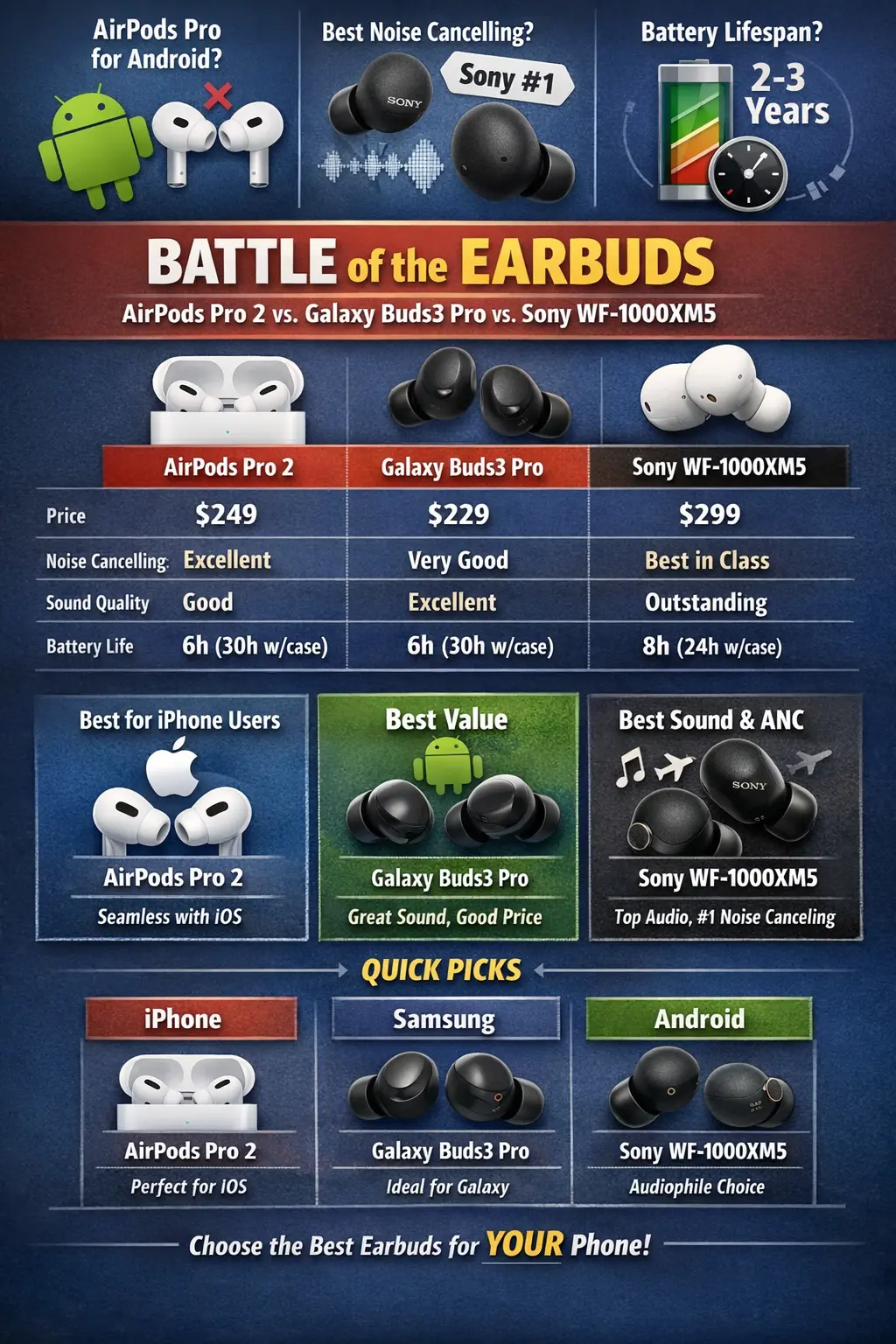
AirPods Pro 3 vs Galaxy Buds vs Sony WF-1000XM5: Which Win?
AirPods Pro 3 vs Galaxy Buds3 Pro vs Sony WF-1000XM5. Sound, ANC, battery, comfort — which earbuds are worth your money in 2026?