
Is a Kindle Worth It in 2026? (Honest Answer After 3 Years)
After 3 years with a Kindle, here's my honest take on whether it's worth buying. Pros, cons, cost, and who should (and shouldn't) get one in 2026.

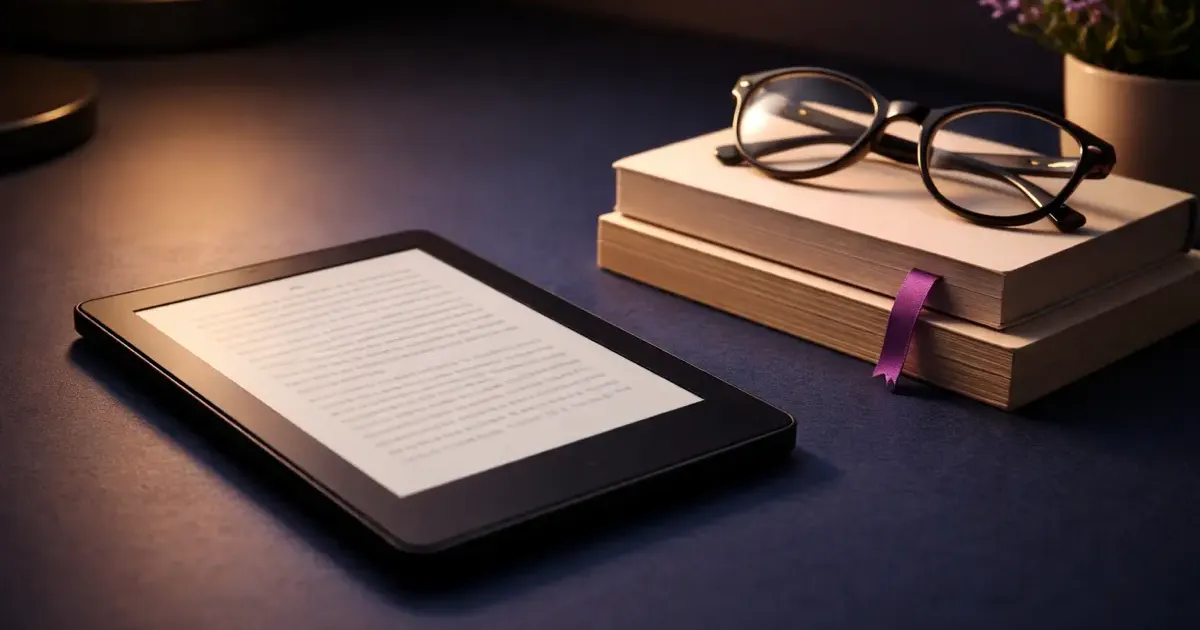
Yes, if you read ten or more books a year: weeks of battery, no notifications, no eye strain, and a device that costs about $150 to $200. No, if you mostly read PDFs or comics, or rarely find time to read at all. The analysis below prices a Kindle against paper books and a tablet over three years and shows where the break-even sits.
You’ve probably seen people reading on Kindles at coffee shops, airports, or during their commute. And you’ve probably wondered: is it actually worth buying one, or is it just another gadget collecting dust?
Let’s break it down honestly.
What Is a Kindle, Really?
A Kindle is Amazon’s e-reader, a device designed specifically for reading digital books. Unlike tablets or phones, it uses E Ink technology that mimics the look of real paper. No glare, no eye strain, and battery life measured in weeks, not hours. Our E-Ink vs. OLED for reading comparison goes into the eye-strain and battery side in detail.
The current Kindle lineup (2026):
- Kindle (basic), $150, 6” screen, 16GB (aluminum-back 32GB version $190)
- Kindle Paperwhite, $200, 7” screen, waterproof, 16GB
- Kindle Paperwhite Signature Edition, $250, wireless charging, auto-brightness, aluminum housing, 32GB
- Kindle Scribe, from $430, 10.2” screen, Premium Pen included
Website: Amazon Kindle
Note: Kindle Oasis discontinued in 2025
The Case FOR Buying a Kindle
1. It’s Actually Better for Reading
This sounds obvious, but it’s the main point. A Kindle does one thing, reading, and it does it exceptionally well.
- No distractions: No notifications, no “just checking email,” no Twitter rabbit holes
- E Ink display: Looks like paper, easy on the eyes even for hours
- Perfect for any lighting: Built-in adjustable warm light for night reading
If you’ve ever tried reading a book on your phone and ended up on Instagram instead, you understand the value of a dedicated device.
2. Battery Life Is Incredible
Charge it once, read for weeks. Literally weeks. With WiFi off and moderate use, a Kindle can last over a month on a single charge.
Compare that to:
- Phone: needs daily charging
- Tablet: needs charging every few days
- Laptop: needs charging constantly
For travel, this is huge. No charger anxiety.
3. Thousands of Books in Your Pocket
A 16GB Kindle holds thousands of books. Your entire library, always with you, weighing less than 7 ounces.
Finished a book at 2 AM? Buy and download the next one in 30 seconds. Traveling for two weeks? Bring your whole reading list without the weight.
4. Built-in Dictionary and Vocabulary Builder
Tap any word for an instant definition. The Kindle also tracks words you look up in a “Vocabulary Builder” feature, great for language learners or expanding your vocabulary.
5. Kindle Unlimited and Library Integration
- Kindle Unlimited: $11.99/month for access to millions of books
- Library integration: Borrow ebooks free from your local library via Libby/OverDrive
If you read a lot, these can save serious money compared to buying every book.
6. Adjustable Text Size and Font
Bad eyesight? Small print? Not a problem. Adjust font size, font type, line spacing, and margins to whatever works for you. If you are buying for an older reader, the best Kindle for seniors guide covers which model and settings make the biggest difference. This alone makes e-readers worthwhile for many people.
The Case AGAINST Buying a Kindle
1. You’re Locked Into Amazon’s Ecosystem
Buy a Kindle, and you’re buying into Amazon’s world:
- Books purchased on Kindle are DRM-protected
- You can’t easily transfer them to other devices
- If Amazon ever closes your account, your library could vanish
There are workarounds (Calibre software), but it’s not seamless.
2. E Ink Has Limitations
E Ink is great for text, but:
- No color: Comics, magazines, and image-heavy books suffer
- Slow refresh: Page turns have a slight flash
- Basic web browsing: Technically possible, practically unusable
If you want to read graphic novels or textbooks with diagrams, a tablet is better. See our Kindle vs iPad for reading comparison for the full breakdown.
3. Your Phone Already Has a Kindle App
Here’s the thing: you can read Kindle books on your phone, tablet, or computer for free. The app is solid.
The Kindle device is better for focused reading, but if you only read occasionally, the app might be enough.
4. Physical Books Still Exist
Some people just prefer physical books. The smell, the feel, the satisfaction of a bookshelf. No shame in that.
E-readers also don’t work well for:
- Books you want to lend to friends
- Coffee table books
- Books with lots of images or charts
5. It’s Another Thing to Carry and Charge
Yes, the battery lasts weeks. But it’s still another device to keep track of, pack when traveling, and eventually replace when it breaks or gets outdated.
Who Should Buy a Kindle?
A Kindle makes sense if you:
- Read 10+ books per year
- Often read in bed or in varying lighting conditions
- Travel frequently and want to pack light
- Get distracted reading on your phone
- Have vision issues and need adjustable text
- Use the library or Kindle Unlimited heavily
A Kindle probably isn’t worth it if you:
- Read fewer than 5 books per year
- Mostly read graphic novels, comics, or image-heavy books
- Prefer physical books and have the shelf space
- Are happy reading on your phone or tablet
- Don’t want another device to manage
Which Kindle Should You Buy?
For most people: Kindle Paperwhite ($200)
The Paperwhite hits the sweet spot: larger 7” screen than the basic Kindle, waterproof (read in the bath!), and adjustable warm light. It’s the best value in the lineup.
Budget option: Basic Kindle ($150)
Fine for casual readers. Smaller screen, no waterproofing, and the light isn’t as good, but it does the core job well.
For note-takers: Kindle Scribe (from $430)
If you want to annotate books or use it as a digital notebook, the Scribe is excellent. But it’s a significant investment.
Note on the Oasis
The Kindle Oasis was discontinued in 2025. The Paperwhite now offers similar or better features at a lower price.
Kindle vs. Kobo vs. Phone
Not sure which e-reader brand to choose? Check out our detailed Kindle vs Kobo comparison for a deep dive, or our Kindle Paperwhite vs Kobo Clara head-to-head if you’ve narrowed it down to those two. Once you’ve decided on a Kindle, our complete Kindle guide walks you through setup, getting books, and customization.
| Feature | Kindle Paperwhite | Kobo Clara 2E | Phone (Kindle App) |
|---|---|---|---|
| Website | Amazon | Kobo.com | Kindle App |
| Price | $200 | $140 | Free (you have one) |
| Screen | 7” E Ink | 6” E Ink | Varies (LCD) |
| Eye strain | Low | Low | Higher |
| Battery | Weeks | Weeks | Hours |
| Library support | Via Libby | Native Overdrive | Via Libby |
| Ecosystem | Amazon | Kobo/Rakuten | Any |
| Distractions | None | None | Many |
Tips If You Buy One
- Turn off WiFi when not downloading books, extends battery life significantly
- Use your library, Most libraries offer free ebook lending
- Try Kindle Unlimited free trial, See if the selection works for you
- Get a case, Kindles are slim but not indestructible
- Calibre software, Convert and manage ebooks from various sources
- Get free books, Library apps, Project Gutenberg, and Amazon’s own free programs
- Time the purchase, Black Friday brings the yearly lows on every model
The Work Break Revolution
Here’s where a Kindle really shines: lunch breaks and downtime at work.
Phone vs. Kindle During Breaks
Pull out your phone → check email → scroll Twitter → 30 minutes gone, feeling worse.
Pull out your Kindle → read a chapter → 30 minutes gone, feeling accomplished.
A Kindle has zero notifications, zero apps, zero temptation. It does one thing. That’s the point.
The Subtle Flex
Reading a book (even on a device) looks better than scrolling your phone. No one judges the person reading at their desk. They judge the person watching TikToks.
Books That Work at Work
Some recommendations for office reading:
- Short chapters (easy to put down when interrupted)
- Non-fiction you can absorb in pieces
- Nothing so gripping you’ll miss a meeting
The Coworker Question
“Is that a Kindle?”, Yes. “Do you like it?”, Yes. That’s the whole conversation. People are curious but not intrusive about e-readers.
The Verdict
A Kindle is worth it if reading is a meaningful part of your life and you’ll actually use it. For regular readers, it’s one of those purchases that genuinely improves daily life.
But if you’re not sure, start with the free Kindle app on your phone. If you find yourself wishing you had a better reading experience, that’s your answer.
The best e-reader is the one you’ll actually use. For many people, that’s a Kindle Paperwhite. For others, it’s whatever’s already in their pocket. Not sure which model? Our best e-readers guide compares every option on the market.
If you do buy a Kindle and want to push it further, our Kindle modding guide covers jailbreaking, KOReader, and getting native EPUB support without Calibre conversions.
Studying or in school? See which model fits coursework and PDFs best in best Kindle for students. And if an older Kindle ever stops responding, our Kindle won’t turn on or charge fixes will likely revive it.
Already have a Kindle and need something to read on it? Our books for productive procrastination list works perfectly for desk reading. For more ways to stay focused at work, see our guide to using AI at work safely.
Related Articles
Best Accessories for Kindle Paperwhite in 2026 (Tested)
Discover the best accessories for Kindle Paperwhite and basic Kindles in 2026. Top tested cases, remote page turners, grips, stands, and screen protectors.

Best Kindle Cases 2026: Tested Picks for Every Model
The best Kindle cases in 2026 for Paperwhite, basic Kindle, Colorsoft, and Scribe. Genuine leather, slim covers, origami stands, and budget picks tested.
Kindle Scribe Review: Is It Worth It for Work Notes? (2026)
After months of using the Kindle Scribe at work, here's my honest review. Meeting notes, PDF annotations, and reading, can it replace your notebook?