
Synology vs. QNAP vs. Ugreen vs. DIY NAS in 2026
Cloud storage is getting expensive and less private. We compare the NAS contenders, Synology, QNAP, Ugreen, and DIY, to help you build your own digital bunker.

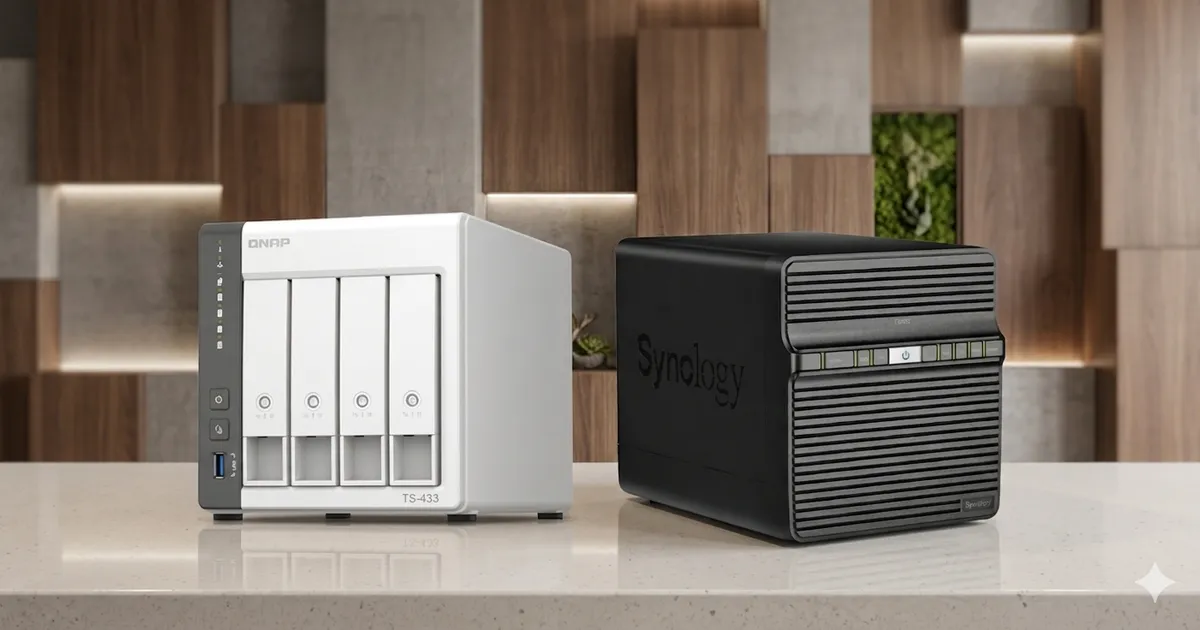
In the early 2020s, we were told the “Cloud” was the future. We outsourced our photos to Google, our documents to Microsoft, and our memories to Apple. But as we move deeper into 2026, the tide is turning. Subscription fatigue is real, privacy leaks are commonplace, and the realization that “the cloud is just someone else’s computer” has finally hit the mainstream.
Welcome to the era of Data Sovereignty.
Upgrading your workstation? See our all-in-one Desk Upgrade & Home Office Guide to build a comfortable, productive workspace.
Network Attached Storage (NAS) has evolved from a clunky box of spinning disks hidden in a closet into the central nervous system of the modern agentic home. Whether you’re hosting local AI agents, managing terabytes of 8K video, or simply wanting a safe place for your family photos that isn’t subject to a monthly rent, choosing the right platform is the most important hardware decision you’ll make this year.
Today, we’re breaking down the four major paths: the polished elegance of Synology, the raw power of QNAP, the high-speed disruption of Ugreen, and the infinite rabbit hole of DIY.
1. Synology: The Apple of the NAS World
If you want a device that “just works” and you’re willing to pay a premium for software polish, Synology is still the undisputed king. Their operating system, DiskStation Manager (DSM), is essentially the macOS of storage. It’s intuitive, rock-solid, and features an app ecosystem that is miles ahead of the competition.
Why choose Synology in 2026?
The biggest draw for Synology is Active Backup for Business. It allows you to back up every PC, Mac, and VM in your house to the NAS with zero licensing fees. In an era where we all have multiple devices, this is a lifesaver. Furthermore, their Synology Photos app is the closest thing you’ll find to a self-hosted Google Photos, complete with AI-driven face and object recognition that runs entirely locally.
The Trade-off
Synology is notoriously conservative with hardware. While other manufacturers are moving to 10GbE networking and NVMe-only designs as standard, Synology still ships many “Pro” units with 1GbE ports and aging Celeron processors. You are paying for the software, not the silicon.
2. QNAP: Raw Power and Flexibility
If Synology is Apple, QNAP is the high-end PC market. They offer hardware specs that make Synology look like a toy. We’re talking about units with integrated GPUs, 25GbE networking, and expansion slots for everything from NPU accelerators to Thunderbolt 4 cards.
The Power User’s Dream
QNAP’s QTS (and their ZFS-based QuTS hero) operating system offers significantly more granular control than Synology. If you want to run complex Docker swarms, manage multiple virtual machines, or use your NAS as a direct-attached video editing station via Thunderbolt, QNAP is the only way to go.
The Trade-off
The learning curve is steeper. QTS can be overwhelming with its nested menus and endless options. Historically, QNAP has also faced more security vulnerabilities than Synology, though they have significantly improved their security posture in the last two years with mandatory 2FA and improved update cycles.
3. Ugreen: The NVMe Disruptor
Two years ago, Ugreen was known for charging cables and USB hubs. Today, they are the most exciting name in storage. By leaning into the All-Flash NAS trend, they have captured the market of creators and “vibe coders” who value speed and silence over legacy drive density.
The Speed Demon
The Ugreen NASync series is built around high-speed NVMe storage and 10GbE networking as the baseline. These units are tiny, silent, and incredibly fast. Because they don’t rely on spinning platters, you can keep one right on your desk without the annoying “click-clack” of traditional hard drives. Their software, UGOS, is newer and less featured than DSM, but it’s fast, modern, and built on a clean Debian core.
The Trade-off
Ugreen is the new kid on the block. Their software ecosystem lacks the deep integration of Synology’s office suite or QNAP’s enterprise tools. It’s a “storage first” device that excels at moving files fast, but it’s not yet a “server for everything.”
4. DIY (TrueNAS & Unraid): The Ultimate Rabbit Hole
For those of us who practice Productive Procrastination, there is no project more satisfying than building your own NAS. Whether you’re repurposing an old gaming PC or building a custom small-form-factor beast, the DIY route offers the best price-to-performance ratio and complete control.
The Two Paths: TrueNAS vs. Unraid
- TrueNAS (Scale/Core): The professional choice. Built on the ZFS file system, it prioritizes data integrity above all else. It’s “enterprise-grade” storage for your home. If your data absolutely, positively cannot be lost, you use TrueNAS.
- Unraid: The enthusiast choice. It’s famous for its ability to mix and match drives of different sizes and its incredibly easy Docker management. It’s the perfect OS for a media server or a home lab.
Whichever box you land on, the software that actually serves your library is a separate decision. We compare the three realistic options in Emby vs Plex vs Jellyfin.
The Trade-off
Time. You will spend hours (or days) researching HBA cards, configuring ZFS pools, and troubleshooting driver issues. But the reward is a machine that is exactly what you need, with no proprietary lock-in.
2026 Comparison Table
| Feature | Synology | QNAP | Ugreen | DIY (TrueNAS/Unraid) |
|---|---|---|---|---|
| Primary Vibe | “It just works” | “Overkill Hardware” | “All-Flash Speed” | “Complete Control” |
| Ease of Use | 10/10 | 7/10 | 8/10 | 4/10 |
| Hardware Value | Low | High | Very High | Exceptional |
| App Ecosystem | Industry-Leading | Extensive | Emerging | Infinite (Docker) |
| Best For | Families & Small Biz | Pro Creators & IT Pros | NVMe/Silence Seekers | Enthusiasts & Tinkerers |
The Verdict: What Should You Buy?
Choosing a NAS in 2026 comes down to how much you value your time versus your money (and your desire to tinker).
- Buy a Synology if you want to set it up once and never think about it again. It is the safest, most reliable choice for protecting your digital life.
- Buy a QNAP if you need high-performance hardware for video editing or virtualization and want a “turnkey” solution that can grow with you.
- Buy a Ugreen if you want a silent, all-flash setup for your desk and don’t need a massive library of proprietary apps.
- Go DIY if you enjoy the process of building and want a server that can do anything, provided you’re willing to put in the work.
Whichever path you choose, the goal is the same: taking your data back from the giants and building a digital bunker that you truly own. In 2026, that isn’t just a tech hobby, it’s a necessity.
Related Articles
Related Articles

The Golden Age of $500 3D Printers: Turn-key vs. DIY
Is $500 the sweet spot for 3D printing? We compare modern plug-and-play machines against legendary DIY kits, featuring the Bambu Lab P2S and Creality K2.

iPad Air 11 M4 Review: iPadOS 27 Powerhouse in 2026
Apple iPad Air 11-inch M4 review with iPadOS 27: benchmark performance, Apple Intelligence, Stage Manager 3.0, Apple Pencil Pro, and real battery life.

macOS 27 and iOS 27 Review: Everything New in 2026
Apple releases macOS 27 Golden Gate and iOS 27 on Sept 14, 2026. Discover Siri AI, Liquid Glass, Visual Intelligence, and next-gen Apple Intelligence features.