
OpenCode vs Cursor vs Codex vs Antigravity: AI Coding Tools
Compare OpenCode, Cursor, Codex, and Antigravity. Discover features, workflow fits, agentic capabilities, and pricing to pick the best AI coding tool.

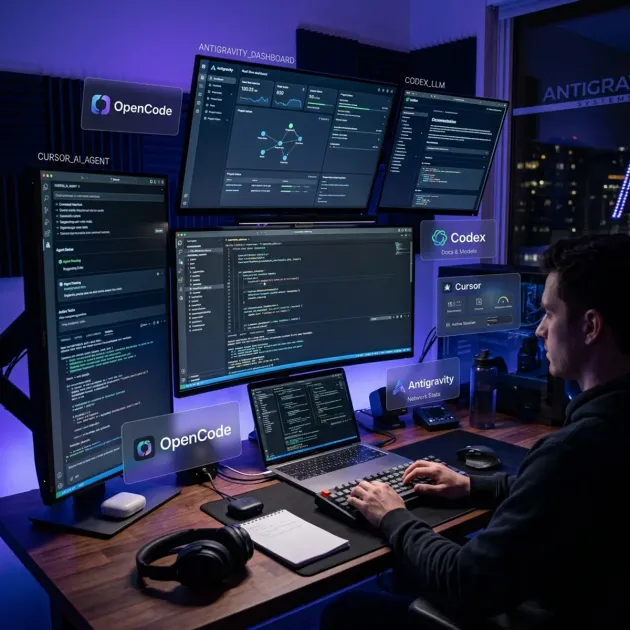
The landscape of AI-assisted software development has evolved rapidly beyond basic autocomplete suggestions. Developers no longer rely solely on inline code completion; today’s workflows span terminal agent harnesses, specialized IDE forks, API-driven model runners, and fully autonomous agentic co-developers.
Choosing the right tool can dramatically impact your velocity, code quality, and daily workflow. Four distinct platforms lead this shift: OpenCode, Cursor, Codex, and Antigravity.
While each tool uses artificial intelligence to accelerate coding, their underlying philosophies, interface designs, and autonomy levels differ significantly. In this guide, we break down how these four environments operate, compare their key features, and help you choose the ideal system for your engineering workflow.
The Evolution of AI-Assisted Development
Understanding where each tool fits requires looking at how AI coding tools have evolved across four distinct generations:
| Generation | Category | Flagship Tools | Core Workflow & Capabilities |
|---|---|---|---|
| Gen 1 | Line Completers | Basic Copilot | Suggests next line or block inline as you type |
| Gen 2 | AI-First IDEs | Cursor, Windsurf | Multi-file edits, codebase RAG, inline refactoring |
| Gen 3 | Terminal Agents | OpenCode, Codex CLI | Command execution, terminal harnesses, git diffs |
| Gen 4 | Agentic Pair Programmers | Antigravity | Autonomous planning, non-blocking tasks, UI verification |
- Generation 1 (Inline Completion): Single-line or block completion triggered as you type inside an editor.
- Generation 2 (IDE Integration & Multi-File Editing): Context-aware workspace chats and multi-file code transformations integrated into traditional editors.
- Generation 3 (Terminal Harnesses & Execution): Shell-integrated agent tools capable of running terminal commands, inspecting git diffs, and fixing build errors.
- Generation 4 (Autonomous Agentic Pair Programming): System-aware agentic assistants that create formal architectural plans, manage multi-step background tasks, perform browser verification, and maintain persistent workspace memory.
To see how AI integration has reshaped personal developer workflows, read our experience on how Gemini changed my coding flow.
1. OpenCode: The Open-Source Terminal Harness
OpenCode is an open-source terminal framework designed for engineers who want total control over their local development environment and AI model routing.
| Layer | Component | Functionality |
|---|---|---|
| LLM Router | Anthropic / OpenAI / Ollama | Connect any hosted API or private local weights |
| Tool Execution | Shell & Git Workflows | Run bash scripts, apply diffs, manage repos |
| Architecture | 100% Open-Source | Self-hosted, zero proprietary lock-in |
Key Strengths of OpenCode
- Model Agnostic & Vendor-Free: OpenCode lets you connect any LLM provider via standard API keys or route queries to local open-weight models using Ollama or vLLM.
- Terminal-Native Workflow: Operates directly inside your preferred terminal emulator (zsh, bash, fish) without requiring a GUI context switch.
- Custom Scripting & Extensibility: Developers can write custom hooks, bash aliases, and configuration files to control how context is assembled and sent to models.
- Privacy & Local Execution: By connecting to local models, sensitive enterprise codebases never leave your local machine or private cloud network.
Limitations of OpenCode
- Higher Configuration Overhead: Requires manual setup of model API endpoints, system prompts, and tool permissions.
- Minimal Visual UI: Lacks graphical diff previewers, interactive modal dialogs, or side-by-side visual file comparison out of the box.
Ideal User Profile
OpenCode is ideal for Linux power users, DevOps engineers, open-source purists, and developers who prioritize privacy or prefer command-line workflows over graphical IDEs.
2. Cursor: The Polished AI-First IDE
Cursor is a custom fork of VS Code built specifically around seamless AI interactions. It retains full compatibility with existing VS Code extensions while embedding deep LLM capabilities into every layer of the editor.
| Layer | Component | Functionality |
|---|---|---|
| Autocomplete | Multi-Line Tab Prediction | Predicts next edits instantly before you type |
| Inline Editing | Cmd+K Refactoring | Instant code modifications directly within files |
| Multi-File Chat | Composer Window | Full repository RAG and multi-file code generation |
| Project Rules | .cursorrules Configuration | Enforce repo-specific style guides and architectural rules |
Key Strengths of Cursor
- Instant Tab Autocomplete: One of the fastest and most accurate multi-line code prediction engines available, predicting your next edit before you type it.
- Composer (Multi-File Editing): Allows developers to describe feature requirements across multiple files simultaneously, showing visual git diffs for each file before applying changes.
- Project Indexing (
.cursorrules): Indexes your entire codebase semantically, allowing natural language queries across thousands of files while enforcing team coding standards. - Zero Learning Curve for VS Code Users: Imports all existing extensions, keybindings, settings, and themes from standard VS Code instantly.
Limitations of Cursor
- Closed-Source Ecosystem: Relies on Cursor’s proprietary cloud indexing servers for optimal semantic codebase retrieval.
- Subscription Costs: High-volume model usage requires a monthly Pro subscription.
Ideal User Profile
Cursor is the top choice for full-stack web developers, frontend engineers, and software development teams who want an immediate productivity boost inside a familiar VS Code workspace.
3. OpenAI Codex: Model APIs & CLI Code Execution
Codex refers to OpenAI’s foundation coding models (including o1, o3, and GPT-4.5) alongside the developer SDKs and CLI tools that power automated code generation.
| Layer | Component | Functionality |
|---|---|---|
| Reasoning Engine | OpenAI o1 / o3 / GPT-4.5 | High-depth algorithmic reasoning and math logic |
| SDK & API | Automation & CI/CD Pipelines | Embed code generation directly into custom tooling |
| Copilot Core | GitHub Copilot Backbone | Powers enterprise code completion tools worldwide |
Key Strengths of Codex
- Deep Reasoning Capabilities: Advanced reasoning models excel at algorithmic puzzles, mathematical modeling, edge-case analysis, and complex refactoring.
- Flexible API & SDK Integration: Easily embeds into continuous integration pipelines, automated pull request review bots, and custom corporate CLI tools.
- Massive Training Corpus: Trained on vast public and private code repositories, providing broad syntax knowledge across dozens of programming languages.
Limitations of Codex
- Not a Standalone Application: Codex is a model and API framework; it requires an editor extension (like GitHub Copilot) or a CLI harness to interact with your local environment.
- Token Usage Costs: High-level reasoning models (like o1 or o3-mini) can accumulate significant API costs during long debugging sessions.
Ideal User Profile
Codex is best suited for backend engineers, data scientists, API integrators, and enterprise teams building custom in-house automation tools.
4. Antigravity: Google DeepMind’s Agentic Assistant
Developed by Google DeepMind, Antigravity represents the fourth generation of AI development: a fully autonomous, agentic AI pair programmer. Rather than functioning simply as a text generator or autocomplete bar, Antigravity acts as a proactive technical partner capable of planning, executing, verifying, and persisting complex software engineering goals.
| Capability | Module | Operational Benefit |
|---|---|---|
| Planning Mode | implementation_plan.md | Formal design reviews, risk analysis, and structured user approval |
| Agentic Execution | Terminal & File Tools | Autonomous code edits, lint fixes, and test suite execution |
| Background Tasks | Async Runs & Cron | Non-blocking command execution with reactive wakeup |
| Artifact System | Markdown & Diffs | Persistent interactive reports, diagrams, and walkthrough summaries |
| Multi-Modal UI | Browser & Vision | Live web inspection and instant UI mockup generation |
| Customizations | Skills & AGENTS.md | Repository-specific coding rules and reusable tool workflows |
Key Strengths of Antigravity
- Structured Planning Mode: Before making invasive architectural changes, Antigravity switchably operates in Planning Mode, generating a comprehensive
implementation_plan.mdartifact detailing user review items, open questions, affected components, and verification steps. - Non-Blocking Background Tasks & Scheduling: Antigravity can launch background commands (like test suites or dev servers) and set one-shot timers or cron schedules. The system automatically resumes execution when background tasks finish, avoiding wasteful polling loops.
- Interactive Artifact System: Instead of dumping thousands of lines of output into a chat scrollbar, Antigravity generates structured, updateable Markdown artifacts with rendered Mermaid diagrams, code diffs, alerts, and walkthrough summaries.
- Multi-Modal UI Prototyping & Browser Testing: Features native image generation capabilities to mockup user interfaces on the fly, alongside web reading tools to inspect live rendering issues.
- Customization Roots (Skills & Rules): Loads global and project-specific instructions automatically from
.agents/AGENTS.mdand modular skill packages, allowing teams to codify exact repository conventions.
Limitations of Antigravity
- Requires Permission Alignment: Because Antigravity executes shell commands, runs linters, and modifies project files autonomously, developers must configure explicit command and file access permissions.
- Overkill for Simple Edits: For quick one-word typos or simple docstring tweaks, Antigravity’s thorough architectural planning workflow may be more comprehensive than necessary.
Ideal User Profile
Antigravity is built for software architects, lead developers, full-stack engineers, and team members managing complex web applications, multi-step refactoring, or autonomous feature builds.
Head-to-Head Feature Comparison
| Feature | OpenCode | Cursor | OpenAI Codex | Antigravity |
|---|---|---|---|---|
| Interface Type | Terminal CLI | Graphical IDE | API / CLI / Ext | Agentic Assistant |
| Primary LLM Engine | Model-Agnostic | Proprietary / Cloud | OpenAI o1 / o3 / GPT | Gemini 3.6 / Custom |
| Autocomplete Speed | Manual / CLI | Ultra-Fast Tab | Fast API | Agentic on Demand |
| Architectural Planning | No | No | No | Native Plan Mode |
| Background Tasks | User Managed | No | API Async | Native Async & Cron |
| Local LLM Support | First-Class | Limited | No | Custom Config |
| UI / Mockup Gen | No | No | No | Native Image Tool |
| Workspace Memory | Config Files | .cursorrules | Prompt History | AGENTS.md & Skills |
| Ecosystem Steward | Open Source (MIT) | Proprietary Core | Closed Models | Google DeepMind |
Which AI Coding Tool Should You Choose?
To determine the best fit for your workflow, consider your primary development needs:
| Primary Development Need | Key Workflow Requirement | Recommended Tool |
|---|---|---|
| Fast Inline Code Completion | VS Code extension, rapid tab-to-accept edits | Cursor |
| Terminal Sovereignty & Privacy | Command-line focus, local open-weight models | OpenCode |
| Custom CI/CD Automation | Backend model APIs, SDK scripts, deep reasoning | OpenAI Codex |
| Full Autonomous Engineering | Architectural plans, async tasks, browser verification | Antigravity |
Choose Cursor If:
- You already use VS Code and want an immediate productivity boost.
- You rely heavily on real-time inline tab completion while typing code.
- You want quick multi-file edits with instant visual side-by-side diff previews.
Choose OpenCode If:
- You work primarily inside Linux or macOS terminal environments.
- You demand 100% open-source software with zero vendor lock-in.
- You require local LLM execution via Ollama for strict air-gapped data privacy.
Choose OpenAI Codex If:
- You are building custom software development automation tools or CI/CD pipelines.
- You need deep mathematical or algorithmic reasoning via o1 and o3 models.
- Your organization is fully integrated into the Microsoft and OpenAI API ecosystem.
Choose Antigravity If:
- You want an autonomous co-developer that plans architectural changes before touching code.
- You build complex web applications requiring UI prototyping, browser validation, and multi-file workflows.
- You want background task handling, automated cron reminders, and structured artifact documentation.
For a broader look at AI tools across office workflows, read our round-up of the best AI tools for office work.
Frequently Asked Questions
Which AI coding tool is best for overall developer productivity?
Cursor is best for developers who want a seamless, fast VS Code fork with smart tab completion and inline editing. Antigravity is superior for complex, multi-step engineering tasks that require project architecture planning, background task execution, and autonomous browser verification.
Is OpenCode completely open-source and free?
Yes, OpenCode is an open-source terminal agent framework. While the tool itself is free and open-source, costs depend on whether you plug in paid API keys (like Anthropic or OpenAI) or run local open-weight models via Ollama.
How does Antigravity differ from traditional AI code completers?
Traditional completers suggest inline code snippets. Antigravity operates as an agentic pair programmer with structural planning modes, task backgrounding, automated image creation for UI prototypes, interactive artifact generation, and customized project skills.
Can I use local LLMs with Cursor or OpenCode?
OpenCode has native, first-class support for local LLMs via Ollama, LM Studio, or vLLM. Cursor allows custom OpenAI-compatible endpoints, though its flagship features perform best with cloud-hosted frontier models.
Final Thoughts
The AI coding space has expanded beyond simple code generation into a diverse ecosystem of specialized tools.
If you prefer lightweight line completions and visual diffs within an editor, Cursor provides an unmatched UI experience. If terminal sovereignty and open-source flexibility matter most, OpenCode is the clear winner. For raw model APIs and pipeline integration, OpenAI Codex remains an industry standard. And for developers seeking an agentic partner capable of planning, executing, and verifying end-to-end features, Antigravity represents the future of pair programming.
Rather than picking just one, many modern development teams combine these tools, leveraging Cursor for rapid inline edits while using Antigravity for major feature implementations and OpenCode for terminal-bound DevOps tasks. To see just how far this agentic workflow can go in practice, explore our deep dive into vibe-coded open-source Photoshop clones built in native Rust using AI coding assistants.
To understand global semiconductor dynamics and open-source models, read our analysis on whether the West is losing its AI lead.
Top AI Models for Coding & Developer Agents
Empirical rankings sourced from Artificial Analysis, Arena.ai, LLM Stats & BenchLM.
Related Articles

Is the West Losing Its AI Lead? Global Shifts Explained
Explore why open-source breakthroughs, hardware shifts, and efficiency gains are challenging Western AI dominance. Here is what the global race means for 2026.

Antigravity CLI Guide: Ultimate AI Agent for Terminal
Google's Gemini CLI has been deprecated and replaced by Antigravity CLI. Here is everything you need to know about setting up and mastering the new terminal AI.

5 AI Browser Extensions to Supercharge Your Daily Workflow
Stop tab-switching. These 5 AI browser extensions automate research, writing, and meeting summaries directly within your professional workflow.