
AI Route Planning Guide: How to Plan Road Trips (2026)
Discover how AI route planning tools optimize road trips, cut drive times, find hidden gems, and eliminate navigation stress in 2026.

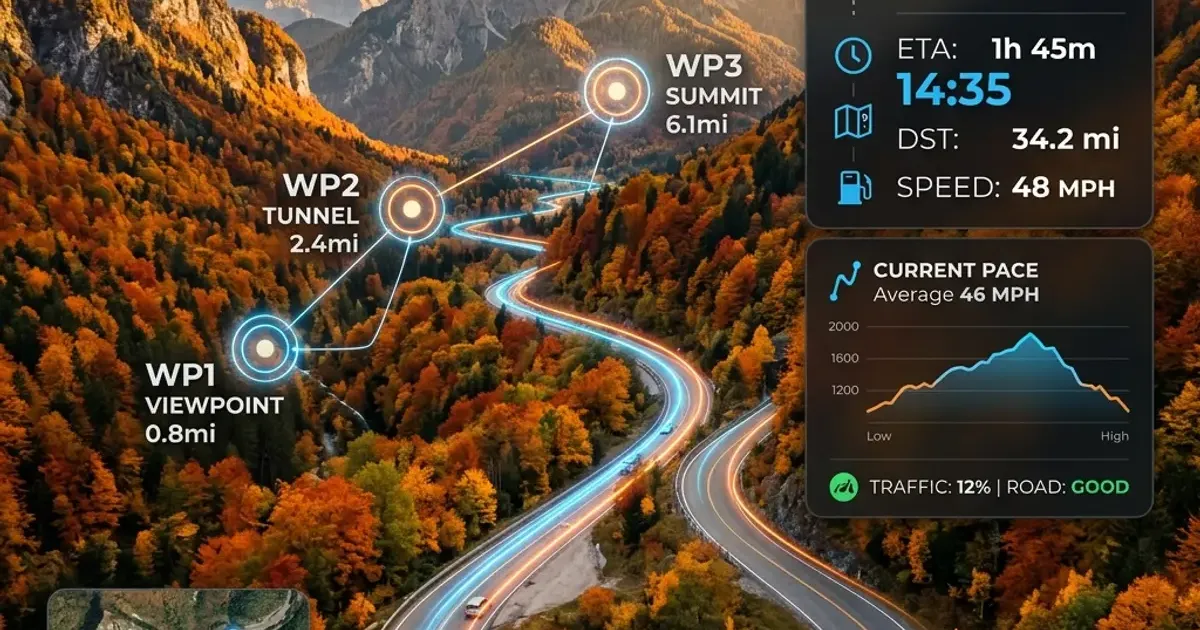
Planning a multi-stop road trip used to require hours of manual work. Travelers had to flip between mapping software, spreadsheet calculators, hotel reservation tools, and travel blogs just to build a sensible driving itinerary. Miss a single traffic bottleneck or miscalculate a mountain pass driving time, and your carefully crafted schedule could easily unravel.
AI route planning tools have changed this dynamic completely. By processing real-time telemetry, topographical data, seasonal traffic patterns, and personal preferences simultaneously, generative artificial intelligence and agentic navigation assistants can construct optimal road trip routes in a matter of seconds.
Whether you are plotting a weekend mountain getaway, driving across the country in an electric vehicle, or designing a multi-week scenic coastal expedition, understanding how to leverage AI route planning will save you hours of preparation and reduce on-the-road stress.
In this guide, we will explore how AI route planning works, review the top platforms available in 2026, provide proven prompt templates, and highlight key pitfalls to avoid.
What Is AI Route Planning?
Traditional navigation apps like standard GPS devices or basic web maps operate on deterministic algorithms. You give them a start location and a destination, and they calculate the shortest or fastest route based on current speed limits and immediate traffic conditions.
AI route planning goes far beyond simple point-A-to-point-B navigation. Modern intelligent travel platforms utilize large language models (LLMs), machine learning optimization algorithms, and multi-source data feeds to address complex traveling constraints simultaneously:
- Multi-Way Point Clustering: Automatically ordering 10 or 20 daily stops so you never backtrack across town or waste fuel.
- Contextual Awareness: Factoring in driver energy levels, meal preferences, scenic beauty ratings, and operating hours for every point of interest.
- Predictive Telemetry: Anticipating congestion hours before you arrive at major urban hubs or border crossings.
- EV Battery Management: Calculating energy consumption based on vehicle weight, ambient temperature, elevation gain, and real-time charging station availability.
By acting as a hyper-competent co-pilot, an AI route planner transforms an overwhelming list of places you want to visit into an effortless, logical driving schedule.
Top AI Route Planning Tools for 2026
The landscape of navigation software has evolved rapidly. Below is a detailed breakdown of the leading AI-powered road trip and route planning applications currently available.
1. Wanderlog AI
Wanderlog has solidified its reputation as one of the most versatile itinerary managers on the market. Its built-in AI assistant automatically organizes imported accommodation bookings, places of interest, and road trip legs into an intuitive map layout.
- Key Strength: Seamless drag-and-drop route optimization that reorders daily stops to minimize overall driving distance.
- Best For: Group road trips, multi-city driving vacations, and travelers who want budget tracking integrated directly into their navigation map.
- Pricing: Free tier available; Pro plan at ~$49.99 per year for offline maps and automated mileage tracking.
2. Roadtrippers Autopilot
Roadtrippers was an early pioneer in highway navigation, and its AI-driven Autopilot engine takes scenic route generation to another level. Autopilot analyzes your driving style, preferred detour distances, and personal interests to suggest unique roadside attractions, national parks, and historic landmarks along your corridor.
- Key Strength: Uncovering off-the-beaten-path destinations that standard GPS apps bypass entirely.
- Best For: Leisure road trippers and camper van enthusiasts seeking scenic drives rather than just speed.
- Pricing: Basic free features; paid memberships run from $35.99 per year (Basic) to $59.99 per year (Premium), and Autopilot is included in every paid tier.
3. Google Maps with Gemini Integration
Google has integrated its flagship Gemini conversational AI directly into Google Maps and Android Auto. Instead of searching for generic terms like “restaurants nearby,” drivers can ask complex natural language questions such as, “Find a dog-friendly cafe within 5 miles of my current route that has indoor seating and fast Wi-Fi.”
- Key Strength: Unrivaled real-time traffic data, user reviews, and direct integration with voice commands while driving.
- Best For: On-the-fly route modifications, detour evaluations, and real-time navigation.
- Pricing: 100% Free.
4. A Better Routeplanner (ABRP)
For electric vehicle owners, ABRP remains the gold standard in AI energy modeling. The app connects to your vehicle’s telemetry via OBD-II adapters or API integrations, adjusting route stops dynamically based on wind speed, outdoor temperature, tire pressure, and elevation changes.
- Key Strength: Precision battery degradation modeling and real-time charging network availability.
- Best For: EV drivers embarking on long-distance highway road trips.
- Pricing: Free basic routing; Premium plan at about €5 per month (€50 per year, priced in euros) for live weather integrations and Apple CarPlay/Android Auto support.
Feature Comparison Matrix
To help you decide which platform fits your specific travel style, review this side-by-side feature breakdown:
| Tool | Primary Focus | Best AI Feature | Offline Maps | Pricing |
|---|---|---|---|---|
| Wanderlog AI | Multi-stop Itineraries | Auto-clustering of daily waypoints | Yes (Pro) | Free / $49.99/yr |
| Roadtrippers Autopilot | Scenic Road Trips | Curated detour recommendations | Yes (all paid tiers) | Free / from $35.99/yr |
| Google Maps + Gemini | Live Navigation | Conversational voice queries | Yes | Free |
| ABRP | EV Charging Routing | Live telemetry & elevation modeling | Yes (Premium) | Free / €5/mo |
| TripIt Pro | Flight & Drive Sync | Automated schedule delay adjustments | Yes | Free / $49.00/yr |
For a broader look at complementary travel technologies, read our guide on the best AI trip planners to see how route generators pair with lodging and activity engines.
Step-by-Step Tutorial: Building an Optimized Road Trip Route
To demonstrate how easily AI can streamline your travel workflow, let us walk through a practical step-by-step example. In this scenario, we will plan a 5-day road trip along the Pacific Northwest coast using a combination of conversational AI for master routing and dedicated mapping apps for execution.
Step 1: Define Your Core Constraints
Before launching your favorite AI assistant, gather your foundational parameters:
- Total available driving hours per day (for safety and comfort, 4 to 5 hours is ideal).
- Start and end points.
- Essential non-negotiable stops (e.g., specific national park entrances or family visits).
- Vehicle type (gasoline, hybrid, or EV).
Step 2: Generate the Master Framework with Conversational AI
Open ChatGPT, Claude, or Google Gemini and submit a structured prompt. Conversational LLMs excel at drafting logical macro-itineraries before you import them into spatial mapping tools.
If you are comparing model strengths for travel tasks, review our detailed analysis of Claude vs ChatGPT for travel planning.
PROMPT TEMPLATE:"I am planning a 5-day road trip starting in Seattle, WA and ending in Portland, OR.Key constraints:- Maximum driving time: 4 hours per day.- Must include: Olympic National Park coast and Cannon Beach.- Interests: Scenic photography, light day hikes (under 3 miles), local seafood.- Traveling in an EV (Tesla Model Y).
Please generate a day-by-day routing itinerary. For each day, provide:1. Recommended starting and ending town.2. Total driving distance and estimated time.3. Two scenic waypoints along the driving corridor.4. Suggested charging break locations with nearby dining options."
Step 3: Refine and Validate Waypoints
Review the output provided by the AI model. Check driving times against realistic expectations, paying special attention to mountain passes or ferry wait times. If any leg looks overly rushed, ask the model to adjust:
“Day 2 looks too heavy on driving time due to the peninsula loop. Split Day 2 into two shorter driving segments and suggest a coastal lodge for an overnight stay.”
Step 4: Import into a Spatial Navigation Engine
Once you are satisfied with the text itinerary, export the locations into Wanderlog or Roadtrippers. Copying the waypoints into a dedicated map app allows you to:
- Run automated waypoint optimization (reordering stops geographically).
- Obtain precise GPS coordinates and turn-by-turn driving directions.
- Share the visual route map with travel partners for collaborative editing.
Advanced Prompts for Custom AI Route Generation
To get the most value out of general-purpose AI platforms like ChatGPT or Gemini, high-quality prompt engineering is essential. Generic prompts lead to generic highway suggestions, while detailed prompts unlock custom routes tailored to your exact tastes.
Here are three tested prompt templates you can copy and customize today. You can also explore our dedicated library of ChatGPT travel planning prompts for more specialized travel workflows.
1. The “Avoid the Interstate” Scenic Prompt
"Create a 3-day scenic road trip route from Denver, CO to Moab, UT.Constraint: Avoid major interstate highways (I-70) wherever reasonable alternatives exist.Focus on two-lane mountain highways, historic mining towns, and dramatic canyon overlooks.Include estimated driving times for each segment and highlight 3 photogenic spots for sunset photography."2. The Budget-Conscious Family Road Trip Prompt
"Plan a 4-day budget family road trip from Chicago, IL to Mackinac Island, MI.Include 2 adults and 2 kids (ages 8 and 11).Constraints: Keep total driving under 3.5 hours per day.Focus on free or low-cost outdoor roadside attractions, state parks, and kid-friendly picnic spots.Suggest affordable family dining options near each overnight stop."3. The EV Coastal Explorer Prompt
"Generate an optimized EV road trip route along Highway 1 from San Francisco to San Luis Obispo.Specify recommended fast-charging stops (CCS or Supercharger) situated near walking trails or ocean viewpoints so we can explore while the car charges.Provide backup charging locations for each segment in case of charger downtime."5 Critical Mistakes to Avoid When Using AI Route Planners
While AI route planning tools offer remarkable convenience, relying on them blindly can lead to frustration on the open road. Keep these potential pitfalls in mind before turning the key.
1. Blindly Trusting Driving Time Estimates
AI language models often calculate driving times based on ideal speed limits without factoring in seasonal road construction, holiday traffic delays, or mountain weather conditions. Always verify crucial driving segments in a live navigation app like Google Maps or Waze before setting out.
2. Over-Scheduling Daily Itineraries
It is easy to let an AI route optimizer pack 8 different attractions into a single afternoon because they sit geographically close together on a map. However, this leaves zero buffer time for parking delays, spontaneous scenic pull-offs, or unexpected meal waits. As a rule of thumb, limit your planned AI waypoints to 3 or 4 major stops per day.
For more tips on balancing your itinerary, read our breakdown of common AI travel planning mistakes to avoid burnout on long drives.
3. Ignoring Seasonal Road Closures
Large language models may suggest famous alpine routes or unpaved forest passes without realizing they are closed due to snow during winter and spring months (such as Tioga Pass in Yosemite or Going-to-the-Sun Road in Glacier National Park). Always cross-reference mountain routes with official Department of Transportation (DOT) updates.
4. Forgetting Offline Map Backups
AI route generation tools rely on active internet connectivity to fetch live data. When driving through remote national parks, coastal corridors, or deep canyons, cellular service will inevitably drop out. Always download offline map regions to your smartphone beforehand so turn-by-turn guidance remains active without signal.
5. Neglecting Free Tools and Extensions
Many travelers assume they need expensive subscription software to access high-grade route automation. In reality, combining free AI platforms with browser extensions and mobile apps produces world-class results. Check out our roundup of free AI travel tools to build a powerful travel tech stack without spending a dime.
The Future of AI Navigation: What to Expect Next
The technology driving AI route planning is advancing at a rapid pace. Over the next few years, we can expect several key innovations to redefine how we travel:
- Fully Autonomous Agentic Rerouting: Instead of merely alerting you to traffic delays ahead, future AI copilots will automatically negotiate alternative scenic routes, re-book hotel check-in times, and notify dining reservations on your behalf.
- Hyper-Personalized Audio Guides: AI assistants integrated into vehicle infotainment systems will deliver dynamic, location-aware storytelling as you drive past historical landmarks, geographical formations, and cultural sites.
- Predictive Weather & Elevation Routing: Machine learning models will synthesize microclimate forecasts with vehicle aerodynamics to adjust speed recommendations in real time, optimizing fuel efficiency and driver comfort during severe weather.
Conclusion: Plan Smarter, Drive Farther
AI route planning is not about handing complete control of your vacation over to an algorithm. It is about eliminating the tedious manual mechanics of trip organization so you can focus on the joy of the journey itself.
By combining the natural language brainstorming power of LLMs like ChatGPT and Gemini with the spatial accuracy of modern mapping engines like Wanderlog, Roadtrippers, and Google Maps, you can design personalized, stress-free road trips in a fraction of the traditional time.
Set your parameters, test out custom prompts, download your offline maps, and let artificial intelligence handle the heavy lifting for your next road adventure.
Frequently Asked Questions
What is the best free AI route planning tool in 2026?
Wanderlog and Google Maps with Gemini integration are two of the best free options for multi-stop AI route planning, offering real-time traffic updates, automated itinerary clustering, and scenic waypoint recommendations.
How does AI route planning differ from standard GPS navigation?
Standard GPS focuses on turn-by-turn routing between point A and point B based on immediate conditions. AI route planning analyzes entire multi-day itineraries, weather forecasts, driver fatigue schedules, charging stops, and personal preferences to craft an optimized master route.
Can AI route planners help with electric vehicle (EV) charging stops?
Yes, dedicated AI route planners integrate vehicle battery degradation curves, real-time charger availability, charging speed specs, and topographical elevation data to calculate optimal charging durations without adding unnecessary delays.
Is ChatGPT effective for creating road trip routes?
ChatGPT is highly effective at generating custom route concepts, calculating logical stop intervals, and suggesting scenic side-trips, especially when provided with structured prompts specifying driving hours per day and interest preferences.
Top Ranked Frontier AI Models
Empirical rankings sourced from Artificial Analysis, Arena.ai, LLM Stats & BenchLM.
Related Articles

Offline Travel Tech: Essential Apps & Devices for No-Data Regions
Prepare your smartphone, Kindle, and gear for zero-connectivity travel. Discover offline maps, offline translation packs, travel guides, and power tips.

AI Packing Lists & Travel Checklists (2026)
Let AI create the perfect packing list for your trip. Copy these prompts for destination-specific lists, carry-on optimization, and pre-trip checklists.

The Impact of AI on Children: Opportunities and Risks (2026)
How is artificial intelligence shaping childhood, education, and brain development in 2026? A research-backed guide for parents and educators.