
Offline Travel Tech: Essential Apps & Devices for No-Data Regions
Prepare your smartphone, Kindle, and gear for zero-connectivity travel. Discover offline maps, offline translation packs, travel guides, and power tips.

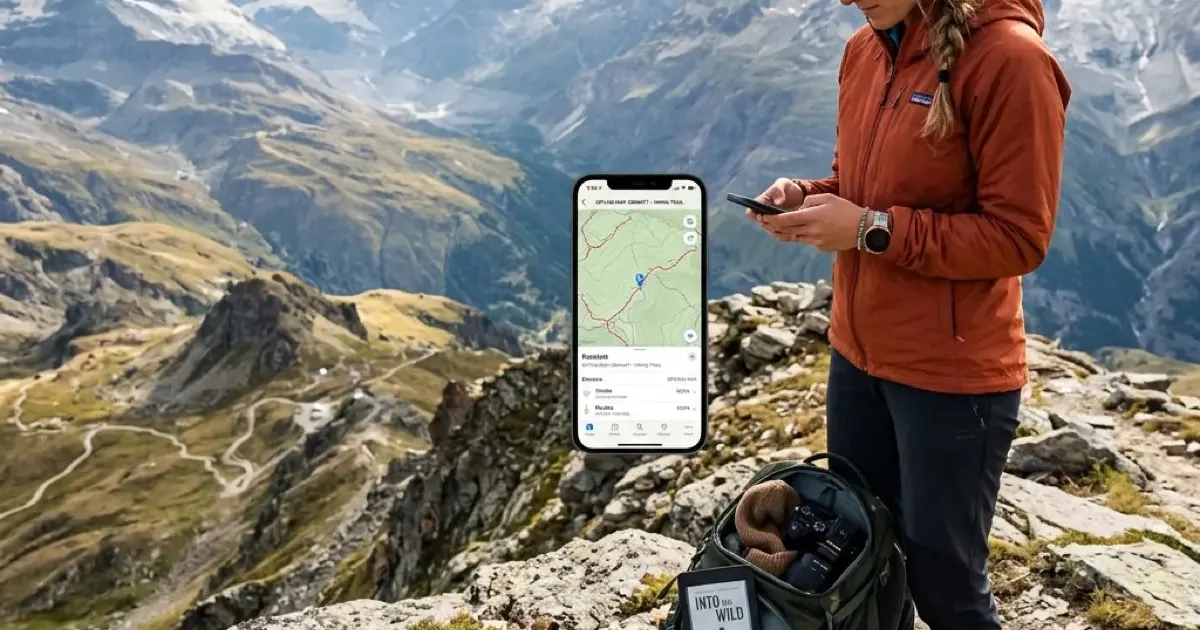
Modern international travel has spoiled us with constant cellular connectivity. From purchasing local eSIM profiles at airport arrival gates to calling ride-shares on demand, we rely heavily on continuous 5G data. However, the moment your route takes you into remote mountain passes, international border zones, dense national parks, or flights over oceans, signal bars vanish.
Relying entirely on live internet access during travel is a risky gamble. When unexpected flight disruptions occur in transit hubs with spotty public Wi-Fi, or when you find yourself navigating winding mountain roads in rural regions without coverage, an unprepared smartphone quickly becomes an expensive paperweight.
Planning your next adventure with AI? Read our central AI Travel Planning Guide to discover prompts, flight-finding strategies, and curated itineraries.
True travel independence requires setting up an offline-first digital workflow, and it starts before the software: what to pack in a traveling backpack covers the gear side of the same problem. By pre-loading your smartphone, e-reader, and power gear with offline maps, translation packs, local guides, and emergency communication tools before stepping out the door, you eliminate travel anxiety and stay fully capable regardless of network availability.
In this guide, we detail the essential offline navigation tools, offline language packs, e-reader setups, and power management strategies to keep you completely self-reliant anywhere on earth.
1. Offline Navigation: Beyond Standard Online Maps
Relying on live map streaming while driving or hiking through remote regions will quickly lead to dead ends when signal drops out. Pre-downloading offline vector maps is the single most critical preparation step for any trip.
OpenStreetMap Vectors vs. Downloaded Google Maps
While Google Maps allows users to download offline square regions, its offline feature set has notable limitations: offline transit routes are often disabled, walking trails are stripped of topographic contour lines, and saved offline map zones expire automatically after 30 to 300 days.
For reliable zero-data navigation, dedicated OpenStreetMap (OSM) applications are far superior.
| Application | Map Engine | Key Offline Strengths | Best For |
|---|---|---|---|
| Organic Maps | OpenStreetMap | 100% free, zero ads, zero tracking, lightweight vector downloads, hiking trails | Walking, hiking, city navigation |
| OsmAnd | OpenStreetMap | Detailed elevation contour lines, hillshading, nautical depth, GPX track recording | 4x4 overland, trail running, off-grid exploration |
| Google Maps | Proprietary | Auto-downloads home region, offline driving turn-by-turn navigation | Highway driving & rental cars |
| Gaia GPS / AllTrails | Topographic | High-resolution satellite overlays and terrain contour maps | Backcountry wilderness trekking |
Pro Tip: Download Organic Maps for your target country before departure. Because OpenStreetMap data is maintained by a global mapping community, it includes tiny pedestrian footpaths, water refill stations, public restrooms, and hiking trail markers that commercial map apps frequently omit.
Saving Custom Waypoints and Offline GPX Routes
If you plan your itinerary using AI tools, as detailed in our guide to planning trips with ChatGPT, you can export your custom day-by-day itineraries as .GPX or .KML spatial location files. Import these route files into Organic Maps or OsmAnd while connected to home Wi-Fi. All your hotels, coffee shops, train stations, and viewpoints will display as interactive pin markers without requesting a single byte of data overseas.
2. Language & Translation: Instant Offline Communication
Navigating foreign transit hubs, reading restaurant menus, or asking for emergency assistance in non-English speaking destinations becomes effortless when you store neural translation models locally on your device.
Downloading Local Language Packs
Both Google Translate and DeepL allow users to download complete language dictionary models for offline use.
- Offline Camera Translation (OCR): Point your phone camera at foreign script, street signage, or printed menus. The app uses locally stored optical character recognition (OCR) to overlay translated text directly onto the live camera image without an internet connection.
- Offline Conversation Mode: Pre-downloading two-way voice dictionaries allows you to speak into your phone microphone and hear spoken translations instantly during taxi rides or market transactions.
Emergency Phrasebook Backups
In addition to translation apps, save a simple plain-text .TXT or PDF document on your phone containing essential local vocabulary:
- Medical emergency alerts (allergies, blood type, medication names)
- Destination hotel names and full physical addresses written in the local script (essential for showing taxi drivers when voice translation fails)
- Emergency contact numbers for local consular services and police emergency lines
3. E-Readers as Offline Travel Powerhouses
While tablets and smartphones consume significant battery power when displaying documents, e-ink devices like the Amazon Kindle or Kobo are the ultimate offline travel companions. With battery life measured in weeks rather than hours, an e-reader serves as a low-power digital vault for all your travel documentation.
Pre-Loading Wikivoyage & Guidebooks
Instead of carrying heavy physical travel guidebooks, you can store entire offline travel encyclopedias directly on your e-reader:
- Wikivoyage Offline Dumps: Using open-source tools like Zim files and Kiwix (or KOReader on jailbroken devices), you can download the entire text database of Wikivoyage for any country. This gives you instant offline access to historical context, district safety tips, local etiquette, and restaurant reviews for thousands of cities.
- Sideloading PDF Itineraries: Convert your hotel confirmation vouchers, train tickets, and itinerary PDFs into e-reader friendly formats. For complete instructions on transferring documents to your e-reader without active cloud sync, check out our guide on how to sideload books on Kindle.
Extended Battery Conservation
By switching your e-reader into Airplane Mode (disabling Wi-Fi and Bluetooth radios) and keeping the front-light brightness around 20–30%, a modern e-reader like the Kindle Paperwhite can easily survive a month-long backpacking trip on a single USB-C charge.
4. Hardware & Power Management for Off-Grid Travel
Having the best offline apps is useless if your smartphone battery dies halfway through a full day of backcountry exploration. Managing power budget is critical when data roaming and searching for cell towers is disabled.
Preventing “Cellular Tower Drain”
When your phone enters a low-coverage or zero-data region, its internal cellular modem automatically boosts broadcast transmission power to maximum wattage while constantly scanning for cell towers. This process drains smartphone batteries at nearly twice the normal rate.
Crucial Offline Power Rule: Whenever you enter a known dead-zone or zero-coverage wilderness area, immediately toggle your device into Airplane Mode. Your phone’s internal GPS chip will remain 100% operational for offline map tracking, but the battery-draining cellular radio will stop searching for non-existent towers.
Essential Hardware Gear for Zero-Data Trips
To maintain electrical independence away from hotel wall sockets, carry a compact power architecture:
- Pass-Through Power Bank (10,000 mAh – 20,000 mAh): Opt for a high-density lithium-polymer battery pack supporting USB Power Delivery (PD). A 10,000 mAh pack provides 2 full smartphone recharges while remaining lightweight enough for daypack carry.
- Dedicated Satellite Messenger: For backcountry hikers or remote road trippers, devices like the Garmin inReach Mini 2 or native iPhone Satellite SOS allow you to transmit two-way text messages and send precise GPS coordinates to emergency search and rescue teams via satellite networks when zero cell towers exist.
- Compact GaN Wall Charger: A dual-port 65W Gallium Nitride (GaN) wall charger allows you to rapidly top up both your power bank and laptop during brief layovers at train stations or cafes.
5. Pre-Departure Checklist: The 30-Minute Offline Audit
Before stepping onto your flight or driving into remote territory, execute this 30-minute offline audit on home Wi-Fi:
| Audit Step | Category | Recommended Action |
|---|---|---|
| 1. Maps | Navigation | Download vector offline maps in Organic Maps or Google Maps for all transit regions |
| 2. Translation | Language | Download target language packs + OCR camera dictionary models in Google Translate/DeepL |
| 3. Tickets | Documentation | Save all flight boarding passes, train tickets, and hotel bookings to Apple/Google Wallet or PDF storage |
| 4. Itinerary | Spatial Pins | Export custom AI route pins as .GPX files and import into your offline mapping app |
| 5. E-Reader | Travel Guides | Sync e-reader over Wi-Fi, download Wikivoyage guides, and enable Airplane Mode |
| 6. Entertainment | Media | Download offline Spotify playlists, podcasts, and video media for long transits |
Summary: Freedom Through Offline Preparation
Traveling without constant cell service does not need to be stressful or dangerous. By shifting from an internet-dependent workflow to a self-contained offline architecture, you reclaim peace of mind.
With offline vector maps pinpointing your location via satellite, neural translation dictionaries running locally on your phone, and weeks of reading material stored on your e-reader, you can explore the world’s most remote destinations with complete confidence.
Frequently Asked Questions
How can I use GPS navigation on my smartphone without cellular data?
Smartphones contain dedicated internal GPS hardware chips that communicate directly with satellites, requiring zero cellular data or Wi-Fi connection. By pre-downloading offline map packages in apps like Organic Maps, MAPS.ME, or Google Maps, your phone provides full real-time turn-by-turn navigation anywhere on earth.
Which offline translation app works best without internet?
Google Translate and DeepL both offer downloadable offline language packs. Downloading the offline dictionary and camera OCR vision packages allows instant text, sign, and voice translation in foreign countries without data roaming.
How do I prepare my Kindle or E-Reader for extended offline travel?
Sync your entire library over Wi-Fi before departure, download offline PDF travel guides or WikiVoyage databases using KOReader, and disable Wi-Fi/Bluetooth (Airplane Mode) to extend battery life up to 4-6 weeks.
What is the best offline emergency satellite communicator for travelers?
Dedicated satellite messengers like the Garmin inReach Mini 2 or modern iPhones featuring emergency Satellite SOS allow two-way text messaging, location sharing, and emergency rescue requests far outside cellular network coverage.
Top Ranked Frontier AI Models
Empirical rankings sourced from Artificial Analysis, Arena.ai, LLM Stats & BenchLM.
Related Articles

AI Packing Lists & Travel Checklists (2026)
Let AI create the perfect packing list for your trip. Copy these prompts for destination-specific lists, carry-on optimization, and pre-trip checklists.
AI Route Planning Guide: How to Plan Road Trips (2026)
Discover how AI route planning tools optimize road trips, cut drive times, find hidden gems, and eliminate navigation stress in 2026.

Perplexity AI for Travel Research: Better Than Google?
Perplexity combines AI conversation with real-time search, making it perfect for travel research. Here's how to use it to plan smarter trips.