
AI Tools for 3D Printing: Revolutionize Your Workflow
Discover the best AI tools for 3D printing in 2026, from AI-assisted CAD and intelligent slicing to automated print monitoring for faster, reliable prints.

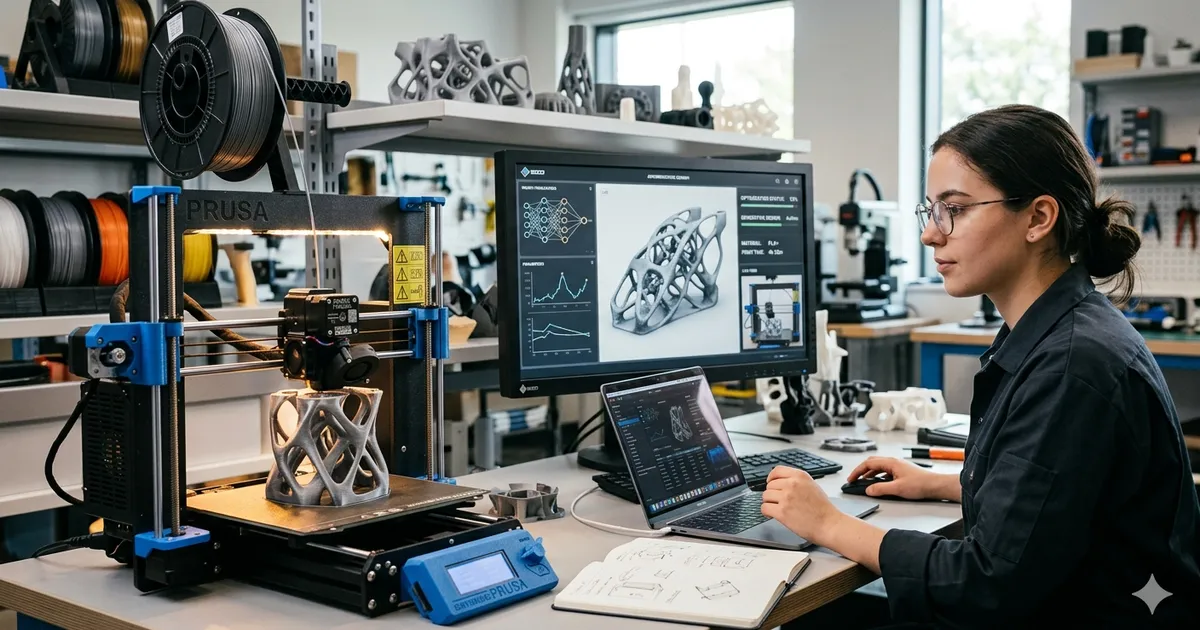
3D printing has always been a hobby that rewards patience and technical knowledge. But let’s be honest: it can also be incredibly frustrating. From spending hours in CAD trying to get a chamfer right to coming home to a “spaghetti monster” on your build plate, the friction points are real.
In 2026, that friction is finally starting to disappear. The integration of Artificial Intelligence into every stage of the 3D printing workflow is changing the game. We are moving away from “tinkering” and toward “automated creation.”
Master 3D printing from start to finish: Dive into our complete 3D Printing Guide for Beginners covering printers, troubleshooting, and project ideas.
This guide explores the best AI tools for 3D printing available today, covering design, slicing, monitoring, and post-processing.
The AI 3D Printing Workflow (2026)
| Stage | AI Application | Key Tools | Impact |
|---|---|---|---|
| Design (CAD) | Text-to-3D, AI Copilots | Meshy, Luma AI, Fusion 360 AI | 10x faster iteration |
| Slicing | Optimized supports, pathing | OrcaSlicer AI, Bambu Studio | 20% material savings |
| Monitoring | Failure detection, stabilization | Obico, OctoPrint AI, Klipper | 0% wasted filament |
| Post-Processing | Auto-painting, texture mapping | Substance AI, Texture.ai | Professional aesthetics |
Part 1: AI in 3D Design (The Death of the “Blank Canvas”)
For years, the biggest barrier to entry for 3D printing was CAD (Computer-Aided Design). Learning to use tools like Fusion 360 or OpenSCAD takes weeks, if not months. AI is lowering that bar.
Generative 3D Modeling (Text-to-3D)
Tools like Meshy and Luma AI allow you to describe a model in plain English and receive a printable STL in seconds.
- How it works: Similar to how Midjourney generates images, these tools use “Neural Radiance Fields” (NeRFs) and Large Reconstruction Models to build geometry from text.
- Current State: While they excel at organic shapes (statues, monsters, decorative items), they still struggle with high-precision mechanical parts (like a gearbox).
- Pro Tip: Use these tools for the “shell” of your design, then bring it into traditional CAD for precise mounting holes.
AI-Powered 3D Scanning (Photogrammetry 2.0)
If you don’t want to design from scratch, you can scan the real world. Tools like Polycam and RealityScan have integrated AI to make this process foolproof.
- Object Masking: The AI automatically “cuts out” the background, so you don’t have to spend hours cleaning up the mesh.
- Auto-Retopology: Traditional scans result in millions of messy triangles. AI now rebuilds the mesh with clean, logical geometry that is much easier to edit in CAD.
- Gaussian Splatting: A new AI-driven way to capture reality that results in much more realistic textures and lighting than traditional photogrammetry, perfect for creating assets that will be “remixed” for 3D printing.
AI Copilots for Professional CAD
Mainstream CAD tools have integrated AI to help engineers work faster.
- Fusion 360 AI Assistant: Can predict your next move, automatically suggest appropriate constraints, and even “solve” complex geometry problems like finding the lightest possible structure for a specific load.
- Generative Design: You define the inputs (mounting points and forces) and the AI “grows” the part. The result often looks alien but is stronger and lighter than any human-designed part.
Deep Dive: CAD Software Comparison: Which should you use?
Part 2: Intelligent Slicing and Toolpath Optimization
The slicer is the bridge between your digital model and the physical world. In 2026, slicers aren’t just “slicing”, they are thinking.
AI-Generated Supports
Traditional supports are often wasteful and hard to remove. AI slicers now use deep learning to:
- Predict Weak Points: Identify areas most likely to fail or sag.
- Organic Support Growth: Generate tree-like structures that use 40% less material and snap off with zero marks.
Neural Infill and Pathing
Slicers like OrcaSlicer AI now analyze the internal geometry of a part to determine the most efficient way to lay down plastic.
- Variable Layer Height AI: Automatically chooses the perfect layer height for every curve, ensuring smoothness on slopes while saving time on flat vertical walls.
- Non-Planar Pathing: AI can now calculate 3D “curved” paths for the printer head, eliminating “staircase” artifacts on the top surface of prints.
Related Guide: Cura Settings for Beginners
Part 3: AI Print Monitoring (The “Spaghetti” Detective)
The most stressful part of 3D printing is leaving your machine alone. AI has finally solved this “anxiety gap.”
Obico and Computer Vision
Obico (formerly The Spaghetti Detective) is the industry standard for AI monitoring.
- Real-Time Detection: It uses a webcam and a neural network trained on millions of failures to spot “spaghetti,” warping, or bed adhesion issues within seconds.
- Auto-Stop: If the AI is 95% sure a print is failing, it pauses the printer, turns off the heater (preventing fire hazards), and sends a notification to your phone.
- Stabilization: Modern Klipper-based AI can actually detect “ringing” (ghosting) in real-time and adjust the acceleration on the fly to keep the print sharp.
Acoustic AI Monitoring
In 2026, some high-end printers use microphones and AI to “listen” to the print.
- Bearing Failure: The AI can detect the high-pitched “whine” of a bearing about to fail weeks before it actually breaks.
- Nozzle Clogs: A specific “clicking” sound indicates a partial clog; the AI can automatically trigger a “cold pull” cleaning cycle to fix it mid-print.
Don’t miss: 10 Common 3D Printing Mistakes and How AI Fixes Them
Part 4: AI for Post-Processing and Finishing
The print coming off the bed is rarely the “final” product. AI tools are making the finishing stage easier.
AI Texture Mapping
If you’ve ever tried to “paint” a 3D model in software, you know it’s hard. AI tools can now:
- Auto-Unwrap: Perfectly map a 2D texture onto complex 3D geometry.
- PBR (Physically Based Rendering) AI: Describe a material (e.g., “worn leather” or “oxidized copper”) and the AI will generate the appropriate color, roughness, and bump maps for a realistic look.
Automated Smoothing AI
For those who want their FDM prints to look like injection-molded plastic, AI can help plan the “vapor smoothing” or “sanding” process by highlighting exactly which areas need the most attention to hide layer lines.
Part 5: Comparing the Top AI 3D Tools (2026)
| Tool | Category | Best For | Price |
|---|---|---|---|
| Meshy | Design | High-quality organic STLs | Free / Subscription |
| Obico | Monitoring | Peace of mind and safety | Free (Limited) / Paid |
| OrcaSlicer AI | Slicing | Efficiency and Part Strength | Free (Open Source) |
| Luma AI | Design | Turning 2D photos into 3D models | Free |
| Bambu Studio | Ecosystem | Users of Bambu X2D/H2C printers | Free (Proprietary) |
Part 6: How to Get Started with AI 3D Printing Today
You don’t need to be a tech genius to start using these tools. Here is the recommended “Starter Pack” for 2026:
- Install OrcaSlicer: It has the most integrated AI features for a free, open-source tool.
- Set up Obico: Even if you use the free version, the safety benefits of failure detection are worth the 10-minute setup.
- Try Meshy: Go to their site and try to generate something simple, like a “stylized low-poly fox.” It will change how you think about “designing.”
- Check your Printer’s AI: If you own a modern printer (Bambu, Prusa, etc.), check if there’s a firmware update. Many companies are adding “AI Bed Leveling” and “Flow Calibration” via software.
Your next steps:
- 3D Printing for Beginners: The Complete Guide
- Is a 3D Printer Worth It? (2026 Analysis)
- 25 Beginner 3D Print Projects
The Bottom Line
In 2026, the best 3D printer isn’t the one with the fastest motors or the hottest nozzle, it’s the one with the smartest software.
AI is transforming 3D printing from a “black art” that requires years of experience into a push-button manufacturing tool. It allows the creator to focus on what to make, while the AI handles the how.
Embrace these tools, and you’ll spend less time cleaning up plastic spaghetti and more time holding your finished creations.
This guide is updated monthly as new AI models are released. Last updated: June 2026.
Have a favorite AI 3D printing tool we missed? Let us know.
Related Articles

SEO in 2026: How to Rank in the Age of AI Search
Traditional keyword SEO is dead. Learn how to rank in 2026 with generative engine optimization: search intent, semantic content, and answers AI will cite.

Offline Travel Tech: Essential Apps & Devices for No-Data Regions
Prepare your smartphone, Kindle, and gear for zero-connectivity travel. Discover offline maps, offline translation packs, travel guides, and power tips.

3D Printable Car Gadgets: 15 Useful Upgrades to Print
Upgrade your drive with the best 3D printable car gadgets in 2026. Discover practical vehicle mods, phone mounts, and heat-resistant filaments.