
Boox vs Supernote: Best E-Ink Tablets for Note-Taking
Compare Boox and Supernote e-ink tablets for note-taking, Android flexibility, pen feel, organization features, and office productivity in our 2026 guide.

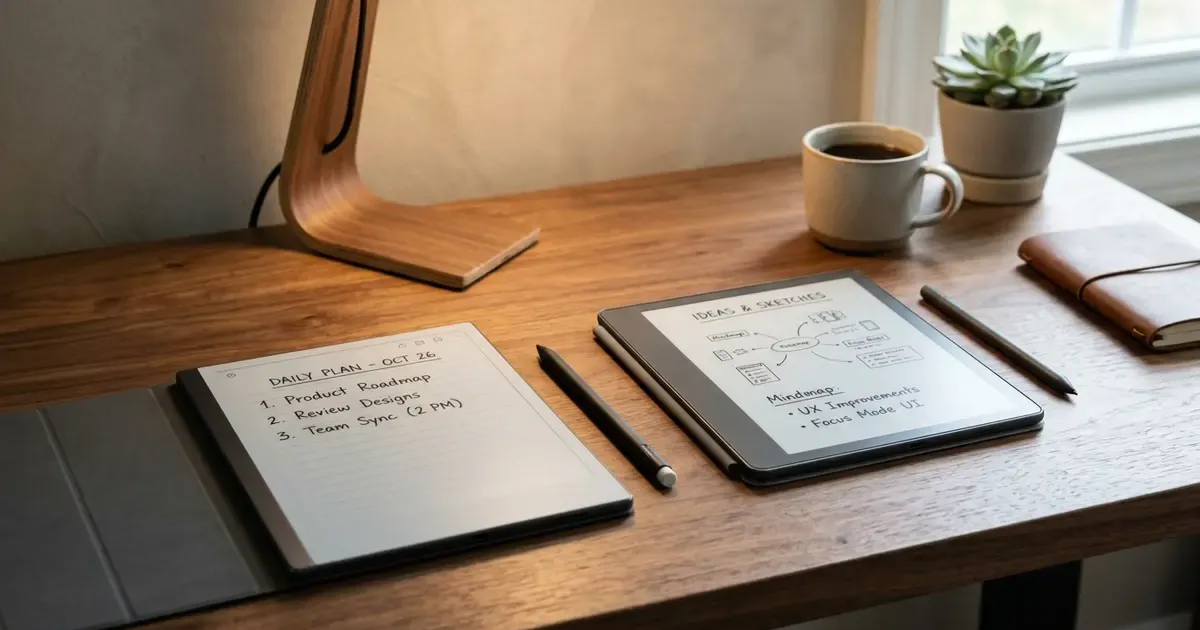
If you want to escape the constant notifications, blue light fatigue, and battery anxiety of conventional OLED tablets, modern E-Ink digital paper devices offer a refreshing alternative. They give your eyes a break while keeping your thoughts, meeting notes, sketches, and reading lists cleanly organized.
While mainstream shoppers often look at the Amazon Kindle Scribe or the minimalist reMarkable series (which we compared in our Kindle Scribe vs reMarkable showdown), power users consistently gravitate toward two independent brands: Onyx BOOX and Ratta Supernote.
Both brands build extraordinary E-Ink tablets, but they approach digital productivity from fundamentally different philosophies:
- Onyx BOOX builds powerful, open Android tablets with E-Ink screens. They offer Google Play Store access, color screen choices, high refresh rates, and versatile app multitasking.
- Ratta Supernote builds dedicated, distraction-free digital notebooks. They focus on tactile pen-on-paper writing feel, modular repairable hardware, robust hierarchical note organization, and long-term device longevity.
In this comprehensive comparison, we break down the hardware, writing feel, software ecosystem, PDF handling, and real-world productivity of Boox and Supernote to help you choose the ideal digital paper companion for your desk.
Quick Comparison: Boox vs Supernote at a Glance
| Feature | Onyx BOOX (Go 10.3 / Note Air 3) | Ratta Supernote (Nomad A6X2 / Manta A5X2) |
|---|---|---|
| Primary Philosophy | Full-featured Android E-Ink tablet | Dedicated distraction-free digital notebook |
| Operating System | Android 12 / 13 with Google Play Store | Chauvet (Custom Android / Linux dual-boot) |
| Writing Feel | Scratchy pencil on textured paper | Smooth gel pen on a leather-bound notebook |
| Stylus & Nibs | EMR stylus, wearing plastic/felt nibs | EMR stylus with everlasting ceramic nib |
| Screen Options | Monochrome 300 PPI & Color (Kaleido 3) | Crisp Monochrome 300 PPI (Anti-glare film) |
| Front Light | Available on Note Air series (none on Go 10.3) | No front light (Pure paper clarity) |
| App Support | Any Android app via Google Play | Built-in apps, Kindle, select sideloaded APKs |
| Note Organization | Folders, tags, AI handwriting search | Headings, Table of Contents, Stars, Keywords |
| Hardware Modularity | Sealed aluminum chassis | User-replaceable battery, microSD, modular mainboard |
| Cloud Subscriptions | None (Free cloud + Drive/Dropbox sync) | None (Free cloud + Drive/Dropbox/WebDAV) |
| Starting Price | ~$379 to $499 | ~$299 (A6X2) to $419 (A5X2) |
1. Hardware Design and Screen Technology
Both manufacturers produce hardware that feels exceptional on an office desk, but their engineering priorities diverge in noticeable ways.
Onyx BOOX: Sleek Aesthetics and High-Speed Refresh
Onyx BOOX offers one of the most diverse lineups in the E-Ink market. Their recent devices, such as the Boox Go 10.3 and Note Air 3 series, feature ultra-thin CNC machined aluminum bodies. The Go 10.3, in particular, measures just 4.6mm thick, making it one of the slimmest digital notebooks ever produced.
Key hardware characteristics of Boox devices include:
- BSR (BOOX Super Refresh): Proprietary GPU acceleration technology that enables smooth scrolling, responsive web browsing, and usable video playback on an E-Ink panel.
- Color Screen Variations: Models like the Note Air 3 C and Go Color 7 utilize E Ink Kaleido 3 color screens, allowing you to view highlighted text, presentation slides, and charts in subtle pastel hues.
- Glass-Layered Displays: Most Boox models use an etched glass screen that provides a pleasant, slightly textured pencil-like friction under the stylus.
If you are setting up an ergonomic workstation, pairing a slim E-Ink reader with a dedicated laptop stand and clean desk layout can significantly reduce physical and visual strain. Check our complete desk upgrade guide for ergonomic recommendations.
Ratta Supernote: Modular, Sustainable, and Pure Paper Clarity
Ratta approaches hardware design with an ethos centered on sustainability, repairability, and distraction-free clarity. The Supernote Nomad (A6X2) and Supernote Manta (A5X2) stand out for several unique physical traits:
- FeelWrite 2 Self-Recovering Film: Instead of writing directly on hard glass, Supernote screens are covered with a proprietary soft elastomeric film. This film creates a slight indentation under pen pressure that instantly recovers, mimicking the cushion of writing on a pad of paper.
- Never-Wearing Ceramic Nibs: Supernote styluses feature a tiny 0.7mm Supernote Heart of Metal ceramic ball nib. Because the ceramic is harder than plastic but softer than glass, it never wears down. You will never have to buy or replace nibs.
- User-Accessible Hardware: The Nomad A6X2 features a snap-off back cover allowing users to replace the battery, swap the mainboard, and access a microSD card slot supporting up to 2TB of offline storage.
- Dual Touch Side Bars: Capacitive touch strips embedded in the bezels allow you to swipe up or down to access quick menus, undo strokes, or flip pages without cluttering the screen with UI buttons.
Neither the Nomad nor the Boox Go 10.3 features a built-in front light. By omitting the light-guide layer above the E-Ink display, both devices achieve exceptional text contrast and minimal optical parallax, making the digital ink appear directly beneath the pen tip.
2. The Writing Experience: Gel Pen vs. Pencil
Writing feel is the most personal and subjective aspect of any digital notebook:
| Feature / Sensation | Onyx BOOX (Pencil Feel) | Ratta Supernote (Gel Pen Feel) |
|---|---|---|
| Writing Surface | Etched matte glass | FeelWrite 2 self-healing elastomer film |
| Stylus Tip | Soft plastic or felt EMR nib | 0.7mm precision ceramic ballpoint nib |
| Tactile Sensation | HB pencil gliding over fine drafting paper | Smooth rollerball or gel pen on a Moleskine |
| Nib Maintenance | Replace nib every 2 to 4 months | Permanent ceramic nib (Zero replacements) |
Writing on the Supernote
If your daily work involves fast handwriting, journaling, structured meeting notes, or mind mapping, the Supernote writing experience is arguably the best on the market.
The combination of the FeelWrite 2 film and the ceramic nib produces a soft, satisfying tactile resistance. When you press down, the pen glides smoothly with zero scratchiness or squeaking. Because the nib has a precise 0.7mm tip, handwriting remains crisp, accurate, and legible even at small font sizes.
Furthermore, latency on the Supernote is virtually imperceptible during handwriting, creating the immediate illusion of physical ink flowing onto paper.
Writing on Onyx BOOX
Writing on an Onyx BOOX feels closer to using a sharpened graphite pencil on textured drawing paper.
The etched glass surface provides noticeable tactile resistance. Boox includes a standard EMR stylus with replaceable nibs. While this setup is great for sketching, shading, and drawing, heavy writers will find that plastic nibs wear down and flatten every couple of months, requiring periodic replacements.
3. Note Organization and Workflow Power
Where these two platforms diverge most dramatically is how they organize your handwritten thoughts.
Supernote: The Master of Structured Thinking
Supernote is built from the ground up for people who take hundreds of pages of notes and need to find specific information months later without digging through chronological pages:
| Organization Feature | Handwritten Trigger | Practical Workflow Benefit |
|---|---|---|
| Headings | Lasso text & tap “Heading” | Auto-generates an interactive Table of Contents |
| Star Action Items | Draw a 5-point star (★) | Bookmarks global tasks across all notebooks |
| Keywords | Tag client / project names | Creates a searchable cross-notebook index |
| Internal Links | Select text & link to page | Hyperlink notes directly between separate files |
Supernote achieves this through clever handwritten gestures:
- Headings & Table of Contents: Draw a lasso around any handwritten phrase, tap the Heading button, and Supernote automatically adds that title to an interactive Table of Contents sidebar. You can instantly jump between meeting sections in a 50-page notebook.
- Star Action Items: Draw a small five-pointed star anywhere on a page, and Supernote recognizes it as a bookmark. You can filter all your notebooks to show every pending star task across all projects.
- Keywords: Tag specific names, project codes, or topics. Supernote builds an internal search index, allowing you to find every mention of a client across multiple distinct notebooks.
- Internal Hyperlinking: You can highlight a word in your daily planner and link it directly to a specific page inside a separate project notebook.
This deep organizational system transforms Supernote from a passive scratchpad into a structured personal knowledge management system.
Onyx BOOX: The Power of Open Android and AI Search
Onyx BOOX takes a broader, app-centric approach to note-taking.
Inside the native Boox Notes app, you get access to versatile drawing tools, layers, shapes, audio recording synced to handwriting, and AI-powered handwriting-to-text recognition with offline search capabilities.
However, Boox’s ultimate advantage lies in its open ecosystem. Because Boox runs certified Android with the Google Play Store, you are never locked into a single note-taking app. You can install:
- Microsoft OneNote (with hardware-accelerated handwriting optimization)
- Notion for team wiki updates and project roadmaps
- Obsidian for Markdown-based knowledge graphing
- Evernote or Google Keep for multi-device synchronization
For professionals whose corporate workflows require direct integration into Microsoft 365 or cloud collaboration tools, Boox offers seamless compatibility that closed-system devices cannot match.
4. Reading, PDFs, and Academic Research
Both devices function as capable digital reading tools, but their handling of complex documents varies significantly:
| Reading Capability | Onyx BOOX (Academic & Multitasking) | Ratta Supernote (Focused Marginalia) |
|---|---|---|
| Format Support | Universal (PDF, EPUB, MOBI, CBZ, Office) | Focused (PDF & EPUB) |
| App Ecosystem | Full KOReader, Kindle, Libby, Kobo | Dedicated clean built-in reader |
| Multitasking | Side-by-side split screen (PDF + Notebook) | Full-screen immersive reading |
| Annotation Style | Direct on-page margin handwriting & OCR | Digest System (Bracket text to export quotes) |
PDF Workflows on Boox: The Academic Workhorse
The native NeoReader engine on Boox devices is one of the most powerful PDF reading environments available:
- Split-Screen Multitasking: You can open a 500-page academic PDF on the left side of the screen while taking handwritten notes in a dedicated notebook on the right side.
- Text Reflow and Margin Cropping: NeoReader can automatically crop white borders, rearrange multi-column academic papers, and reflow complex text for comfortable viewing.
- Third-Party Reader Apps: You can install dedicated e-reading engines like KOReader for advanced typography control or the official Kindle, Kobo, and Libby apps. If you enjoy fine-tuning your reading software, explore our guide on the best KOReader plugins.
To see how specialized e-readers compare for pure book consumption, read our overview of the best e-readers for reading.
Document Annotation on Supernote: The Digest System
Supernote handles reading with a focused, elegant feature called Digest:
When reading a PDF or EPUB book on a Supernote, drawing square brackets around a paragraph extracts that quote into a dedicated “Digest” notebook. You can write extensive marginalia and critical notes attached to that specific excerpt without cluttering the book page itself.
When you finish the book, you can export your entire collection of bracketed quotes and handwritten annotations as a single, organized PDF summary document.
5. Software Ecosystem, Battery Life, and Privacy
Battery Longevity
Because Supernote runs a lightweight, tailored operating system without background Google Play services constantly checking for updates, its standby power draw is minimal. A single battery charge on the Nomad easily lasts 2 to 3 weeks of moderate daily note-taking.
In contrast, Boox devices run a full Android stack. While Boox’s power management has improved dramatically, active Wi-Fi, background apps, and high-speed BSR refresh modes mean battery life typically ranges between 4 to 7 days of regular use.
Data Privacy and Cloud Freedom
Both manufacturers respect user privacy far better than mainstream consumer tablet brands:
- Supernote: Committed to user data sovereignty. You can use Supernote completely offline without creating an account. If you want cloud synchronization, you can sync directly with Google Drive, Dropbox, Microsoft OneDrive, or your private self-hosted WebDAV server.
- Onyx BOOX: Provides free cloud storage (up to 10GB) along with direct binding to Dropbox, Google Drive, OneDrive, Baidu Cloud, and WebDAV. You can also transfer files locally via USB-C or local Wi-Fi transfer without routing data through third-party servers.
For travelers who value self-reliance and offline utility, pairing an E-Ink device with solid portable gear ensures you stay productive anywhere. See our breakdown of offline travel tech for practical field setups.
6. Real-World Recommendations: Which Should You Buy?
To make your decision straightforward, identify which user profile best describes your daily workflow:
| Your Daily Priorities | Recommended Device | Primary Advantages |
|---|---|---|
| Pure note-taking, structured bullet journaling, zero stylus maintenance | Ratta Supernote (Nomad / Manta) | • Permanent ceramic nib • Hierarchical headings & stars • 2–3 week battery life • Distraction-free sanctuary |
| Multi-app integration, academic PDF split-screen, cloud sync (Notion/OneNote) | Onyx BOOX (Go 10.3 / Note Air 3) | • Full Google Play Store access • Side-by-side split screen • Thin hardware & high contrast • Optional Color E-Ink models |
Buy the Ratta Supernote if:
- Your primary requirement is taking meeting notes, planning your daily schedule, and organizing complex project notes.
- You love the smooth, cushioned tactile sensation of writing with a fine gel pen.
- You want a durable, modular device with a removable battery and zero recurring expenses.
- You want to eliminate distractions and resist the temptation to check email, social media, or web browsers on your notebook.
Buy the Onyx BOOX if:
- You need a versatile device that bridges the gap between a reading tablet and an Android workstation.
- Your company relies on Microsoft OneNote, Slack, Google Drive, or Notion for daily operations.
- You frequently read large, multi-column academic PDFs and require side-by-side split-screen note-taking.
- You want the option of a color E-Ink display or super-fast screen refresh rates for light web browsing.
The Bottom Line
Both Onyx BOOX and Ratta Supernote represent the pinnacle of modern E-Ink engineering. They liberate your eyes from harsh screen glare while providing organizational superpowers that traditional paper notebooks can never match.
If you view your digital notebook as a pure writing and thinking sanctuary, the Supernote is unmatched. If you want an all-in-one E-Ink productivity tablet that connects to your existing software ecosystem, the Onyx BOOX is the undisputed champion.
Related Articles
Kindle Scribe vs reMarkable 2026: Which Should You Buy?
Kindle Scribe vs reMarkable in 2026: price, note-taking, reading, and ecosystem compared, with a clear pick for writers, readers, and everyone in between.

Which Kindle Should You Buy in 2026? Full Lineup Compared
Which Kindle should you buy in 2026? Compare the base Kindle, Paperwhite, Colorsoft, and Scribe by price, screen, and use case, with a pick for every reader.
Kindle Colorsoft vs Paperwhite (2026): Is Color Worth It?
Kindle Colorsoft ($279) vs Paperwhite ($160) in 2026: color e-ink, contrast, battery and price compared. Find out who should actually pay for color.