
Which Kindle Should You Buy in 2026? Full Lineup Compared
Which Kindle should you buy in 2026? Compare the base Kindle, Paperwhite, Colorsoft, and Scribe by price, screen, and use case, with a pick for every reader.

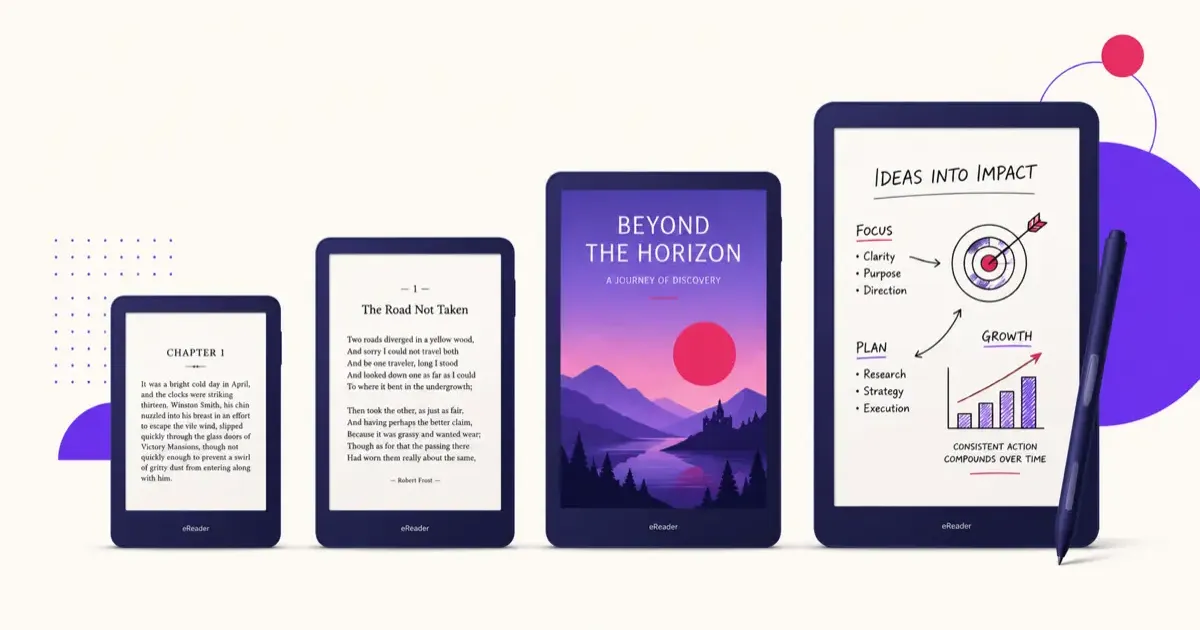
For most people the Kindle Paperwhite ($199.99) is the right buy: a 7-inch screen, waterproofing, warm light, and weeks of battery. Choose the base Kindle ($149.99) if budget comes first, the Colorsoft (from $289.99) if you read comics or magazines, and the Scribe (from $429.99) only if you want to write on it. Prices are Amazon’s US list prices for the lineup announced on September 29, 2026; sales knock $20 to $50 off several times a year, so the ranking matters more than the exact figure.
Amazon’s Kindle lineup has quietly grown into one of the more confusing gadget ranges out there. There is a base Kindle, a Paperwhite, a Paperwhite Signature Edition, a Colorsoft, a couple of Kids editions, and the note-taking Scribe, each in more than one configuration. If you have decided you want a Kindle but have no idea which one, this guide is for you.
(Still deciding between brands? Read our Kindle vs Kobo comparison first, or our full best e-readers guide that covers every option. And if you are not sure an e-reader is right for you at all, start with Is a Kindle Worth It?)
Let’s cut through it.
The Quick Answer
- Most people: Kindle Paperwhite ($199.99). The sweet spot.
- Tight budget: Base Kindle ($149.99). Same great reading, fewer comforts.
- Comics, color, magazines: Kindle Colorsoft (from $289.99).
- Writing and note-taking: Kindle Scribe (from $429.99).
- For a child: a Kids edition (from $179.99, with 12 months of Amazon Kids+ included).
If you read one line and leave: get the Paperwhite. It is the right answer for the large majority of readers.
The Current Kindle Lineup at a Glance
| Model | Price | Screen | Waterproof | Warm Light | Color | Best For |
|---|---|---|---|---|---|---|
| Kindle | $149.99 | 6” | No | No | No | Budget readers |
| Kindle Paperwhite | $199.99 | 7” | Yes (IPX8) | Yes | No | Most people |
| Paperwhite Signature Edition | $249.99 | 7” | Yes (IPX8) | Yes (auto) | No | Extras (32GB, aluminum back, dock charging) |
| Kindle Colorsoft | from $289.99 | 7” | Yes | Yes | Yes | Comics, color content |
| Kindle Scribe | from $429.99 | 11” | No | Yes | No | Writing and notes |
Prices are Amazon MSRP and dip regularly during sales, so it is worth waiting for a deal if you are not in a hurry. The deepest cuts come in late November; our Kindle Black Friday deals guide lists last year’s lows per model so you know what counts as a good price.
The Base Kindle ($149.99): The Budget Pick
The entry-level Kindle is small, light, and cheaper than everything else. You get a 6-inch flush-front display, 16GB of storage, up to six weeks of battery, USB-C charging, and access to the entire Kindle store. If you want more room, an aluminum-back version with 32GB costs $189.99.
Buy it if: you mostly read plain text novels, want to spend as little as possible, and read indoors in decent lighting.
Skip it if: you read at night, in the bath, or outside. It has no adjustable warm light and no waterproofing, which are exactly the two things that make the Paperwhite so much more pleasant for real-world reading.
The Kindle Paperwhite ($199.99): The One to Buy
The Paperwhite is the model most people should get, and it is not close. For about $50 more than the base Kindle, you get:
- A bigger 7-inch display with faster page turns
- IPX8 waterproofing (survives a drop in the tub or pool)
- An adjustable warm light for comfortable night reading
- Battery life rated at up to 12 weeks, not days
That combination is why the Paperwhite is our default recommendation across the site. It removes the small daily annoyances of the base model without pushing into premium territory. Buying for an older reader? The best Kindle for seniors guide narrows it down to two models and the settings that matter.
If you want a little more, the Paperwhite Signature Edition ($249.99) adds 32GB of storage, an auto-adjusting front light, an aluminum back, and pogo-pin charging with Amazon’s optional dock. Nice to have, but not essential. Most people are happier keeping the $50 and buying a good Kindle case instead.
The Kindle Colorsoft (from $289.99): For Color Content
The Colorsoft is the Kindle for people whose reading is not just black text on a page. It has a 7-inch color e-ink display with 16GB of storage, waterproofing, and up to eight weeks of battery, so comics, graphic novels, magazines, cookbooks, and illustrated or technical books actually look the way they were meant to.
The tradeoff is price and, to a small degree, sharpness. Color e-ink is not as crisp for pure text as the black-and-white screens, and you pay roughly $90 more than the Paperwhite. The Colorsoft Signature Edition ($319.99) steps up to 32GB, adds an auto-adjusting front light and an aluminum housing, and supports the same pogo-pin charging dock as the Paperwhite Signature.
Buy it if: color genuinely matters to what you read. Skip it if: you read mostly novels. For a deeper look, see our dedicated Kindle Colorsoft vs Paperwhite breakdown.
The Kindle Scribe (from $429.99): For Writing, Not Just Reading
The Scribe is a different kind of device. It pairs a large writable display (around 11 inches) with a pen, so you can take handwritten notes, keep journals, and mark up documents and PDFs directly on the screen. It is the closest thing Amazon makes to a paper notebook.
As a pure reader it is excellent but overkill, and its size makes it less comfortable to hold one-handed than a Paperwhite. There is also a newer Scribe with a color panel at the top of the range for people who want color and note-taking together.
Buy it if: you want to write and annotate, not just read. Skip it if: you only read books. Our full Kindle Scribe review covers whether it is worth it for work notes.
Buying for a Child
Every Kids edition is the same hardware as its regular counterpart, bundled with a cover, a longer worry-free guarantee, parental controls, and 12 months of Amazon Kids+. The 2026 Kids line starts at $179.99, which for the base Kindle Kids is $30 more than the plain Kindle. Amazon has not published separate list prices for the Paperwhite Kids and Colorsoft Kids in its announcement, so check the current listing for those two.
For most kids, the base Kids edition is plenty. Step up to Paperwhite Kids if they will read in the bath or at bedtime, since the warm light and waterproofing help. There is more detail in our guide to the best Kindle for students.
What About the Oasis?
Amazon discontinued the Kindle Oasis in 2025, so it is no longer part of the lineup. Its signature feature, physical page-turn buttons, is not available on any current Kindle. If buttons are a dealbreaker for you, that is one of the strongest reasons to look at Kobo instead, which still offers them on several models.
So, Which Kindle Should You Buy?
- You want the best Kindle for the money: Paperwhite ($199.99).
- You are on a tight budget: base Kindle ($149.99).
- You read comics, magazines, or color content: Colorsoft (from $289.99).
- You want to take notes and annotate: Scribe (from $429.99).
- You are buying for a child: the matching Kids edition.
Once you have chosen, get more out of it with our complete Kindle guide for setup and tips, learn how to sideload your own books, and decide whether Kindle+ is worth it for how much you read. Torn between a Kindle and a tablet? Our Kindle vs iPad for reading comparison settles it.
Whichever you pick, the good news is that even the cheapest Kindle is a genuinely great e-reader. The differences here are about comfort and use case, not whether the device is good.
Related Articles
Kindle Scribe vs reMarkable 2026: Which Should You Buy?
Kindle Scribe vs reMarkable in 2026: price, note-taking, reading, and ecosystem compared, with a clear pick for writers, readers, and everyone in between.
Kindle vs Kobo (2026): Which E-Reader Should You Buy?
Kindle vs Kobo compared for 2026. Explore hardware differences, OverDrive library borrowing, format support, and pricing to pick your perfect e-reader.
Kindle Paperwhite vs Kobo Clara BW: Which One to Buy?
Kindle Paperwhite vs Kobo Clara BW compared, specs, display, ecosystem, library support, and value. A clear recommendation for each type of reader.