
Best Kindle for Seniors 2026: Easy Reading for Older Eyes
The best Kindle for seniors in 2026: bigger screen, adjustable fonts, warm light, and simple setup. Our top picks for older readers, plus what to look for.

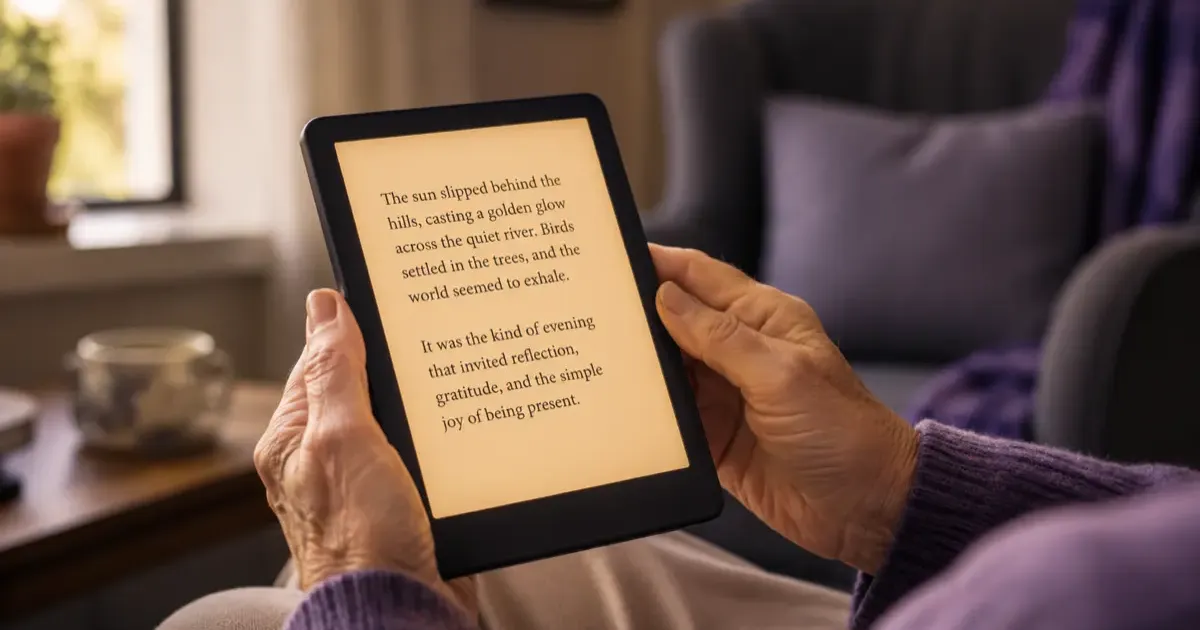
For most seniors the Kindle Paperwhite ($199.99) is the best choice: a roomy 7-inch screen, an adjustable warm light, and large, crisp fonts. Pick the base Kindle ($149.99) to save money, or the large-screen Scribe if eyesight is the real concern and the budget allows. The guide below also covers the setup steps that make a Kindle easy for someone who has never used one.
Buying a Kindle for an older parent, grandparent, or yourself? It is one of the best gifts you can give a lifelong reader. Adjustable fonts, a glare-free screen, and a light that is easy on tired eyes make reading comfortable again, often more comfortable than a paper book.
But the lineup has grown, and not every Kindle is equally senior-friendly. Here is which one to get, and why. (For the full range side by side, see our which Kindle should you buy guide.)
The Quick Answer
- Best for most seniors: Kindle Paperwhite ($199.99). Bigger screen, warm light, easy to read.
- Simplest and cheapest: base Kindle ($149.99).
- Serious vision concerns: Kindle Scribe (large 11-inch screen, from $429.99).
- For color content like magazines: Kindle Colorsoft (from $289.99).
If you want one safe recommendation: the Paperwhite.
What Actually Matters for Older Readers
Before the picks, here is what makes a Kindle comfortable for seniors. These are the features to prioritize:
- Screen size. A larger screen fits more large text per page, so there is less frequent page turning. The 7-inch Paperwhite is noticeably roomier than the 6-inch base model.
- Adjustable warm light. A warm, amber-toned light is easier on aging eyes than harsh white, especially in the evening. This is the single most senior-friendly feature.
- Large, bold fonts. Every Kindle can enlarge text through several big steps and switch to a bolder typeface. This alone makes reading possible again for many people who struggle with small print.
- Light weight. The Paperwhite is light enough to hold one-handed for a long time, which matters for readers with arthritis or weaker grip.
- Simplicity. No apps, no notifications, no pop-ups. A Kindle does one thing, which means far less confusion than a tablet or phone.
- Long battery life. Weeks between charges means less fiddling with cables.
Best Overall: Kindle Paperwhite ($199.99)
The Paperwhite hits the sweet spot for older readers. The 7-inch screen shows more large text at once, the adjustable warm light makes evening reading gentle on the eyes, and it is still light and easy to hold.
It is also waterproof and holds a charge for weeks, so there is less to worry about day to day. For the large majority of seniors, this is the one to buy.
Simplest and Cheapest: Base Kindle ($149.99)
If budget is the priority, or the reader just wants the most basic possible device, the entry-level Kindle still does the core job well. It has the same sharp text and the same generous font-size options.
The tradeoffs are a smaller 6-inch screen and no warm light, so evening reading is a little less comfortable. But for a bright-room daytime reader on a budget, it is perfectly good.
For Serious Vision Concerns: Kindle Scribe (from $429.99)
If eyesight is a real challenge, screen size becomes the most important factor. The Kindle Scribe has a large 11-inch display, which means you can crank the font up very large and still fit a readable amount of text per page, with far less page turning.
The downsides are the higher price and the extra weight and size, which make it less comfortable to hold for long stretches. But for a reader who needs the biggest possible text, it is the best Kindle option.
A Note on Color: Kindle Colorsoft (from $289.99)
If the reader loves magazines, cookbooks, or illustrated books, the Colorsoft adds a color screen. For plain novels it is not worth the extra money over the Paperwhite, but for color content it can make a real difference.
Setup Tips to Make It Senior-Friendly
A few minutes of setup makes a Kindle much easier to live with:
- Turn up the font size and switch on bold text in the display settings before handing it over.
- Set the warm light to a comfortable amber level for evening reading.
- Enable VoiceView if reading aloud would help. It is Kindle’s built-in screen reader.
- Buy a good case with a stand or hand strap for easier holding.
- Load a few books in advance so it works right out of the box. Our complete Kindle guide walks through the basics.
The Bottom Line
For most seniors, the Kindle Paperwhite is the right buy: a comfortable screen, a warm light, and big, clear fonts, all in a simple device that just works. Drop to the base Kindle to save money, or step up to the Scribe if larger text is a genuine need.
Still weighing brands or other models? Our best e-readers guide and which Kindle should you buy comparison cover every option, and is a Kindle worth it helps if you are still on the fence.
Related Articles
Kindle Black Friday Deals 2026: What to Expect & Buy
Kindle Black Friday 2026: which models to watch, the discounts to expect based on past years, current prices as a baseline, and how to avoid overpaying.

Best Kindle for Kids 2026: Safe, Simple & Affordable
The best Kindle for kids in 2026: which Kids edition to buy, what's included, and how it compares to a tablet, with a clear pick for every age and budget.
Kindle Scribe vs reMarkable 2026: Which Should You Buy?
Kindle Scribe vs reMarkable in 2026: price, note-taking, reading, and ecosystem compared, with a clear pick for writers, readers, and everyone in between.