
Kindle Paperwhite Review 2026: Still the One to Buy?
Our 2026 Kindle Paperwhite review: 7-inch screen, waterproofing, warm light, and weeks of battery for $199.99. Here is who should buy it and who should not.

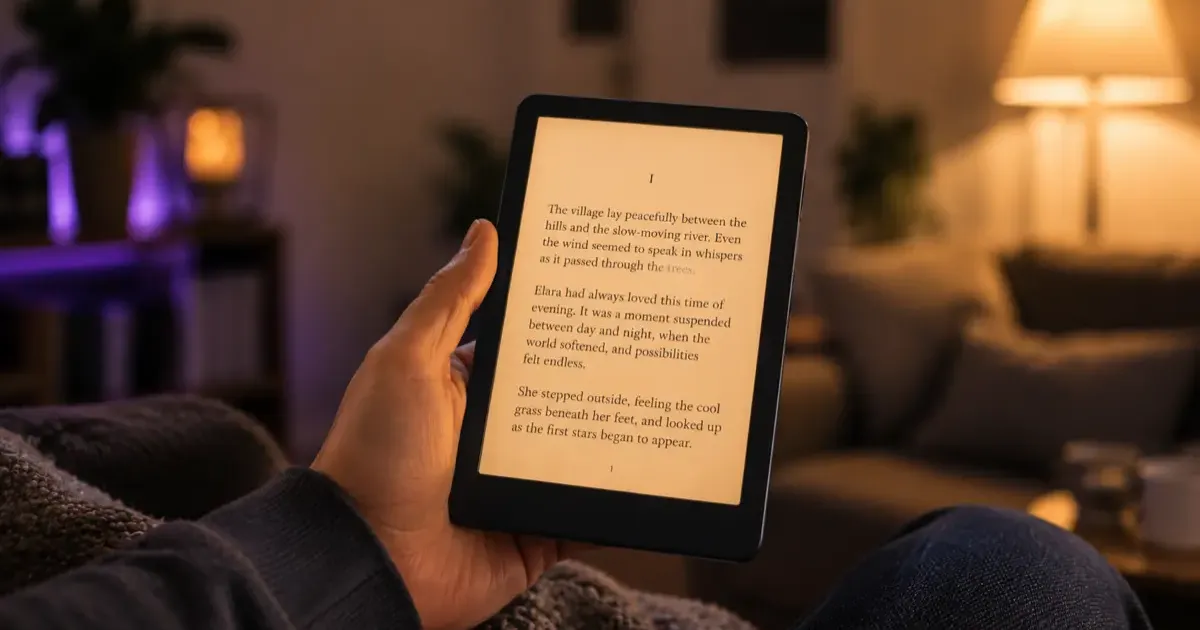
If you want a single recommendation and nothing else, here it is: the Kindle Paperwhite is the e-reader most people should buy in 2026. It has been our default pick across the site for a while, and the 2026 model Amazon announced on September 29 does nothing to change that.
But “most people” is not everyone, and $199.99 is real money. So here is an honest look at what the Paperwhite gets right, where it falls short, and who should spend more or less instead. (If you have not settled on Kindle at all yet, start with which Kindle you should buy or our Kindle vs Kobo comparison.)
The Verdict Up Front
Rating: 4.5 out of 5. The Paperwhite is the complete package for reading: big enough screen, waterproof, comfortable in any lighting, and a battery you charge every few weeks. It loses half a point for things that are true of nearly every Kindle: you are locked into Amazon’s store and formats, and there are no physical page-turn buttons.
Buy it if you want the best all-around e-reader without overthinking it. Look elsewhere if you need color, note-taking, or buttons.
What You Get for $199.99
The current Paperwhite covers the fundamentals that actually matter day to day:
- 7-inch glare-free display. Text is crisp and print-like (previous generations were 300 ppi, and Amazon has not published a different figure for the 2026 model), and the larger screen means fewer page turns than the 6-inch base Kindle.
- Faster page turns and higher contrast. Amazon rebuilt the previous generation to be noticeably quicker than older Paperwhites, and the 2026 model adds an oxide thin-film transistor panel that Amazon says gives it the highest contrast of any Kindle. Speed matters more than it sounds when you are flipping pages for an hour.
- IPX8 waterproofing. Read in the bath or at the pool without worrying.
- Adjustable warm light. Shift the screen from cool white to a warm amber for comfortable night reading. This is the single biggest comfort upgrade over the base model.
- Weeks of battery. Amazon rates it at up to 12 weeks. Real-world use depends on brightness and how much you read, but you will charge it rarely.
- 16GB storage and USB-C. Enough for thousands of books, with a modern charging port.
None of these are flashy, and that is the point. The Paperwhite is not trying to impress you with features. It just removes every small annoyance that would otherwise interrupt your reading.
The Reading Experience
This is where the Paperwhite earns its reputation. The screen is glare-free in direct sunlight, the warm light makes late-night reading easy on the eyes, and the extra inch of screen over the base Kindle genuinely reduces how often you tap to turn the page.
For anyone reading mostly novels and nonfiction, this is as good as black-and-white e-reading gets. Pair it with Kindle+ if you read a lot, or sideload your own books if you bring content from elsewhere, and it handles both without fuss.
Paperwhite vs Signature Edition
For $50 more, the Paperwhite Signature Edition ($249.99) adds four things: 32GB of storage, an auto-adjusting front light that reacts to the room, an aluminum back, and pogo-pin charging with Amazon’s optional dock. The screen, size, and reading experience are identical.
Our take: skip it unless you specifically want dock charging. 16GB already holds far more books than most people will ever load, and the manual brightness slider is not exactly a hardship. The $50 is better spent on a good Kindle case.
Where It Falls Short
An honest review has to cover the downsides, and the Paperwhite has a few:
- You are locked into Amazon. No native EPUB support, and purchased books carry Amazon DRM. If you value format freedom or borrow heavily from libraries, Kobo is worth a serious look.
- No physical page buttons. With the Oasis discontinued, no current Kindle has them. Kobo still does on some models.
- No color. If you read comics, magazines, or illustrated books, the Paperwhite’s black-and-white screen is a real limitation. That is what the Colorsoft is for.
- Ads by default. The standard config shows sponsored screensavers unless you pay a small one-time fee to remove them.
Who Should Buy Something Else
- Want color? Step up to the Kindle Colorsoft (from $289.99).
- Want to take notes or annotate? Get the Kindle Scribe (from $429.99).
- Want physical buttons or EPUB freedom? Consider a Kobo instead.
- On a strict budget? The base Kindle ($149.99) reads the same books, just without the warm light and waterproofing.
Is It Worth It?
Yes. The Kindle Paperwhite is the e-reader we recommend to the most people, because it gets the fundamentals right and skips the compromises of the cheaper model without pushing into premium prices. At $199.99 it is the safe, sensible choice, and the one you are least likely to regret. If you can wait until late November, our Kindle Black Friday deals guide shows how far the Paperwhite dropped last year.
For setup, tips, and getting the most out of it once it arrives, see our complete Kindle guide. And if you are still weighing it against the rest of the range, our which Kindle should you buy breakdown lays out every option side by side.
Related Articles
Kindle Paperwhite vs Kobo Clara BW: Which One to Buy?
Kindle Paperwhite vs Kobo Clara BW compared, specs, display, ecosystem, library support, and value. A clear recommendation for each type of reader.
Kindle Black Friday Deals 2026: What to Expect & Buy
Kindle Black Friday 2026: which models to watch, the discounts to expect based on past years, current prices as a baseline, and how to avoid overpaying.
Kindle Scribe vs reMarkable 2026: Which Should You Buy?
Kindle Scribe vs reMarkable in 2026: price, note-taking, reading, and ecosystem compared, with a clear pick for writers, readers, and everyone in between.