
Best Kindle for Students 2026: Which Model to Buy
The best Kindle for students in 2026, ranked by budget, note-taking, and PDF support. Real picks for grad students, STEM majors, and casual readers.

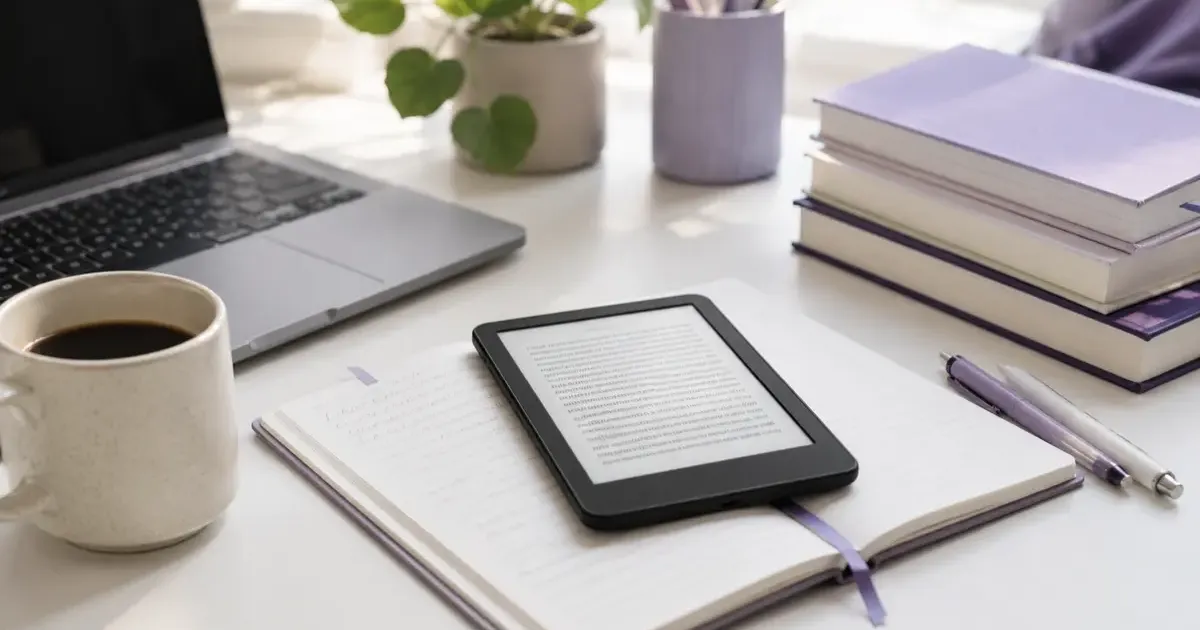
The Kindle Paperwhite ($199.99) is the best Kindle for most students; the Scribe (from $429.99) is worth it only if you annotate textbooks and PDFs; the base Kindle ($109.99) covers a reading list that is mostly novels. Small screens shrink textbook PDFs into constant zooming, which is why the 10.2-inch Scribe is the only Kindle that works for STEM and grad students. Prices as of June 2026.
An e-reader is one line item on a longer list, and our best back to school tech gadgets covers the rest of the kit.
Buying a Kindle for school sounds simple until you see the lineup: a base Kindle, two Paperwhites, a color Colorsoft, and the note-taking Scribe. The right one depends entirely on what kind of student you are. A philosophy grad student reading dense PDFs needs something very different from a freshman who just wants assigned novels to stop killing their backpack.
This guide breaks down which Kindle to buy by student type, with current prices and the trade-offs that actually matter on a campus budget.
Quick Picks: Best Kindle for Students at a Glance
In a hurry between classes? Here are our top recommendations for every academic major:
| Student Profile | Top Pick | Screen & Lighting | Price | Why It Wins |
|---|---|---|---|---|
| 🏆 Best for Most Students | Kindle Paperwhite | 7.0” Glare-Free, Warm Light | starting at ~$199.99 | Waterproof (IPX8), 12-week battery, ideal size for e-textbooks |
| 💵 Best on a Tight Budget | Base Kindle | 6.0” Glare-Free, Front Light | starting at ~$149.99 | Lightest Kindle, 6-week battery, fits jacket pockets, cheapest entry |
| ✍️ Best for STEM & PDFs | Kindle Scribe | 11” Display, Included Pen | starting at ~$429.99 | No-zoom full page PDF markup, handwritten notes, latex & code review |
| 🎨 Best for Diagrams & Art | Kindle Colorsoft | 7.0” Color E Ink, Auto-Adjusting Light (Signature) | from ~$289.99 (Signature ~$319.99) | Highlights charts, medical illustrations, anatomy & graphic novels |
| ⚡ Best for Power Readers | Paperwhite Signature | 7.0” Auto-Adjusting Light, 32GB | ~$249.99 | Dock charging, aluminum body, massive audiobook storage |
If you want one answer for the average student: the Kindle Paperwhite is the pick. It is big enough to read comfortably, cheap enough to not panic if it gets knocked off a library table, and lasts weeks per charge. Everything else is a special case.
The 2026 Kindle Lineup, Explained for Students
Base Kindle, starting at $149.99
The entry Kindle is the lightest and most compact model, with a 6-inch 300 ppi glare-free display and 16GB of storage. It has an adjustable front light, so you can read in a dark dorm without waking a roommate.
For a student who mostly reads assigned novels and the occasional e-book, this is genuinely all you need. The downsides: the 6-inch screen feels cramped for anything with formatting, and it is not waterproof, which matters more than you think when your bag also holds a water bottle.
Best for: Freshmen, casual readers, and anyone whose reading list is 90% prose.
Kindle Paperwhite, starting at $199.99
The Paperwhite is the sweet spot. The latest model bumps the screen to 7 inches, adds an adjustable warm light for late-night reading, and is waterproof (IPX8), so it survives spilled coffee and rainy walks to class. Battery life runs into the weeks.
The extra inch of screen over the base Kindle makes a real difference for anything with structure, like study guides or longer non-fiction. For most students this is the model I would hand them without a second thought.
Best for: The default student pick, prose plus the occasional reflowable e-textbook.
Paperwhite Signature Edition, ~$199.99
The Signature Edition is the same 7-inch Paperwhite with three upgrades: 32GB of storage, wireless charging, and an auto-adjusting front light that reads the room and sets brightness for you. There are no lock-screen ads either.
For a student, the practical wins are the auto-adjusting light (useful when you move from a bright quad to a dim lecture hall) and double the storage if you hoard audiobooks. The $40 jump over the standard Paperwhite is a nice-to-have, not a need-to-have.
Best for: Students who read constantly and want the small quality-of-life upgrades.
Kindle Colorsoft Signature Edition, $319.99
The Colorsoft is Amazon’s color E Ink reader: a 7-inch color display, auto-adjusting front light, wireless charging, and 32GB. Color E Ink is more muted than a tablet screen, but for the right content it is a real upgrade.
For students, color matters in specific majors: biology diagrams, chemistry structures, design portfolios, art history, and anything with charts or color-coded highlighting. If your reading is mostly black text, you are paying a premium for color you will rarely use, and a Paperwhite is the smarter call.
Best for: Design, art, biology, and any program where diagrams and color carry meaning.
Kindle Scribe, starting at $429.99
The Kindle Scribe is the only Kindle built for note-taking. It has a 10.2-inch 300 ppi display, ships with a stylus, and lets you write directly in books and on imported PDFs. Storage tiers run from 16GB ($399.99) up to 64GB ($479). Recent models added handwriting-to-text conversion and notebook search.
This is the model that changes how PDF-heavy students work. The 10.2-inch screen is the first Kindle large enough to show a full textbook or lecture-slide PDF at a readable size without endless zooming. Combined with the stylus, it replaces a stack of printed readings you would otherwise annotate by hand. You can highlight, scribble margin notes, and pull all your handwritten notebooks into one searchable place, which is a genuine workflow upgrade for anyone juggling a dozen reading assignments a week. I dig into the trade-offs in my full Kindle Scribe Review.
The catch is price and bulk. At four times the cost of a base Kindle, it only makes sense if you actually annotate. The Scribe is also bigger and heavier than a Paperwhite, so it is less of a grab-and-go device and more of a desk-and-backpack companion. If you just read assigned text, you are overpaying for a feature you will not touch, and a smaller Kindle will serve you better day to day. But if your degree is built on dense readings, the Scribe earns its keep fast.
Best for: Grad students, law and STEM majors, and anyone who marks up PDFs and textbooks constantly.
How to Choose: A Student Decision Guide
Work through these in order:
- Do you annotate PDFs or take handwritten notes on readings? If yes, the Scribe is the only Kindle that does this well. Stop here.
- Is your content color-dependent (diagrams, charts, art)? If yes, the Colorsoft is the pick.
- Do you read constantly and want wireless charging plus auto light? Go Paperwhite Signature Edition.
- Do you want the best all-around value? The standard Paperwhite wins.
- Are you on the tightest budget and read mostly novels? The base Kindle does the job for around $110.
A few realities worth knowing before you buy. None of these readers do well with fixed-layout PDFs except the Scribe, so do not buy a 6-inch Kindle expecting to study from textbook scans. Storage is rarely a problem for text, since even 16GB holds thousands of e-books, but it fills faster if you load audiobooks or large PDF collections, which is part of why the 32GB tiers exist. Battery anxiety is also a non-issue: every current Kindle lasts weeks per charge, so you are not hunting for an outlet between classes the way you would with a tablet.
If you are weighing Kindle against the competition, my Kindle vs Kobo comparison covers where each ecosystem wins, including Kobo’s stronger native support for library lending through OverDrive. If you are still on the fence about whether you need a dedicated e-reader at all instead of just reading on a phone or tablet, Is a Kindle Worth It? walks through who actually benefits from the distraction-free, eye-friendly screen.
A Note on Cost: Books and Subscriptions
The device is only part of the spend. Assigned e-textbooks can be expensive, but a lot of supplemental reading is free through your university library’s e-book lending and public-domain classics. If your reading list leans heavily on popular non-fiction or you read for fun on the side, a subscription can pay for itself; see is Kindle+ worth it (the subscription formerly called Kindle Unlimited) for the math on whether it makes sense for your habits.
Timing matters too. Amazon does not run a permanent student discount, but back-to-school sales in August and Prime Day events are when Kindles drop the most. If you can wait for one of those windows, you will often save $20 to $50.
The Verdict
For the average student, buy the Kindle Paperwhite. It is the right balance of screen size, durability, and price, and it covers the vast majority of college reading.
Spend up to the Kindle Scribe only if you genuinely annotate PDFs and textbooks, in which case it is transformative rather than indulgent. Reach for the Colorsoft if your major lives on diagrams and color. And if money is tight and your list is mostly novels, the base Kindle at around $110 will not let you down.
Match the model to how you actually study, not to the spec sheet, and any of these will outlast your degree.
Frequently Asked Questions
What is the best Kindle for students in 2026?
For most students, the Kindle Paperwhite (starting at $199.99 as of October 2026) is the best all-around pick: a 7-inch glare-free screen, weeks of battery, and a price that survives a dorm desk. If you annotate textbooks and PDFs heavily, the Kindle Scribe (starting at ~$399.99) is worth the jump for its 10.2-inch screen and stylus.
Can you read PDFs and textbooks on a Kindle?
Yes, but the experience depends on the model. Small-screen Kindles (6 to 7 inches) shrink textbook PDFs to the point of constant zooming. The Kindle Scribe’s 10.2-inch display shows full PDF pages at a readable size and lets you write directly on them, which is why it is the best Kindle for PDF-heavy and STEM students.
Is the Kindle Scribe worth it for students?
It is worth it if you regularly annotate textbooks, mark up lecture PDFs, or take handwritten notes. The large 10.2-inch screen and included stylus replace a stack of printouts. If you mostly read novels or assigned e-books, a Paperwhite costs less than half as much and is the smarter buy.
Do students get a discount on Kindles?
Amazon does not offer a permanent student-specific Kindle discount, but Prime Student members get the same Prime Day and seasonal deals as full Prime members, where Kindles routinely drop in price. Back-to-school sales in August and Prime Day events are the best windows to buy.
Related Guides
- Kindle Scribe Review: the full breakdown on note-taking and PDFs
- Kindle vs Kobo: how the two ecosystems compare
- Is a Kindle Worth It?: who actually benefits from an e-reader
Related Articles
Kindle Scribe vs reMarkable 2026: Which Should You Buy?
Kindle Scribe vs reMarkable in 2026: price, note-taking, reading, and ecosystem compared, with a clear pick for writers, readers, and everyone in between.
Which Kindle Should You Buy in 2026? Full Lineup Compared
Which Kindle should you buy in 2026? Compare the base Kindle, Paperwhite, Colorsoft, and Scribe by price, screen, and use case, with a pick for every reader.
Kindle Paperwhite vs Kobo Clara BW: Which One to Buy?
Kindle Paperwhite vs Kobo Clara BW compared, specs, display, ecosystem, library support, and value. A clear recommendation for each type of reader.