
macOS 27 and iOS 27 Review: Everything New in 2026
Apple releases macOS 27 Golden Gate and iOS 27 on Sept 14, 2026. Discover Siri AI, Liquid Glass, Visual Intelligence, and next-gen Apple Intelligence features.

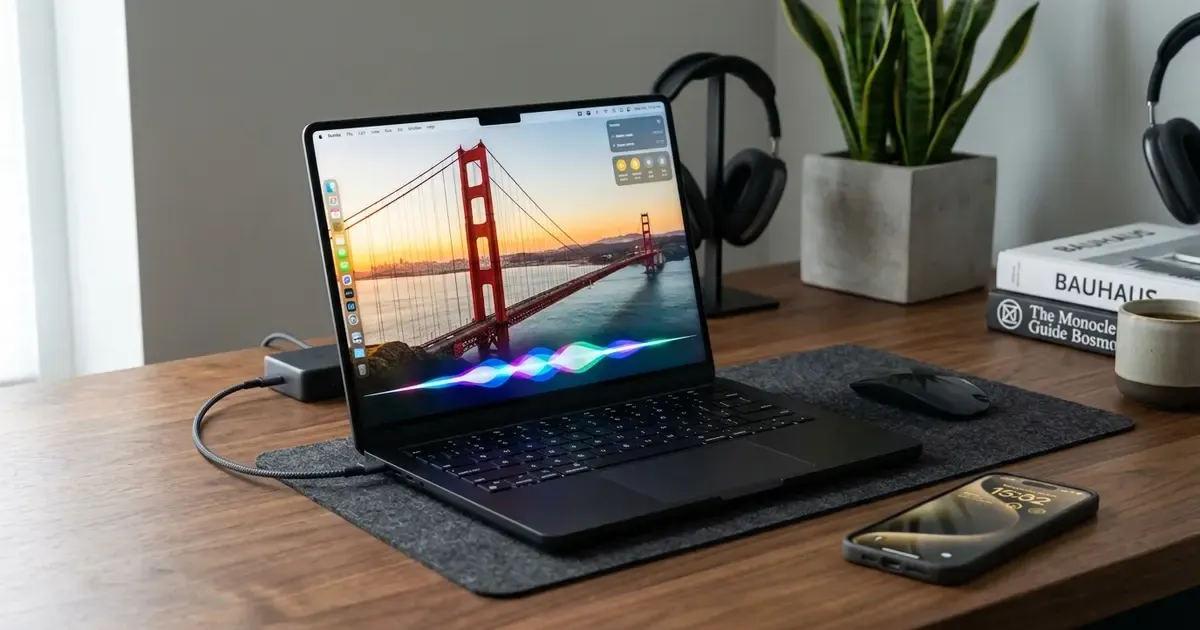
On September 14, 2026, Apple officially deploys its most ambitious ecosystem update in years. Arriving simultaneously across iPhone, Mac, iPad, Apple Watch, and Vision Pro, the new software generation, headlined by macOS 27 Golden Gate and iOS 27, moves Apple Intelligence from tentative preview experiments into the foundational architecture of the operating system. You can explore the complete release platform directly on Apple’s OS overview portal.
Elevate your Mac workspace: Discover how to optimize your physical desktop, ergonomics, and display layout in our comprehensive Master Desk Upgrade Guide.
From an entirely reimagined, conversational Siri AI with its own dedicated desktop application, to contextual Visual Intelligence on Mac displays, refined Liquid Glass design aesthetics, and generative photo tools like Spatial Reframe, this release alters how daily work gets done. Whether you compute on a flagship desktop setup or carry your life on a modern iPhone, here is everything you need to know about macOS 27 and iOS 27.
Quick Picks: Top Features in macOS 27 & iOS 27 at a Glance
For readers scanning on mobile, here is a concise breakdown of the standout upgrades arriving with this OS generation:
| Feature / Upgrade | Platform Availability | Real-World Impact |
|---|---|---|
| Siri AI & Dedicated App | macOS 27, visionOS 27 (iOS/iPadOS English) | Conversational assistant with persistent memory, sidebar chat threads, and app automation |
| Visual Intelligence on Mac | macOS 27 (Apple Silicon M-series) | Contextual screen queries, image searches, and instant data extraction via keyboard shortcuts |
| Liquid Glass 2.0 Design | macOS 27, iOS 27, iPadOS 27 | Higher legibility, balanced light refraction, and user-adjustable UI tint opacity slider |
| Generative Photo Tools | macOS 27, iOS 27, iPadOS 27 | Spatial Reframe (post-shot perspective tuning), Generative Expand, and enlarged Clean Up brush |
| Smart Safari Tab Topics | macOS 27, iOS 27, iPadOS 27 | Automatic topic clustering and “Track for Changes” alerts for price drops and stock updates |
| Smart Passwords Overhaul | macOS 27, iOS 27, iPadOS 27 | One-tap automated remediation of weak or compromised passwords across saved accounts |
| Call Context Intelligence | iOS 27, watchOS 27 | Proactive screen pop-ups showing booking codes and order details while on phone with vendors |
| Natural Language Shortcuts | macOS 27, iOS 27, iPadOS 27 | Describe complex automations in plain words, and Shortcuts chains apps together automatically |
The Rebirth of Siri: Siri AI and the Dedicated Mac Application
For more than a decade, Siri was treated as a utilitarian voice command utility that struggled with nuanced follow-up questions. With macOS 27 and iOS 27, Apple has fundamentally rebuilt the assistant around Apple Intelligence foundation models, transforming it into Siri AI.
1. Natural, Conversational Multi-Turn Dialogues
Siri AI now understands colloquial speech, self-corrections, and complex instructions without requiring robotic syntax. If you say, “Siri, find that PDF quote from the contractor I emailed two weeks ago, summarize the kitchen electrical work, and draft a reply asking for a start date,” the system parses the multi-stage intent, locates the thread in Apple Mail, extracts the relevant lines, and constructs an editable draft in seconds.
2. The Dedicated Siri App on macOS Golden Gate
One of the biggest surprises of macOS 27 is the introduction of a standalone Siri App. Taking inspiration from modern AI developer workspaces, the Siri desktop application brings all your AI interactions into one organized workspace:
- Persistent Conversation Threads: Chat sessions remain saved in a clean sidebar, allowing you to resume research, coding assistance, or creative brainstorming days later.
- Pinned Dialogues: Pin high-priority ongoing projects or reference chats to the top of your list.
- System-Wide Screen Context: You can summon Siri inside the app while referencing documents open in Pages, Keynote, or Xcode without breaking window layout.
3. Deep In-App Actions
Siri AI is no longer walled off from third-party app actions. It can manipulate controls inside Messages, Reminders, Music, and Calendar directly. You can ask Siri to edit a message you just typed, append a song playing in your car to a specific workout playlist, or rotate a batch of newly imported photos without opening the full editing inspector.
4. Regional Rollout and EU Availability Notes
Siri AI launches first in English. In the European Union, Apple has confirmed that due to ongoing regulatory reviews under digital market frameworks, Siri AI will initially be available in beta form on macOS 27 and visionOS 27, while rollout for iOS 27, iPadOS 27, and watchOS in the EU is scheduled for subsequent system updates.
Visual Intelligence Comes to the Mac
Visual Intelligence, which debuted as a camera-centric discovery tool on iPhone, makes its desktop debut in macOS 27 Golden Gate.
By highlighting any portion of your screen or pressing a customizable hotkey, macOS analyzes the visual contents of your workspace:
- Instant Search & Fact Checking: Hover over an unfamiliar landmark in a travel guide, a culinary recipe photo in Mail, or an unfamiliar hardware part in a schematic to pull up instant web knowledge, nutritional information, or supplier listings.
- Text & Code Extraction: Grab unselectable text embedded in video streams, webinars, or flattened graphics with near-perfect OCR accuracy.
- Contextual Actions: If an email contains a photo of an invoice or event ticket, Visual Intelligence suggests one-click actions like adding the date to Calendar, looking up the shipping carrier tracking status, or asking Siri AI follow-up questions about the image.
When paired with modern productivity hardware like best USB-C docking stations and high-resolution monitors, Visual Intelligence turns secondary displays into active research canvases. If you are weighing workstation configurations, our guide on ultrawide versus dual monitors explores how to arrange these AI utility windows effectively.
Next-Generation Apple Intelligence in Core Apps
Beyond Siri, Apple Intelligence is woven directly into the daily applications Mac and iPhone users spend hours navigating.
Smarter Photo Editing: Spatial Reframe and Generative Expand
The Photos app in macOS 27 and iOS 27 receives its most dramatic creative update since the introduction of Portrait Mode:
- Spatial Reframe (Räumliche Neuausrichtung): Allows photographers to adjust the composition, horizon angle, and perspective grid of a photo after it has already been captured, realistically filling borders and repositioning subjects.
- Generative Expand (Erweitern): If a portrait is framed too tightly or an Instagram story requires extra vertical room, the tool paints realistic ambient background context beyond the original camera sensor borders.
- Enhanced Clean Up (Bereinigen): An upgraded generative brush effortlessly erases large unwanted background distractions, photobombers, or distracting reflections without leaving smeared pixel artifacts.
Image Playground and Creative Generation
Image Playground now generates high-fidelity, stylistically diverse imagery, ranging from illustrative concept sketches to near-photorealistic renderings. Users can tweak characters, lighting, and environments with quick descriptive prompts or touch adjustments directly inside Messages, Notes, and Freeform.
Intelligent Safari: Tab Topics and Site Tracking
Safari in OS 27 addresses tab overload with two practical AI tools:
- Automatic Tab Organization: Groups dozens of open tabs into topical categories (such as research projects, travel bookings, or recipes) automatically.
- Track for Changes (Mitteilung an mich): Monitors specific web pages for content modifications, notifying you immediately when a flight drops in price, a concert ticket becomes available, or an out-of-stock gadget returns to inventory.
Passwords App: One-Tap Security Fixes
Building on the dedicated Passwords application, OS 27 introduces automated credential remediation. When the app detects compromised, leaked, or weak passwords, a single tap initiates an automated update flow, replacing insecure credentials with strong encrypted keys without navigating complicated account settings menus manually.
Proactive Call Context
When calling customer support lines, airlines, or service providers from an iPhone running iOS 27, the phone proactively surfaces relevant context on screen before the representative even answers. Booking reference numbers found in Mail, tracking IDs from Notes, and recent billing statements appear in an unobtrusive top card, ending the frantic search through inbox folders while on hold.
Natural Language Shortcuts
Creating automations in the Shortcuts app previously required understanding conditional logic and action blocks. In OS 27, users simply describe their goal in natural language: “When I leave the office, text my partner my estimated arrival time and turn on the living room lights.” The system interprets the intent and constructs the end-to-end multi-app workflow automatically.
Design Refinements: Liquid Glass 2.0 and Core Performance
Visual polish has always been an Apple hallmark, but macOS 27 Golden Gate and iOS 27 strike a refined balance between aesthetic elegance and utilitarian clarity.
Liquid Glass 2.0
The translucent visual elements introduced in recent years have been overhauled into Liquid Glass 2.0:
- Uniform Light Refraction: Minimizes visual distortion behind active windows and navigation bars, significantly improving text contrast in both light and dark modes.
- Custom Tint Slider: In System Settings, users can adjust the opacity of UI elements with a slider ranging from ultra-clear frosted minimalism to solid high-contrast backgrounds.
Under-the-Hood Speed and Resource Scheduling
Apple focused heavily on efficiency for this release:
- Instantaneous App Launches: System binaries and common apps open noticeably faster thanks to improved APFS page caching.
- Optimized Memory Footprint: Background daemon RAM usage has been trimmed, giving creative apps in video editing and 3D modeling more headroom on base 16GB unified memory models.
- Accelerated AirDrop: Multi-gigabyte file transfers over local peer-to-peer Wi-Fi complete up to 30% faster with improved error resumption.
- Low-Bandwidth Messages Indicator: In low-signal environments, photo and video attachments transmit quietly in the background without blocking incoming text messages, accompanied by an explicit transmission progress badge.
Enhanced Safety and Digital Well-being for Families
Family security and child protection receive substantial structural updates in iOS 27 and macOS 27:
- Setup Assistant App Pre-Approval: During initial device onboarding, parents can select which system apps and tools their child can access from day one.
- Ask to Browse (Surfanfrage): Children requesting access to unapproved websites send a rich preview prompt to their parent’s Messages app, where parents can inspect the domain before granting one-tap approval.
- Expanded Communication Safety: Builds upon nudity detection by actively warning children and parents before violent or graphic content can be displayed in shared media or incoming FaceTime video calls.
- Age-Tailored Usage Schedules: Developed in collaboration with child health professionals, offering structured daily allowances for games, social media, and educational tools based on developmental stages.
Supported Devices and Compatibility Guide
To run Apple Intelligence features in macOS 27 Golden Gate and iOS 27, hardware requires neural engine acceleration and modern unified memory architectures:
macOS 27 Golden Gate Compatible Macs:
- MacBook Pro: M1, M2, M3, M4 series (14-inch and 16-inch models)
- MacBook Air: M1, M2, M3 series (13-inch and 15-inch models)
- MacBook Neo: A18 Pro silicon (explore our one month review of the MacBook Neo)
- iMac: M1, M3, and newer
- Mac mini, Mac Studio, and Mac Pro: All Apple Silicon configurations
iOS 27 & iPadOS 27 Compatible Devices:
- iPhone: iPhone 17 series, iPhone 16 series, iPhone 15 Pro, and iPhone 15 Pro Max
- iPad: iPad Pro (M1 and newer), iPad Air (M1 and newer), and iPad mini (A17 Pro and newer). If you are comparing mobile tablets for productivity, see our comparison between iPad versus modern Android tablets.
Final Verdict: Apple’s Cohesive Ecosystem Leap
macOS 27 Golden Gate and iOS 27 represent Apple at its architectural best. Rather than bolting third-party chatbots onto an aging interface, Apple has deeply embedded conversational intelligence, visual computer vision, and thoughtful daily convenience tools directly into the fabric of the operating system.
With the standalone Siri app on Mac, post-capture generative photo reframing, intelligent Safari tab monitoring, and tangible performance gains across everyday tasks, upgrading on September 14 is an easy recommendation for any compatible device owner.
What to Read Next
- Siri AI and Apple Intelligence: The Complete Architecture Breakdown
- MacBook Neo One Month Later: Is Apple’s Budget Laptop Worth It?
- iPad vs Android Tablets: Which Ecosystem Wins for Productivity?
- Best USB-C Docking Stations for Dual Monitors and Mac Workstations
- RemoveMacAI: How to Debloat Apple Intelligence on macOS 27
- Apple HomeView: Specs, Siri AI, Pricing & Release Date
- iPhone Duo: What to Expect from Apple’s First Foldable
Related Articles

iPad Air 11 M4 Review: iPadOS 27 Powerhouse in 2026
Apple iPad Air 11-inch M4 review with iPadOS 27: benchmark performance, Apple Intelligence, Stage Manager 3.0, Apple Pencil Pro, and real battery life.

MacBook Neo: Should You Buy Apple's $699 Laptop? (2026)
Apple's $699 MacBook Neo runs an iPhone chip with 8GB of RAM. We go through the official specs, the two configurations, and who it actually fits before you buy.
Rumored iPhone Fold: Specs, Release Date & Price
Everything about Apple's rumored iPhone Fold: supply chain leaks, crease-free display patents, expected launch windows, pricing, and custom iOS features.